AI agents are revolutionising how professionals interact with technology — and understanding AI agents is the first step. Every day, professionals face a quiet but persistent drain on productivity: the inefficiencies of manual workflows. Whether it’s drafting emails, writing LinkedIn posts, updating CRMs, or documenting code, the majority of time is spent copying and pasting, formatting text, or moving between multiple tabs. Even with AI tools, many feel like they’re still working harder, not smarter.
Voice typing tools, dictation software, and transcription AIs promised a shortcut-but in reality, they only convert your voice into text. Chatbots can answer questions or generate drafts, but they live in separate apps, requiring you to copy-paste, edit, and format everything before it’s usable. The problem isn’t that you’re typing too slowly. The problem is that manual drafting hasn’t gone away.
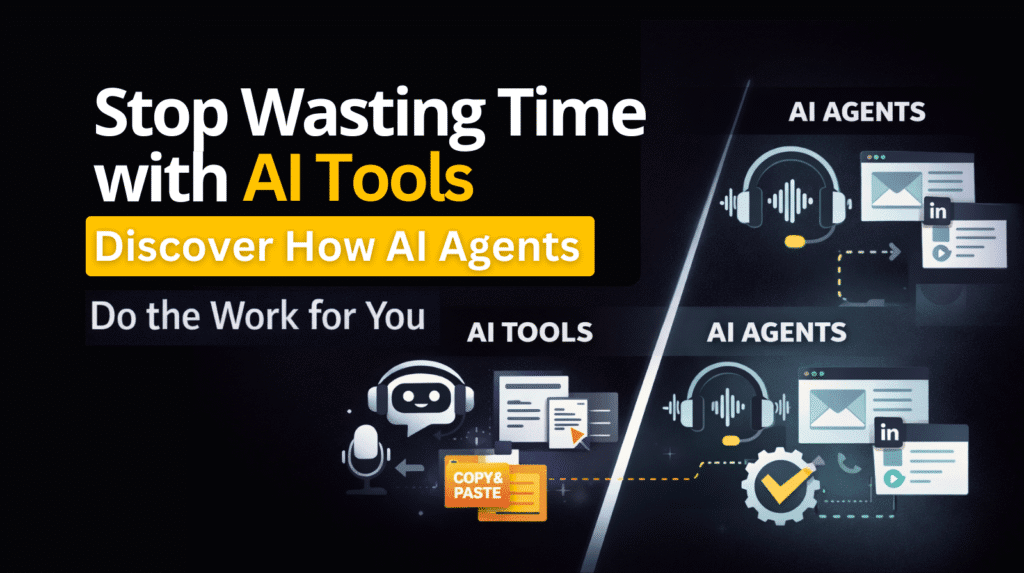
If you’re like most professionals, your workflow still looks like this: speak → edit → copy → paste → send. Hours vanish every week performing tasks that AI could handle directly inside your workflow.
Why Current AI Tools Fail
Most people assume that simply using an AI tool will automatically make their work faster. This is where the misconception lies. AI tools, by design, are limited in context awareness. They focus on generating text, not taking action. Here’s why current tools fall short:
- Voice Typing & Dictation Software:
They transcribe your words accurately, but you still have to structure emails, format documents, and manually paste content into other apps. - Transcription AI:
Converts meetings or notes into text but does nothing beyond text creation. Summaries still need editing, and action items must be executed manually. - Chatbots:
Require prompts and back-and-forth instructions. You often spend more time figuring out how to phrase a command than completing the task itself. - Copy-Paste Dependency:
All of these tools still rely on you to move content between platforms. The repetitive nature of this workflow creates fatigue, reduces productivity, and wastes hours weekly.
The harsh truth is that voice-to-text alone does not solve the productivity problem. Professionals aren’t looking for tools-they need AI that works where they work.
Introducing AI Agents-The Next Evolution

This is where AI agents come in. Unlike traditional AI tools, AI agents are designed to perform actions directly inside the platforms you already use. They don’t just give you text; they execute your instructions in context, transforming how professionals handle daily workflows.
Some core principles of AI agents include:
- Browser-Native and Context-Aware:
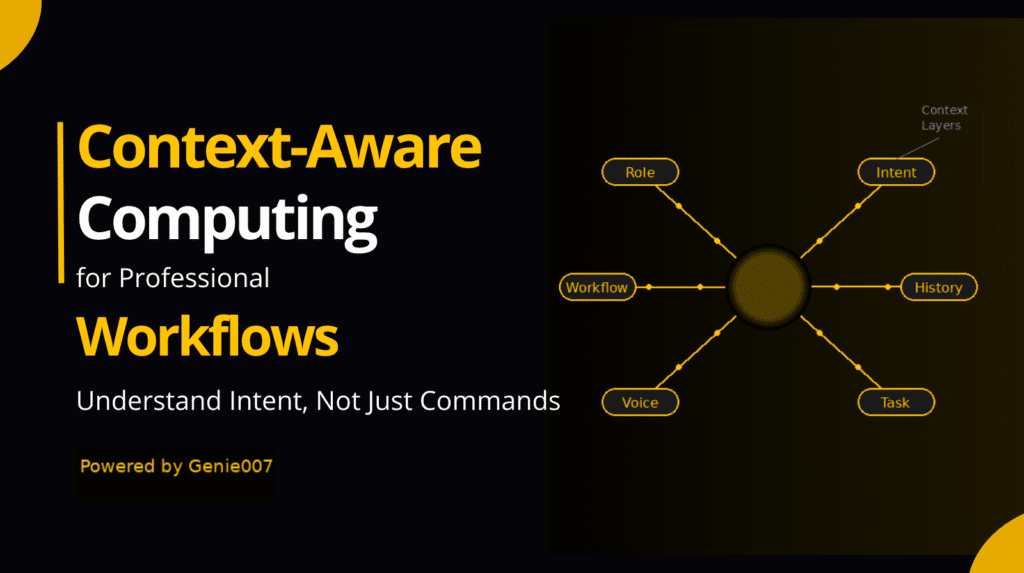
AI agents understand the page you’re on-Gmail, LinkedIn, a CRM, or a code editor-and tailor responses accordingly. You no longer need to explain the context or prompt for formatting; the AI handles it. - Voice-to-Action Workflow:
Instead of dictating full sentences, you can give instructions naturally: “Reply to this email professionally and suggest a meeting on Friday.”
The agent reads the email, understands the tone, drafts a polished response, and places it in the reply box-ready to send. - Ambient AI in Action:
AI agents are present where you work. They anticipate needs, automate repetitive tasks, and remove the friction between ideas and execution.
One leading example of this approach is Genie 007, a browser AI agent that transforms how work gets done without requiring prompts, copy-paste, or manual formatting. Professionals can focus on decision-making and creativity while the AI executes the routine tasks.
Real-World Scenarios Where AI Agents Outperform Tools
Understanding the practical difference between AI tools and AI agents becomes clearer when we look at real workflows:
- Email Professionals:
Imagine receiving dozens of emails daily. Traditional AI tools might generate draft responses, but you still have to copy, paste, and format each one. An AI agent reads the context, drafts the email, and inserts it directly into your inboxsaving minutes per email and reducing cognitive load. - Content Creators & Social Media Managers:
Writing LinkedIn posts, commenting on blogs, or creating short-form content requires context-aware tone and style. AI agents analyze the platform, adapt your instructions into professional content, and place it where it belongsno additional editing needed. - Developers & Documentation:
Code documentation or technical notes can be tedious. AI tools generate content, but you must integrate it into your projects manually. AI agents can draft, format, and insert documentation directly in your code editor or project management tool. - CRM & Business Dashboards:
Updating client information, logging notes, or generating summaries often requires multiple clicks and repetitive input. AI agents perform these actions in-context, eliminating manual data entry and reducing errors.
These scenarios highlight a simple truth: AI agents execute work; AI tools generate content. The difference is not minorit’s significant.
The Future of Work with intelligent agents
By 2026, professional workflows are expected to prioritize context-aware automation over manual drafting. intelligent agents are central to this shift. Key aspects include:
- End of Copy-Paste Work:
Professionals will no longer transfer content between apps. Instructions will become actionable, and AI will perform them in context. - Automation Without Switching Tabs:
intelligent agents operate directly within your workspace, reducing context switching and cognitive fatigue. - Global Teams & Multilingual Productivity:
intelligent agents can understand and act in multiple languages, enabling non-native English speakers to communicate professionally without delays. - Voice-to-Action as Standard:
Spoken intent replaces typing. Professionals will say what they want, and intelligent agents will make it happenspeak and it’s done.
In short, intelligent agents are not a future concept-they’re the practical next evolution of productivity.
Key Takeaways: Old Way vs New Way
To summarize, here’s the distinction between traditional AI tools and agentic AI tools:
- Old Way with AI Tools:
- Voice typing transcribes text
- Chatbots require manual prompts
- Copy-paste is inevitable
- Context switching drains productivity
- New Way with agentic AI tools:
- Context-aware and browser-native
- Performs actions directly inside your workflow
- Reduces manual drafting and editing
- Speak once, task completed
agentic AI tools transform professional work by removing repetitive steps and giving time back for creative and strategic tasks.
FAQs
What is the difference between an AI tool and an AI agent?
AI tools generate text or information but require manual action. agentic AI tools understand context and perform tasks directly inside your workflow.
Can agentic AI tools replace voice typing and chatbots?
Yes, agentic AI tools go beyond transcription and conversation-they execute actions and automate repetitive work.
How do agentic AI tools understand context automatically?
They analyze the platform, the type of content, and the intent behind your instructions to produce outputs that fit the situation perfectly.
Are agentic AI tools suitable for global teams?
Absolutely. They support multiple languages and professional-level tone, enabling seamless collaboration across borders.
Will agentic AI tools reduce errors in workflow?
Yes. By performing actions consistently and accurately, agentic AI tools minimize mistakes caused by manual input or copy-paste.
Why agentic AI tools Are the New Standard
The distinction between AI tools and agentic AI tools is subtle but critical. Tools generate text. Agents execute work in context. Professionals who continue relying solely on AI tools are still stuck in outdated workflows-copy-pasting, editing, and switching tabs.
Your privacy matters. Genie 007 processes all audio locally on your device — no recordings are stored, no data is sent to external servers. For full details, see our security and privacy page.
agentic AI tools, like Genie 007, remove these barriers. They are browser-native, context-aware, voice-to-action assistants that turn instructions into action immediately. The future of work isn’t about typing faster-it’s about speaking once and letting AI handle the rest.
By embracing agentic AI tools, professionals gain time, efficiency, and focus, moving from manual drafting to true productivity automation. The difference is no longer theoretical-it’s practical, measurable, and significant.
Compare more alternatives on our alternatives hub.
Frequently Asked Questions
What is the best alternative to this tool?
Genie 007 offers voice-to-action with Genie Mode — not just transcription but context-aware AI that understands what you need. Works cross-platform on Chrome, Windows, and Mac.
Is Genie 007 free?
Yes, Genie 007 has a free tier with no credit card required. Premium plans add advanced features like Agent Mode and extended usage.
How does Genie 007 compare on accuracy?
Genie 007 achieves 99.5% accuracy across 140+ languages — matching or exceeding most competitors while adding AI context awareness.
Ready to Try Voice-to-Action?
Install Genie 007 free — no credit card required. Works on any website, any text field.
Install Genie 007 Free →See how agentic AI tools reduce redundant business tasks in practice.
Written by Bill Kiani, founder of Genie 007.
What Makes agentic AI tools Different from Traditional AI Tools
agentic AI tools are distinct from traditional AI tools in one fundamental way: agentic AI tools take action. While standard AI tools wait for input and produce outputs, agentic AI tools autonomously execute tasks, make decisions, and adapt to context. Genie007 is among the most capable agentic AI tools for everyday professionals — it listens, understands, and acts on your behalf across every platform you use.
The rise of agentic AI tools represents a fundamental shift in how we think about AI. Traditional tools augment your work; agentic AI tools do your work. For professionals looking to maximise output and minimise effort, adopting the right agentic AI tools is the single most impactful decision you can make in 2026.
AI agents are the next frontier of professional productivity. Choose AI agents that deliver real results — choose Genie007, the most capable of all AI agents built for everyday use.
AI agents represent the biggest shift in professional computing since the internet. Genie007 brings the power of AI agents directly to your workflow — no coding required.