Workflow productivity with AI is the competitive edge every modern professional needs. Workflow productivity with AI is changing how professionals should think about their workday. At the end of long hours, many people feel the same frustration: “I worked all day, but why does it feel like I achieved so little?” The usual conclusion feels personal. They assume they are slow writers, slow responders, or poor at managing time.
But this belief hides a deeper truth.
Most professionals are not slow. Their workflow is.
The real time loss in modern work does not come from thinking, decision-making, or creativity. It comes from the invisible, repeated, mechanical steps required to turn thoughts into written communication across dozens of websites and tools.
Where Your Time Actually Goes Each Day
Look closely at how much of your day involves writing-related tasks:
- Replying to emails
- Writing LinkedIn posts and messages
- Filling CRM notes and dashboards
- Documenting updates and reports
- Commenting, posting, summarizing, explaining
In each of these tasks, you already know what you want to say. The idea forms in seconds. What consumes time is converting that idea into structured text that fits the platform.
You type. You edit. You format. You rephrase. You copy from AI tools. You paste into your workspace. You adjust tone.
This is not thinking work. This is workflow friction.
Why Even AI Hasn’t Fixed This Problem Yet

AI tools were supposed to make writing faster. And they do help generate text. But they did not remove the steps that make writing time-consuming.
The typical AI-assisted process still looks like this:
- Open AI tool
- Write prompt
- Generate output
- Copy text
- Paste into email or document
- Edit for tone and clarity
AI improved the quality of writing, but it did not improve the workflow of writing.
So professionals still feel busy, still feel slow, and still spend hours drafting every day.
The Real Problem Is Manual Drafting
Manual drafting is the hidden productivity killer in modern digital work.
Every time you turn an idea into sentences manually, you are performing a task that could be automated. Yet this happens dozens of times a day across emails, posts, forms, and documents.
These small drafting tasks accumulate into hours of invisible effort each week.
This is why you feel slow, even when you are not.
Rethinking Productivity: From Writing to Instructing
A major shift happens when you stop measuring productivity by how fast you type and start measuring it by how quickly you can express intent.
Instead of writing sentences, you give instructions.
Instead of drafting replies, you say what the reply should achieve.
Instead of formatting posts, you describe the message you want to communicate.
This is where AI agents change the experience of work.
How Context-Aware AI Agents Remove Workflow Friction
Context-aware AI agents operate directly inside the websites where professionals already work. They understand whether you are in an email, a social post, a document, or a form, and they generate the appropriate content in place.
One example of this new approach is Genie007.
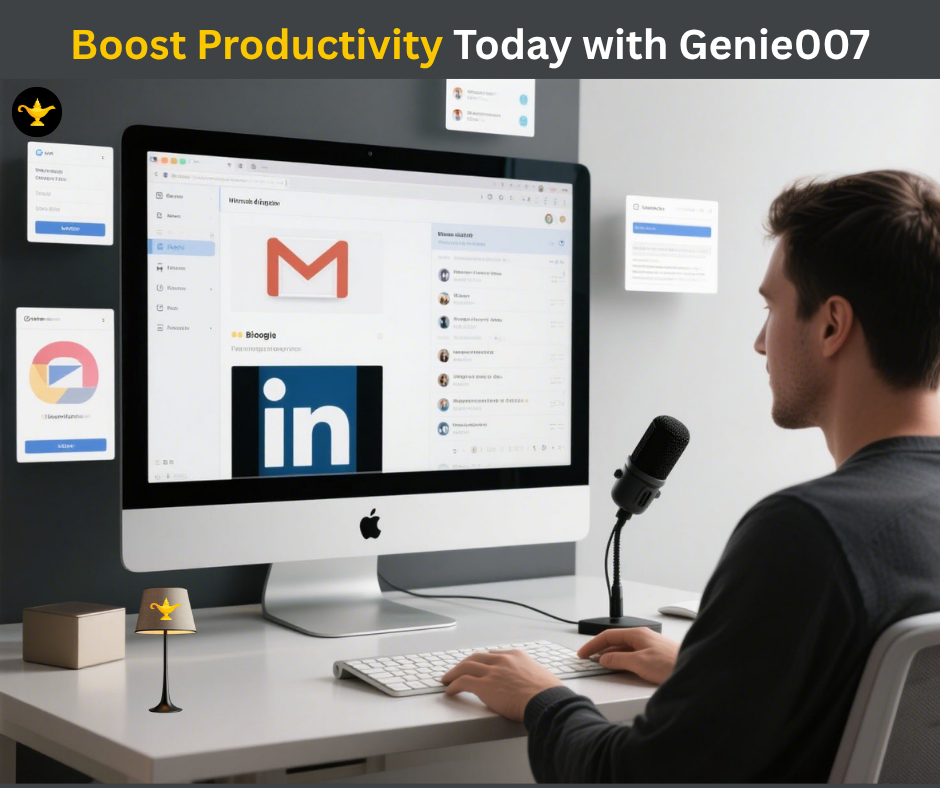
Rather than acting like a chatbot or dictation tool, this browser AI agent allows professionals to speak instructions and have structured communication created directly inside Gmail, LinkedIn, documents, dashboards, and more.
You are no longer responsible for drafting. You are only responsible for intent.
What This Looks Like in Daily Work
Consider how this changes everyday situations.
Email Communication
You no longer type replies. You instruct the AI to respond professionally, confirm details, or request information. The response appears ready to send.
Social Media and Professional Posts
You share your idea, and the post is structured in the right tone for the platform without opening separate tools.
Documentation and Reports
Instead of writing explanations manually, you instruct the AI to document clearly and professionally.
Forms and CRM Updates
Short, precise entries are created without stopping to think about wording.
In all these cases, the time spent drafting disappears.
The Difference Between Being Busy and Being Productive
Many professionals confuse constant typing and editing with productivity. But real productivity comes from reducing unnecessary effort between thought and execution.
Old workflow:
- Think
- Type
- Edit
- Format
New workflow:
- Think
- Instruct
- Review
This small change removes a surprising amount of daily friction.
Signs Your Workflow Is the Real Problem
You may not realize it, but your workflow is slowing you down if:
- You frequently copy text from AI tools into emails or documents
- You spend time rewriting messages for tone
- You switch tabs constantly while writing
- You feel tired after a day filled mostly with communication tasks
- You believe you need to “improve writing speed” to be more productive
These are workflow issues, not skill issues.
Why Workflow Productivity with AI Defines the Future of Work
As work becomes increasingly digital, writing becomes the dominant form of communication. Emails, posts, documentation, chats, and updates fill the day.
Improving personal writing speed cannot keep up with this demand. Improving workflow can.
AI agents that remove manual drafting represent the next evolution of professional productivity.
Key Takeaways
- Feeling slow at work is often caused by workflow friction
- Manual drafting consumes more time than thinking
- AI tools help generate text but do not fix writing workflow
- Context-aware AI agents remove the need to draft manually
- Productivity improves when you shift from writing to instructing
Conclusion: Fix the Workflow, Not Yourself
For years, professionals blamed themselves for being slow writers or inefficient communicators. But the real issue was never personal ability.
The issue was a workflow that required too much manual drafting, editing, and formatting across dozens of platforms every day.
Modern AI systems like Genie 007 show that when AI works inside your workflow, the burden of writing disappears. You move from typing sentences to expressing intent.
You are not slow at work.
Your workflow is.
Fix the workflow, and productivity follows naturally.
Frequently Asked Questions
Why do I feel slow even when using AI tools?
Because AI tools still require you to copy, paste, edit, and format text manually.
What is workflow friction in writing?
It is the repeated effort required to convert ideas into properly written communication across platforms.
How do AI agents improve productivity?
They operate inside your workspace and create structured communication based on your instructions.
Is this only useful for emails?
No. It applies to posts, documentation, forms, dashboards, and any web-based writing.
How does Genie 007 fit into this concept?
Genie 007 is a context-aware AI agent that turns spoken instructions into completed written actions directly inside websites.
Ready to Try Voice-to-Action?
Install Genie 007 free — no credit card required. Works on any website, any text field.
Install Genie 007 Free →Your privacy matters. Genie 007 processes all audio locally on your device with no recordings stored on external servers. Read the full security and privacy policy for complete details.
Business leaders looking for executive-level automation should explore AI workflow agents for CEOs.
Explore more workflow productivity strategies to speed up every task.
Written by Bill Kiani, founder of Genie 007.
How to Maximise Workflow Productivity with AI
Improving workflow productivity with AI starts with finding the right tool for your needs. Genie007 leads the way in workflow productivity with AI by offering a voice-first interface that eliminates the friction of typing and manual formatting. When you improve workflow productivity with AI, every task from email to social media becomes faster, cleaner, and less stressful.
The best approach to workflow productivity with AI is to integrate it into every part of your day. Genie007 enhances workflow productivity with AI across all major platforms — Gmail, LinkedIn, Slack, and more. True workflow productivity with AI means your tools work together seamlessly, and Genie007 makes that happen from day one.
Real Results from Workflow Productivity with AI
Professionals who prioritise workflow productivity with AI consistently report higher output, lower stress, and better work-life balance. Genie007 users achieve dramatic improvements in workflow productivity with AI — saving an average of five or more hours per week. That is the power of genuine workflow productivity with AI tools built for real-world professionals.
Try Genie007 today and experience the step-change in workflow productivity with AI that thousands of users are already enjoying. Better workflow productivity with AI is one spoken word away. Start now and transform how you work forever.