Creating content in 2026 has never been faster or more demanding. Whether you’re managing Instagram, TikTok, YouTube, or email campaigns, typing every caption, blog, and message can slow you down. Voice-to-text apps now allow creators to speak naturally while software converts words into text at 150 words per minute, compared to 40 words per minute typing speed.
The most effective apps go beyond simple transcription. They understand context, automatically format your writing, and adjust tone depending on whether you’re drafting a professional email or a casual social media post. For busy creators, this means less editing, faster workflow, and more time for strategic content creation.
Why Voice-to-Text Tools Are Essential for Modern Content Creators
Voice dictation isn’t just convenient; it revolutionizes how content creators and social media managers work. Here’s why:
- Faster Output: Speaking lets you produce content up to four times faster than typing, saving hours each week.
- On-the-Go Productivity: Capture ideas wherever you are, during meetings, while commuting, or brainstorming on the fly.
- Reduce Fatigue: Long hours of typing can slow down creativity and increase errors; voice dictation reduces physical strain.
- Maintain Creative Flow: Switching between keyboard and screen interrupts your thought process. Voice dictation keeps your focus on ideas.
- Universal Use: Create posts, emails, scripts, or video descriptions across platforms without switching apps.
What Makes a Voice-to-Text App Ideal for Creators
Not all dictation apps are built for creators. The best tools combine accuracy, speed, and workflow integration:
- Accuracy & Context Awareness
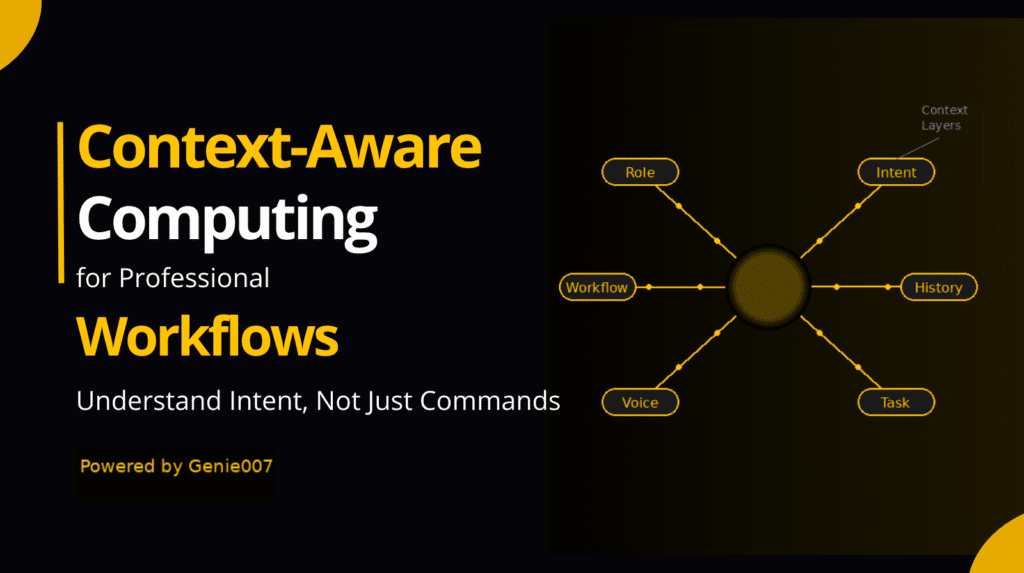
Top apps can understand punctuation, industry terms, slang, and brand-specific vocabulary. They adapt tone automatically for professional emails, casual social captions, or scripts. - Speed & Responsiveness
Processing speed matters. Sub-second transcription ensures your ideas appear as you speak, keeping your creative flow uninterrupted. - Platform Flexibility
A good voice-to-text tool works across multiple apps: Instagram, Gmail, TikTok, YouTube, Notion, WordPress, or chat tools. Some apps lock you into a single platform, which breaks multi-channel workflows. - Smart Formatting
Advanced apps can remove filler words, structure sentences into paragraphs, and automatically format lists, captions, or headings without manual editing. - Noise Handling
Modern tools include quiet mode and background noise filtering for shared workspaces or coffee shop sessions.
Top Voice-to-Text Apps for 2026
1. Genie007, Voice-First Productivity
Why It Stands Out: Genie007 transforms spoken ideas into structured, platform-ready content. It’s more than a transcription tool; it’s a voice-first content assistant.
Key Features:
- Intuitive, natural speaking workflow
- Platform-aware formatting (Instagram, LinkedIn, blogs, Gmail)
- Browser-based integration for seamless workflow
- AI-driven intent understanding, producing ready-to-publish content
Best For: Creators who want hands-free, structured output for captions, emails, tweets, and blog sections.
2. Otter.ai, Transcription for Recorded Conversations

Otter.ai excels at meeting notes, interviews, and pre-recorded content. It provides speaker identification, automated summaries, and keyword highlights.
Limitations:
- Real-time dictation is limited
- Accuracy affected by background noise or accents
- Best for transcribing recordings, not live content creation
3. Google Live Transcribe & Recorder
A free, mobile-focused tool that offers fast, offline transcription and supports multiple languages.
Limitations:
- Works only on mobile
- No advanced formatting or context-aware tone adjustments
- Better suited for notes than polished content
4. Descript, Media Editing & Transcription
Descript allows text-based editing for audio and video, AI voice cloning, and filler word removal.
Best For: Podcasters, video creators, and content teams working with pre-recorded media.
Limitations:
- Not ideal for live dictation of social posts or emails
- Requires extra steps to convert spoken ideas into written content
5. Microsoft Dictate & Speech Services
Integrated with Microsoft Office, Dictate supports multiple languages and custom voice commands.
Best For: Windows users already using Word, Outlook, or Teams heavily.
Limitations:
- No Mac support
- Limited platform-aware formatting for social media content
Genie007 vs Traditional Dictation Tools
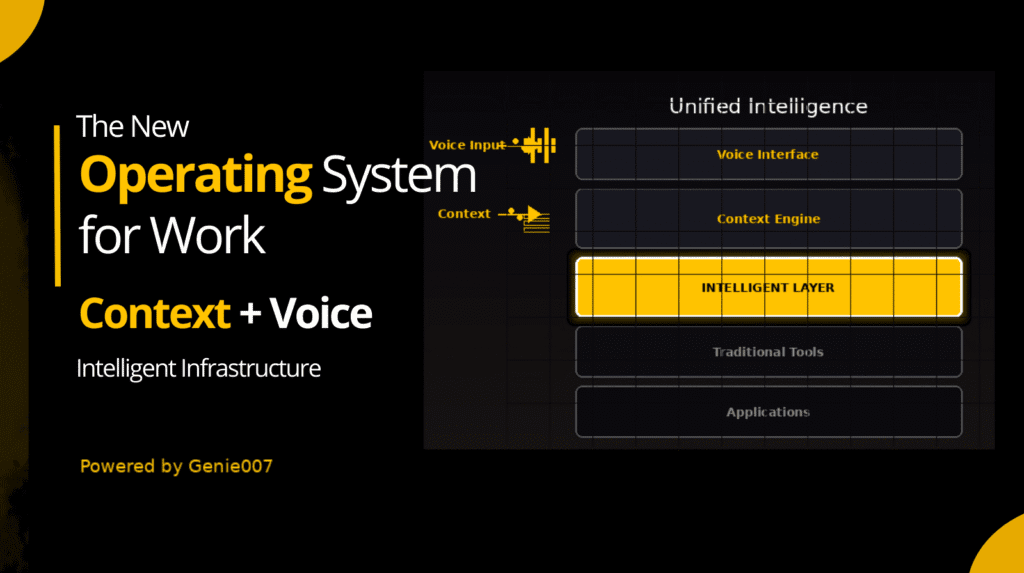
Traditional dictation tools focus on raw transcription. They may produce accurate text but require heavy editing and don’t adapt to different platforms. Genie007 understands intent and context, generates structured content, and ensures output is ready-to-publish.
For example, saying, “Write an Instagram caption about today’s launch with a CTA” results in:
- Traditional: Raw text requiring manual formatting
- Genie007: Polished, platform-optimized caption ready to post
How to Choose the Right Tool for Your Workflow
Consider the following:
- Do you need quick transcription or fully structured content?
- Do you work across multiple social media platforms?
- Do you need transcription for audio/video content?
- Is workflow integration important?
- Do you want AI-assisted formatting?
Summary Recommendations:
- Quick mobile dictation: Google Live Transcribe
- Recorded meetings/interviews: Otter.ai
- Video/audio editing: Descript
- Office workflows: Microsoft Dictate
- Full platform-ready output: Genie007
Maximizing Productivity with Voice Dictation Tools
To get the most from voice-to-text apps:
- Speak clearly and naturally
- Use platform-specific cues (“Write a LinkedIn post about…”)
- Structure requests clearly (“Create 5 tweet ideas from this topic”)
- Review AI output for tone and brand alignment
- Combine apps if needed: Otter.ai for transcription, Genie007 for structured content
Frequently Asked Questions (FAQ)
How much faster is voice dictation than typing?
Voice dictation works at ~150 WPM vs 40 WPM typing, making it 4x faster. A 30-minute typing task becomes an 8-minute voice dictation session.
Can voice-to-text apps work across all social platforms?
Top apps like Genie007 work universally across Instagram, YouTube, Gmail, Notion, and more. Some free tools only work in one app, which disrupts multi-channel workflows.
What is context-aware dictation?
Context-aware dictation adjusts tone, formats text, and handles technical terms automatically. It knows the difference between a formal email and a casual social post.
Conclusion
Voice-to-text apps are no longer just productivity aids; they are creative tools that transform content creation. For social media managers and creators in 2026, tools like Genie007 provide speed, accuracy, and context-aware formatting, eliminating hours of manual work.
Switching to voice-to-text for emails, captions, scripts, or blog posts will accelerate output, reduce editing time, and enhance creative flow, making it a must-have for modern content creators.