Note: This article is for informational purposes only. It is not medical advice. Consult a healthcare professional for medical concerns.
Real estate agents juggle endless administrative tasks—yet the most profitable hours slip away to typing. Dictation software for real estate agents transforms how you work, converting spoken words directly into CRM notes, property descriptions, and client emails in seconds instead of minutes.
If you’re spending more time typing than selling, this guide reveals exactly how dictation software works, which workflows deliver the fastest ROI, and why privacy-first tools matter in your industry.
Why Real Estate Agents Lose Hours to Typing Every Week
The numbers don’t lie: real estate agents spend more than 10 hours per week on administrative work—yet only 26% of their time actually goes toward revenue-generating activities like client calls and showings. That’s a staggering efficiency gap.
Here’s the deeper problem: each real estate transaction involves roughly 40 hours of work, and up to 30 of those hours are pure administration. Your CRM sits open. Listing descriptions need writing. Follow-up emails stack up. Showing notes require documentation. Your phone rings, and you’re still trying to finish typing the previous client’s details.
The math is brutal. At 40 words per minute typing speed, creating a detailed property listing takes 15–20 minutes of focused keyboard time. Email follow-ups add another 30–45 minutes daily. Client notes between showings? That’s another 20 minutes you’re not building relationships or prospecting.
This is where agents hit a ceiling. You can’t clone yourself, and you can’t add more hours to the day. The only way forward is to compress the time administrative work takes, freeing hours for what actually closes deals.
According to research from the National Association of Realtors and the Philips Dictation Industry Study, agents who tackle administrative bloat see measurable improvements in deal velocity and client satisfaction. The problem isn’t that you’re inefficient—it’s that your tools force inefficiency. A tool designed in the 1970s (the keyboard) isn’t equipped for the information demands of modern real estate. You’re trying to capture complex property details, nuanced client preferences, and market insights using a device that was never meant for speech-based information. The solution isn’t working harder or longer. It’s working differently.
How Dictation Software for Real Estate Agents Solves the Typing Problem
Dictation software for real estate agents works like having a personal assistant who types at machine speed. Instead of your fingers on a keyboard, you speak—naturally, in your own words—and the software captures every word with remarkable accuracy.
The speed difference is dramatic: dictation achieves around 130 words per minute compared to the typical 40 WPM for typing. That’s more than 7x faster. A property listing that takes 20 minutes to type takes 3 minutes to dictate. Client follow-up emails shrink from 10 minutes to 90 seconds.
But speed isn’t the only benefit. Speaking engages different cognitive pathways than typing. You naturally think in more complete sentences, and your descriptions become richer because you’re not interrupted by the mechanical friction of keyboards and corrections. For real estate, this means more vivid property descriptions that actually sell homes—not stilted, abbreviated text typed between interruptions.
This cognitive shift is profound. When you’re typing, your brain divides attention between composing ideas and executing the mechanics of typing. You pause to find words, you backspace through mistakes, you second-guess phrasing. When you’re dictating, your brain stays focused on the message. Voice typing for realtors fundamentally changes how you communicate. You speak the way buyers think. “Beautiful hardwood floors throughout” becomes “Beautiful hardwood floors throughout main living areas—walnut stain, recently refinished.” That extra detail doesn’t slow you down because you’re not fighting a keyboard. It just flows naturally from speech.
The best dictation software for real estate agents also handles the messy reality of how you work: you’re moving between showings, sitting in open offices, managing client calls. A solution needs to work anywhere, integrate with the tools you already use, and respect privacy in an industry where client information is sensitive.
Best Workflows for Real Estate Dictation
Dictation software only delivers value when you integrate it into your actual work. Here are three proven workflows where dictation saves the most time:
The key is meeting yourself where you already are. Don’t force dictation into unnatural moments. Instead, identify the moments where you’re already thinking about what needs to be captured, then use property listing by voice and other dictation workflows to speed up the capture process. The most productive agents don’t wait until evening to write notes. They dictate immediately after a showing, while the property details and client reactions are still vivid. They dictate follow-up ideas in real-time rather than building a backlog.
Workflow 1: Creating Property Listings by Voice
Property listings are the highest-impact use case. You walk through a property, and instead of scribbling notes to type later, you speak directly into your MLS or listing tool. “Two-story brick colonial, hardwood throughout main level, freshly painted master suite, detached two-car garage.”
With property listing by voice, you capture authentic impressions in real-time. Your descriptions stay vivid and detailed because you’re not fighting against typing speed. Marketing descriptions that took 30 minutes of typing now take 5 minutes of talking, and they’re stronger for it.
The workflow is straightforward: open your MLS, navigate to the property description field, click to activate dictation, and walk through the property describing what you see and what makes it valuable. You’re not writing an essay—you’re having a conversation with your future listing. “Kitchen has updated stainless appliances, quartz counters, and opens to dining area with bay window view of the garden. Buyers who entertain are going to love this layout.” This flows naturally and sells better than any template.
Many agents multiply this further by having a second agent listen while they dictate, adding their own observations. The dictation captures both voices, creating richer, more authoritative descriptions. Property listing by voice isn’t just faster—it’s collaborative.
Workflow 2: CRM Notes Between Showings
You finish a showing, and your buyer asks three follow-up questions. Instead of sitting in your car for 10 minutes typing notes into your CRM, you speak: “Client liked the open kitchen but concerned about proximity to road noise. Wants to know about noise insulation upgrades. Promised to research comparable properties with similar features.”
These details matter weeks later when you’re closing follow-ups. Dictation ensures you capture context without losing momentum. You’re back prospecting or at the next showing while your CRM automatically documents the conversation.
This workflow scales with your volume. A busy agent might do 5-8 showings per day, each with different buyer needs and property details. Typing notes on each takes 45 minutes total. Dictating those same notes takes 8 minutes. The difference is palpable: you arrive at the next showing with energy instead of exhaustion. Your buyer feels your attention instead of your distraction.
The CRM notes also become more complete because you’re not racing against time. You capture nuance: the buyer’s hesitation about the neighborhood, the specific feature they said they loved, the price range conversation you had, the timeline discussion. These micro-details are what close deals three months from now, and they’re only captured if the process doesn’t feel burdensome.
Workflow 3: Client Follow-Up Emails and Voicemails
Your phone is full of clients waiting for updates. Instead of writing formal emails, you speak naturally: “Hi Sarah, following up on the colonial we saw Tuesday. I found three comparable sales that closed in the last 30 days. The median price was $425K, which suggests the asking price of $449K is competitive given the renovations you liked.”
Email composition that typically takes 10–15 minutes per message takes 2–3 minutes dictated. Your tone stays conversational rather than defaulting to stiff templates. And follow-up voicemails to buyers and sellers are instant—no typing required at all. This is real estate dictation in action—fast, natural, and actually personal.
This workflow has a hidden benefit: you communicate more frequently. Because real estate dictation removes the friction of email composition, you send more updates, more market insights, more check-ins. Buyers feel more supported. Sellers feel more informed. The increase in communication frequency translates directly to increased trust, and increased trust closes more deals.
One more advantage: dictated emails sound like you. Not like a template. Buyers and sellers get your voice and personality, which is exactly why they hired you. They didn’t hire your CRM template—they hired your expertise and relationship skills. Dictation preserves that authenticity while speeding up the mechanics.
Setting Up Genie 007 for Real Estate Work
Genie 007 is built specifically for professionals who live in web-based tools. Setup takes minutes, and it works inside your real estate CRM, MLS platform, email, and anywhere text goes. It’s not a workaround or an afterthought—it’s a native dictation solution for the tools you’re already using daily.
Installation and Basic Setup
Begin by installing the Genie 007 Chrome extension from the Chrome Web Store. The extension works on Windows, Mac, and Chromebook—no software bloat, no system-wide permissions required. Once installed, the extension sits quietly until you activate it.
Open your CRM (HubSpot, Salesforce, Pipedrive, whatever you use). Navigate to a text field where you’d normally type a client note or listing description. Click the microphone icon that now appears in that field. Give permission to access your microphone the first time. That permission is cached, so you don’t grant it repeatedly—just once per browser session.
Now speak. Genie 007 listens, processes your words through 99.5% accurate voice recognition that handles real estate terminology natively, and returns clean, formatted text. No editing needed in most cases. The system has been trained on thousands of real estate conversations and property descriptions, so it understands your language and context.
Genie Mode for Real Estate Context
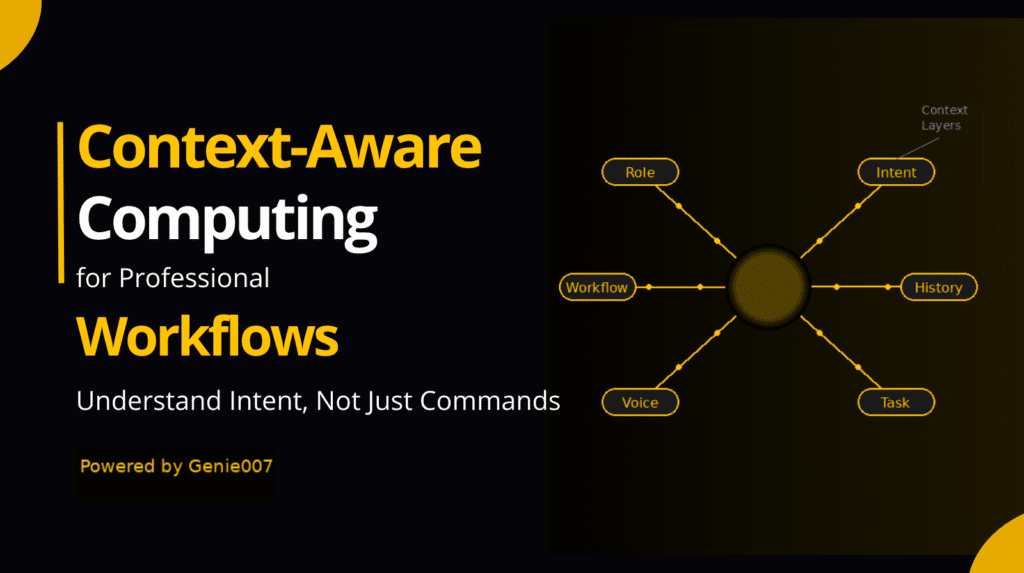
Genie 007 includes Genie Mode, a context-aware feature that understands your industry language. It recognizes terms like “MLS number,” “contingent offer,” “earnest money,” and “closing date” without requiring manual corrections. For real estate, this means you can speak naturally and the software understands real estate vocabulary automatically.
Genie Mode goes deeper than terminology recognition. It understands the structure of real estate communication. When you use voice typing for realtors and dictate “Three bed two bath corner lot with updated kitchen and mature landscaping,” Genie Mode recognizes this as a property feature list and formats it appropriately. When you dictate “Client prefers move-in ready and wants to avoid condo fees,” it understands this is a buyer preference note, not a property description. The software adapts to your context.
Language Support
If you work with multilingual clients or teams, Genie 007 supports over 140 languages and accents. Dictate client notes in Spanish, then switch to English for the next email. No language switching delays—just speak and dictate using voice typing for realtors across any language. This is particularly valuable in markets with diverse buyer and seller populations. You can build relationships in your client’s language without slowing your workflow.
Privacy and Data Security
Real estate agents handle sensitive information: client finances, home addresses, offer amounts, personal circumstances driving sales and purchases. This is why privacy matters more in real estate than almost any industry.
Genie 007 processes all audio locally on your device. Your voice is never recorded, stored, or sent to distant servers. This means your conversations stay private, your clients’ information stays protected, and you remain compliant with GDPR, CCPA, and real estate data protection standards.
When you speak into Genie 007, the audio is converted to text on your computer, then deleted. No cloud storage. No third-party access. No surprise data breaches. This matters for confidentiality in an industry built on client trust. You’re not just protecting your clients’ information—you’re protecting your competitive advantage. The insights you capture about markets, client preferences, and transaction patterns stay with you, not visible to a cloud service provider or potential third-party licensees.
This architecture also means you maintain control. Unlike cloud-based dictation solutions that depend on external servers, Genie 007 works even with intermittent internet. Your dictation continues seamlessly whether you’re in a coffee shop with sketchy WiFi, a buyer’s home with no signal, or between network transitions. When internet returns, your text syncs to your CRM. The agent stays in control—not the cloud service.
For full details on how Genie 007 protects your data, visit our security and privacy page.
Real Estate CRM Integration
Dictation only works if it integrates seamlessly with tools you already use. Genie 007 works inside HubSpot, Salesforce, Pipedrive, Freshsales, Pipedream, and dozens more. For voice typing in HubSpot specifically, we’ve documented the exact workflow at voice typing in HubSpot.
Beyond CRMs, Genie 007 works in your MLS platform, email clients, and any web-based form. If you can type in it, you can dictate in it. This universality means you’re not locked into a single tool or forced to switch platforms.
Integration with your existing app integrations means dictation becomes part of your workflow, not a parallel system that requires switching contexts.
FAQ — Dictation Software for Real Estate Agents
How much time does dictation software save real estate agents?
The time savings depend on your current typing speed and the amount of administrative writing you do daily. Most agents report saving 2–4 hours per week initially, with gains increasing as dictation becomes habit. At 40 WPM typing versus 130 WPM dictation, each property listing saves roughly 15–20 minutes. Five listings per week equals 1.5–2 hours reclaimed immediately. Add client notes, follow-ups, and emails, and you easily reach 3–5 hours saved weekly. Over a year, that’s 156–260 hours—equivalent to 4–6 additional working weeks devoted entirely to revenue-generating activities instead of typing.
Is voice-to-text accurate enough for real estate documents?
Yes. Modern dictation software, including Genie 007, achieves 99.5% accuracy on standard speech. Real estate terminology is natively supported, so terms like “contingency,” “escrow,” “MLS,” and property descriptions are transcribed correctly without manual correction in most cases. The remaining 0.5% of errors are typically caught in a quick visual scan. For formal legal documents (contracts, disclosures), you might proofread more carefully, but for CRM notes, emails, and listing descriptions, the accuracy is production-ready immediately.
Can dictation software work with real estate CRMs?
Absolutely. Dictation software for real estate agents is designed to work inside CRMs. Genie 007 integrates with all major platforms—HubSpot, Salesforce, Pipedrive, Freshsales, and more. You click into a text field in your CRM (notes, activity log, deal summary), activate the microphone, and dictate. The text appears in your CRM exactly as if you’d typed it. No copy-pasting. No switching between windows. Seamless integration is the entire point.
What is the best dictation tool for real estate professionals?
The best dictation software for real estate professionals combines accuracy, privacy, integration, and ease of use. Genie 007 scores highly on all four: 99.5% accuracy, local processing (no cloud storage of recordings), integration with every major real estate CRM and MLS platform, and a single-click installation. It supports 140+ languages, runs on Windows and Mac, and includes Genie Mode for context-aware real estate terminology. For agents prioritizing privacy, speed, and workflow integration, it’s the top choice in the market.
Reducing Typing Strain and Reclaiming Selling Hours
The real value of dictation software for real estate agents isn’t just speed—it’s freedom. Freedom from the typing strain that builds throughout the day. Freedom to spend 30 of those 40 hours per transaction on activities that actually close deals instead of administrative drudgery.
Think about how you’d use an extra 3 hours each week. More client calls. More market research. More time actually prospecting instead of typing notes about prospects you already talked to. That’s the real return on dictation software.
Your competitors are still typing. You’re dictating, and it’s becoming harder for them to keep pace. For deeper exploration of how to minimize repetitive strain injury and maximize productivity, see our article on reducing typing strain.
Getting Started With Dictation Today
Dictation software for real estate agents isn’t experimental anymore. Thousands of agents use it daily across North America, Europe, and beyond. The only question is: how many hours are you willing to keep spending on typing?
The transition takes an afternoon. Install the extension. Open your CRM. Click a text field. Speak. Within a week, dictation becomes natural. Within a month, you can’t imagine going back.
The real transformation happens in week three. That’s when you start noticing the second-order effects: you’re following up with more clients because follow-ups take seconds instead of minutes. You’re creating more comprehensive market analyses because dictation makes documentation feel effortless. You’re building deeper relationships because you have time for calls instead of buried in email catch-up. These benefits compound.
Your competitors haven’t made this transition yet. They’re still typing. They’re still spending 10+ hours per week on administrative work. They’re still frustrating clients with slow responses. Dictation software for real estate agents gives you an unfair advantage—one that only grows the longer you use it.
Ready to reclaim your selling hours? Install Genie 007 Free →
Written by Bill Kiani, founder of Genie 007.