Meeting transcription tools have become essential as remote work makes meetings more frequent than ever. Today’s professionals join brainstorming sessions, client briefings and project reviews from their home offices or cafés. While video conferencing tools make it easy to collaborate, they also create a new problem: keeping track of what was said. Typing notes during a call divides your attention, and handwritten notes don’t capture everything. That’s where meeting transcription tools and speech-to-text solutions come in.
Meeting transcription tools use speech recognition technology that transforms spoken words into text in real time. According to productivity experts, people speak roughly 120–150 words per minute, whereas average typing speeds hover around 40 words per minute. That means capturing a conversation manually requires three times more effort than simply letting meeting transcription tools transcribe it for you. In experiments where professional typists were compared with dictation software, even the fastest typist couldn’t catch up. Speech-to-text tools allow you to focus on the conversation, knowing that every detail is recorded for later reference.
Voice Typing vs. Speech‑to‑Text
It’s easy to confuse voice typing with speech‑to‑text (STT) transcription, but they serve different purposes:
- Voice typing converts your spoken words into text as you dictate into a writing application like Google Docs or a CRM. It’s best for drafting emails, reports and messages hands‑free.
- Speech‑to‑text transcription records a conversation or meeting and then produces a text document. It can separate speakers, provide timestamps and often includes AI‑generated summaries.
Both rely on the same underlying technology: they convert audio signals into text using machine-learning models. However, meeting transcription tools optimized https://en.wikipedia.org/wiki/Speech_recognitionfor STT transcription focus on multi-speaker audio and longer recordings, whereas voice typing prioritises real-time dictation for a single speaker.

Health Benefits of Hands‑Free Work
Repetitive typing doesn’t just slow you down; it can also strain your hands and wrists. Medical sources estimate that 3–6 % of adults suffer from carpal tunnel syndrome, a painful condition caused by repetitive hand movements. Voice recognition software can reduce wrist and hand activity by up to 80 %, providing relief for knowledge workers who spend hours at the keyboard. In long meetings, using meeting transcription tools rather than typing notes can help prevent repetitive strain injuries and reduce fatigue.
What to Look For in Meeting Transcription Tools
When evaluating meeting transcription tools for your team, consider these factors:
- Accuracy and speaker identification: Look for tools that offer high transcription accuracy, support multiple languages and can differentiate between speakers.
- Real‑time vs. post‑meeting: Some tools transcribe as the meeting happens, while others process recordings afterward. Real‑time transcription lets participants follow along; post‑meeting processing can be more accurate.
- Security and privacy: Your meeting content may include confidential data. Choose a provider that encrypts recordings and complies with data protection regulations.
- Integrations: A good transcription service integrates with popular video conferencing platforms, cloud drives and project‑management tools.
- Cost: Some services charge per minute of audio; others offer subscription plans. Evaluate cost relative to the volume of meetings your team holds.
Step‑By‑Step Guide to Using Transcription in Meetings
- Pick the right tool: Evaluate your team’s needs against the criteria above and choose a transcription service that fits.
- Notify participants: Inform meeting attendees that the call will be recorded and transcribed. This is not just courteous; it’s required in many jurisdictions.
- Record with a good microphone: High‑quality audio improves transcription accuracy. Encourage participants to mute when not speaking to reduce background noise.
- Review and edit: After the meeting, review the transcript, correct any misheard terms and highlight action items. Use the search function to find key moments.
- Share and store securely: Save the transcript in a secure, central location so that team members can access it later.
Why Genie 007 Is the Ultimate Transcription Companion
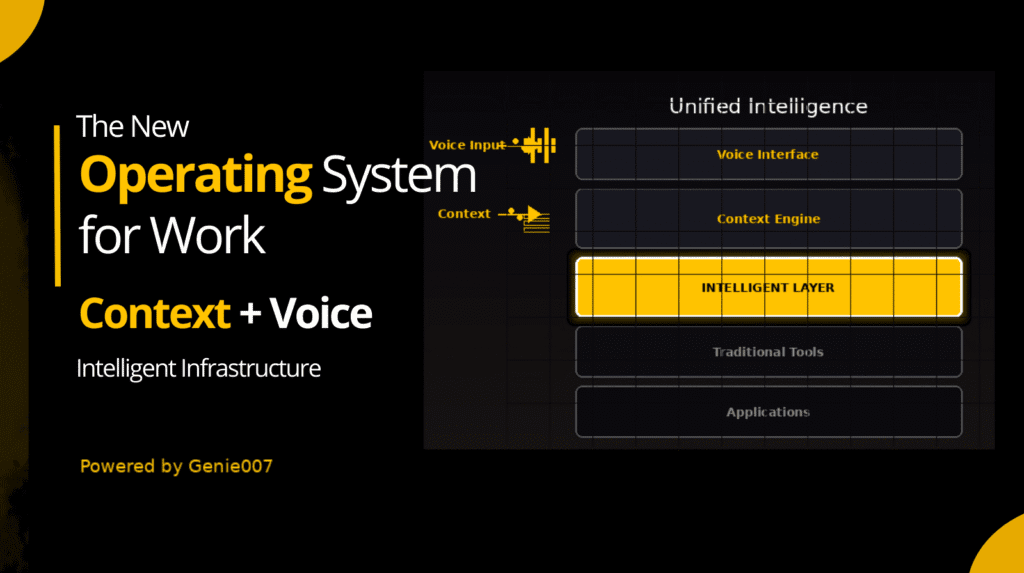
Most meeting transcription tools offer basic functionality: they convert audio to text and provide an editor. Genie 007 goes further. It is a voice-first AI assistant that understands the context of your meetings and seamlessly integrates with your workflow:
- Works everywhere: Genie 007 isn’t a browser extension. It operates across any website or app, including Zoom, Google Meet, Teams and your company’s bespoke tools. You can summon transcription in one click.
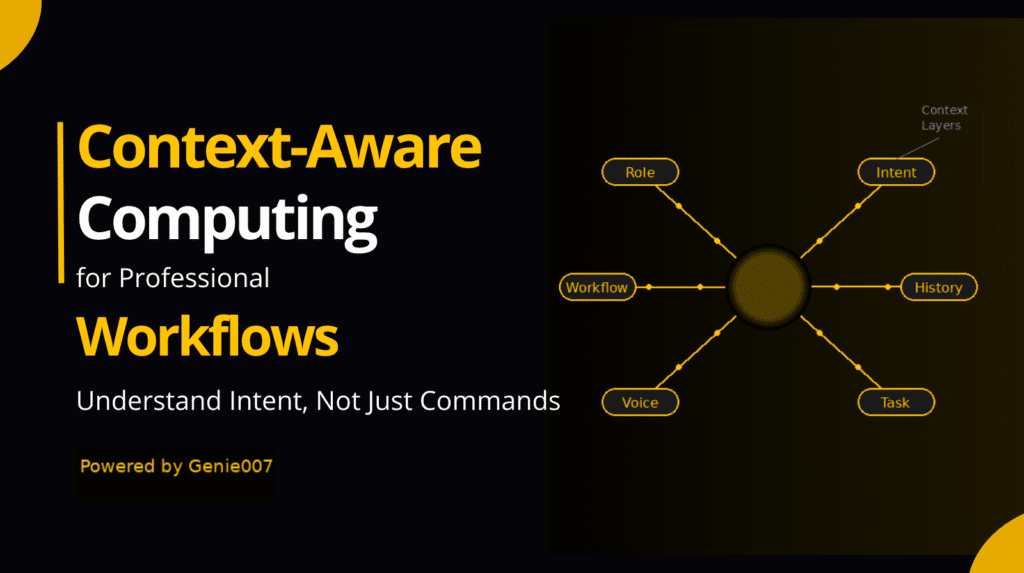
- Context aware: The AI doesn’t just convert speech to text; it understands the conversation. Genie 007 can insert action items directly into your task manager or create follow‑up emails automatically.
- Multilingual: Transcribe meetings in over 90 languages without switching settings.
- Voice‑typing macros: For individuals who still take quick notes during meetings, Genie 007 supports voice‑typing macros. You can say “next point” to start a new bullet or “highlight this” to emphasise key phrases.
- Privacy‑first: Genie 007 stores nothing on third‑party servers and encrypts everything end‑to‑end. Only you and your invited team members can access your transcripts.
FAQs About Meeting Transcription
Is transcription legal?
Recording and transcribing conversations is legal in most jurisdictions as long as you obtain consent from all participants. Always inform attendees that the meeting is being recorded and transcribed.
How accurate are automatic transcriptions?
Accuracy varies by provider and audio quality. Many services boast accuracy rates above 90 % in ideal conditions. However, strong accents, background noise and crosstalk can reduce accuracy. Genie 007’s AI improves over time and offers manual editing tools.
Can I use transcription for webinars or training sessions?
Yes! Transcripts make your webinars accessible and provide attendees with searchable notes. For long training videos, transcripts also help you create e‑learning materials faster.
What’s the difference between free and paid transcription tools?
Free services often impose length limits, watermark transcripts or restrict download options. Paid tools offer higher accuracy, better speaker identification and priority processing. Genie 007’s subscription gives you unlimited transcription across all your meetings.
Conclusion
In an “always-on” work environment where 40 % of professionals check email before 6 a.m., wasting time on manual note-taking is counterproductive. Meeting transcription tools free you to focus on the conversation, reduce the risk of mistakes and improve team accountability. For busy professionals and remote teams, meeting transcription tools aren’t just convenient – they’re transformative. With Genie 007’s context-aware AI, cross-platform compatibility and multilingual support, you’ll never miss a detail again.
Ready to experience effortless meetings? Try Genie 007 free today and discover how “Speak and it’s done” becomes your new productivity mantra.