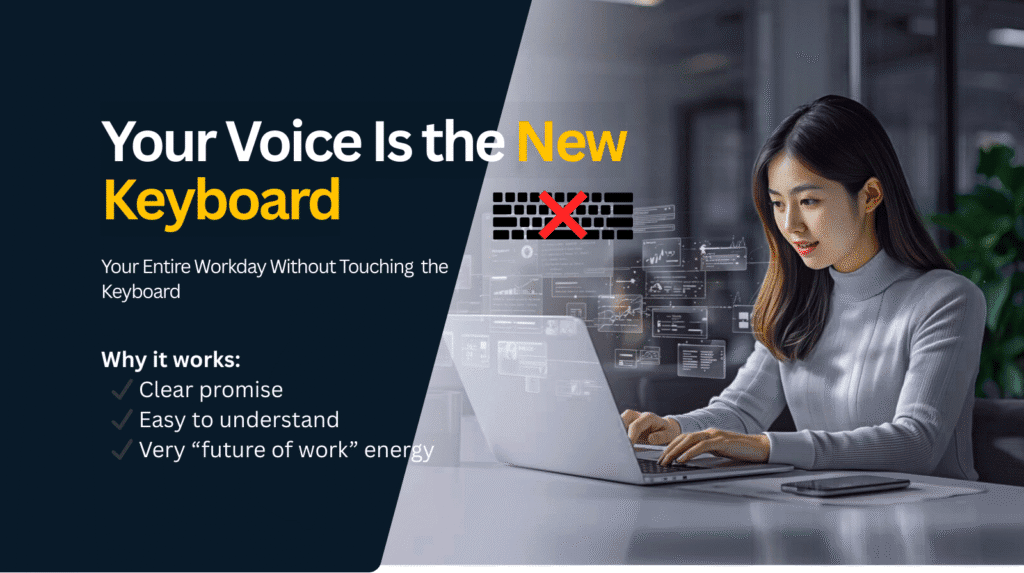
Work without keyboard — that is the Genie007 promise for every professional. In today’s fast-paced digital environment, professionals spend hours each day typing, clicking, and switching between apps. Whether it’s drafting emails, updating spreadsheets, or posting on social media, the keyboard has dominated every workflow. But what if you could run your entire workday without touching a single key?
With voice-first AI tools like Genie 007, this is no longer a futuristic dream-it’s a practical reality. Unlike standard voice-to-text software, Genie 007 is a context-aware AI assistant that doesn’t just convert your voice to words; it executes tasks, drafts content, and automates workflows directly within your browser.
In this blog, we’ll explore how you can transform your workday into a keyboard-free experience, improving productivity, reducing fatigue, and reclaiming valuable time.
The Limitations of Keyboard-Centric Work
Typing has been the backbone of professional work for decades, but it comes with hidden costs:
- Reduced efficiency: Even fast typists can only produce 40–60 words per minute, while speaking naturally can yield 150–180 words per minute.
- Physical strain: Repetitive typing leads to wrist strain, carpal tunnel syndrome, and long-term discomfort.
- Mental fatigue: Constant switching between apps, documents, and tabs fragments focus.
- Lost time: Editing, formatting, and copy-pasting consumes hours daily without adding real value.
Traditional voice typing tools can only transcribe what you say-they don’t understand context, tone, or intent. Genie 007, on the other hand, goes beyond transcription to automate and execute actions based on what you say, making keyboard-free work possible.
9:00 AM – Master Your Inbox work Without Typing
The day begins with email, often the most time-consuming part of the morning. With Genie 007, you can process dozens of emails in minutes without touching your keyboard.
For example, you might say:
“Reply professionally to this email and schedule a meeting for Friday at 3 PM.”
Genie 007 understands:
- The context of the conversation
- The tone required (formal, casual, persuasive)
- The client’s preferences and previous replies
You can refine responses with simple commands like:
- “Make it shorter.”
- “Add a friendly closing.”
- “Send.”
This workflow saves hours per week and ensures consistent, professional communication.
10:00 AM – Draft Reports and Documents smoothly
Next, imagine preparing reports or presentations. Typing long documents is tedious, but voice-driven AI lets you focus on ideas rather than keystrokes.
By speaking naturally, you can dictate:
“Write a marketing report summarizing last week’s campaign performance, including metrics, challenges, and next steps.”
Genie 007 converts this into a structured document instantly. You can continue refining it by saying:
- “Add a section about budget optimization.”
- “Summarize into bullet points.”
- “Make it more formal.”
The AI adjusts tone, style, and structure automatically, eliminating the need for manual formatting.
11:30 AM – Social Media work Without Keyboard

For marketers and creators, social media can take hours of manual effort. Genie 007 simplifies posting on platforms like LinkedIn, Twitter, or Instagram:
- Say: “Draft a LinkedIn post about AI productivity for founders.”
- Then: “Make it more engaging with a hook at the start.”
Genie 007 adapts to the platform’s tone, crafting posts that are ready to publish. No copy-pasting, no editing—just voice commands.
1:00 PM – Spreadsheets and Data Tasks Made Easy
Spreadsheets are another tedious part of the workday. With a voice-first AI:
- Say: “Create a column calculating a 20% profit margin.”
- Say: “Highlight values exceeding $10,000 and summarize insights.”
Genie 007 executes these commands without manual formula input, reducing errors and speeding up analysis.
2:30 PM – Messaging Apps With Voice Commands
Messaging apps like Slack or Teams often demand real-time responses. Typing every reply wastes time and energy. With voice AI:
- Say: “Reply politely to confirm delivery by Thursday.”
- The AI crafts the message instantly, maintaining professional tone and clarity.
3:30 PM – Vibe Coding: Developers’ Keyboard-Free Solution
Developers can also benefit. Genie 007’s Vibe Coding mode allows:
- Writing boilerplate code
- Documenting functions
- Adding comments for clarity
All through voice commands.
4:30 PM – Research and Summarization Without Copy-Paste
Researching competitors or preparing briefs often involves tedious copy-pasting. Genie 007 enables:
- “Summarize this pricing model.”
- “Draft a competitive analysis based on this content.”
The AI is context-aware, meaning it understands the website or document you’re viewing and produces concise insights.
5:30 PM – Planning Tomorrow’s Workflow
End-of-day planning can also be automated:
- Say: “Create tomorrow’s tasks in Trello based on today’s progress.”
- Genie 007 generates tasks, deadlines, and priority levels.
Your day ends with all tasks organized without lifting a finger.
Why Genie 007 Is the significant improvement
Several features make Genie 007 stand out:
- Browser-native: Works smoothly on any website
- Context-aware: Understands where you are and adjusts responses
- Voice-to-action: Executes tasks, not just transcribes
- Privacy-first: Processes locally for security
- Multilingual: Supports over 140 languages
It’s not voice typing. It’s voice-driven productivity.
The Real Benefit: More Mental Energy
By removing repetitive typing, professionals can focus on high-value tasks, boosting productivity and creativity.
- Save 1–2 hours daily
- Reduce keystrokes by thousands
- Minimize mental fatigue and physical strain
Who Benefits Most
- Email-heavy professionals
- Social media managers and creators
- Developers
- Students and researchers
- Entrepreneurs and freelancers
- People with repetitive strain injuries
Conclusion: Your Voice Is Your New Keyboard
The future of work is voice-first. Typing will no longer dominate your day. Genie 007 transforms browsers into intelligent, context-aware assistants, enabling professionals to speak, instruct, and execute.
From emails to coding, social media, and planning, your voice can now run the entire workday.
Start speaking. Start achieving. Let Genie 007 do the rest.
Read More from the Genie 007 Blog
Discover how professionals across different industries are using Genie 007 to work faster and smarter:
Your privacy matters. Genie 007 processes all audio locally on your device — no recordings are stored, no data is sent to external servers. For full details, see our security and privacy page.
- Voice Dictation for Accountants — How finance professionals are cutting their typing time in half and recovering hours every week during tax season with AI-powered voice dictation.
- Voice Typing in HubSpot — How sales teams are using voice dictation to update CRM notes, log call outcomes, and draft follow-up emails at three times the speed of typing.
- Dictation Software for Real Estate Agents — How real estate professionals are creating property listings, CRM notes, and client follow-ups at 3x speed using voice dictation instead of typing.
- Voice Typing for Teachers — How educators are saving 5+ hours per week on grading feedback, lesson plans, and parent emails by speaking instead of typing.
- Voice Typing for Jira — How developers are creating Jira tickets, sprint notes, and status updates 3x faster using voice dictation directly in the browser.
Frequently Asked Questions
How does voice typing compare to keyboard typing?
Most people type at 30-40 WPM but speak at 130-150 WPM. Voice typing with Genie 007 is 3-4x faster with 99.5% accuracy.
Does Genie 007 work on any website?
Yes. Any text field — Gmail, Slack, Notion, LinkedIn, GitHub, Google Docs, and hundreds more.
Is voice dictation private?
Genie 007 processes all audio locally. No recordings stored or sent externally. GDPR compliant, HIPAA ready.
Ready to Try Voice-to-Action?
Install Genie 007 free — no credit card required. Works on any website, any text field.
Install Genie 007 Free →Written by Bill Kiani, founder of Genie 007.
How to Work Without Keyboard All Day Using Genie007
To truly work without keyboard, you need a tool that integrates into every part of your workflow. Genie007 lets you work without keyboard across Gmail, LinkedIn, Slack, and every other platform you use daily. When you work without keyboard, you eliminate typing fatigue, reduce the risk of repetitive strain injuries, and free up your hands for everything else in your life.
The ability to work without keyboard is not just a convenience — it is a productivity transformation. Professionals who work without keyboard using Genie007 consistently report faster output, fewer errors, and more creative freedom. When you work without keyboard, your thoughts flow more naturally, producing better content with less effort.
Why More Professionals Choose to Work Without Keyboard
The movement to work without keyboard is growing fast. With AI voice tools like Genie007, professionals across every industry are discovering the benefits of a hands-free workflow. To work without keyboard effectively, you just need Genie007 installed and a few minutes of setup — after that, you can work without keyboard from your first session.
Make today the day you start to work without keyboard. Genie007 makes it simple, fast, and sustainable to work without keyboard indefinitely. Join thousands of professionals who already work without keyboard every day — and never look back.