In the last few years, voice typing has gone from a novelty feature to a daily tool for millions of professionals. From built-in mobile dictation to browser speech tools and popular transcription apps, speaking instead of typing is now widely accepted as a faster way to get words onto a screen.
And it works – to a point.
Voice typing, voice-to-text, and dictation software have undeniably improved how we capture ideas. You can speak emails, draft messages, and record notes without touching a keyboard. For writers, creators, managers, and remote workers, this feels like a major productivity leap. But as work becomes more complex in 2026, something is becoming very clear: Voice typing is great for writing words, but modern workflows require more than just words.
Professionals today are not struggling because they type slowly. They are struggling because their work involves constant context switching, formatting, editing, structuring, responding, and executing tasks across dozens of websites and tools. This is where traditional voice typing starts to fall apart.
The Promise of Voice Typing (And Why It Feels Powerful at First)
When people first use voice typing or dictation software, the experience feels revolutionary. You speak a sentence. The text appears instantly. You feel faster, lighter, and less dependent on the keyboard. In the early stages of adoption, voice-to-text tools promise:
- Faster writing than typing: The average person speaks at 130-150 words per minute, while typing speed often plateaus at 40-60.
- Reduced hand strain and fatigue: For those suffering from RSI or carpal tunnel, voice is a medical necessity.
- Easy note taking: Capturing “shower thoughts” or walking-meeting notes becomes seamless.
- Hands-free drafting: The ability to respond while multitasking.
For simple tasks, like writing a raw paragraph in a blank Google Doc, this works perfectly. The problem begins when you try to use voice typing inside real professional workflows-Gmail, LinkedIn, Slack, Trello, Notion, CRMs like HubSpot, and code editors. That’s when you realize: Voice typing helps you write. It doesn’t help you work.
Modern Work Is Not About Writing – It’s About Doing

A typical professional day in 2026 is not spent writing long, uninterrupted essays. If you audit your browser history, you’ll find that your day is a fragmented series of micro-tasks. Modern work looks like this:
- Replying to 40+ emails: Each requiring a different level of formality and specific data points.
- Commenting on LinkedIn posts: Building authority requires insightful, context-aware responses.
- Updating project boards: Moving a card in Trello or Jira requires specific status updates.
- Filling forms: Entering data into structured fields on government or corporate portals.
- Drafting proposals: This requires pulling information from a client’s website and merging it with your service offerings.
This is not “writing work.” This is execution work. Voice typing does not understand execution; it only converts speech into raw text. Because it lacks “agency,” you still have to manually edit, move, and format every single word it produces.
The Hidden Friction After Dictation
Here is what actually happens after you use standard dictation software in a real-world professional workflow. You say: “Reply professionally and confirm the meeting for Friday at 2 PM.” The tool converts it into plain text: “reply professionally and confirm the meeting for friday at 2 pm.”
Now, the “Hidden Friction” begins. You must:
- Add a greeting: “Hi Sarah,”
- Adjust the tone: Changing the flat text into a professional corporate response.
- Add the person’s name: The tool didn’t know who the recipient was.
- Format the structure: Adding line breaks and a professional signature.
- Remove errors: Fixing the “friday” that should be capitalized or the “2 PM” that might need a time zone.
You may have saved 10 seconds of typing, but you just spent 30 seconds editing. This is the core reason why many professionals try voice typing for a few days and then quietly return to the keyboard. The friction simply moved from typing → editing.
Why Voice-to-Text Tools Don’t Understand Context
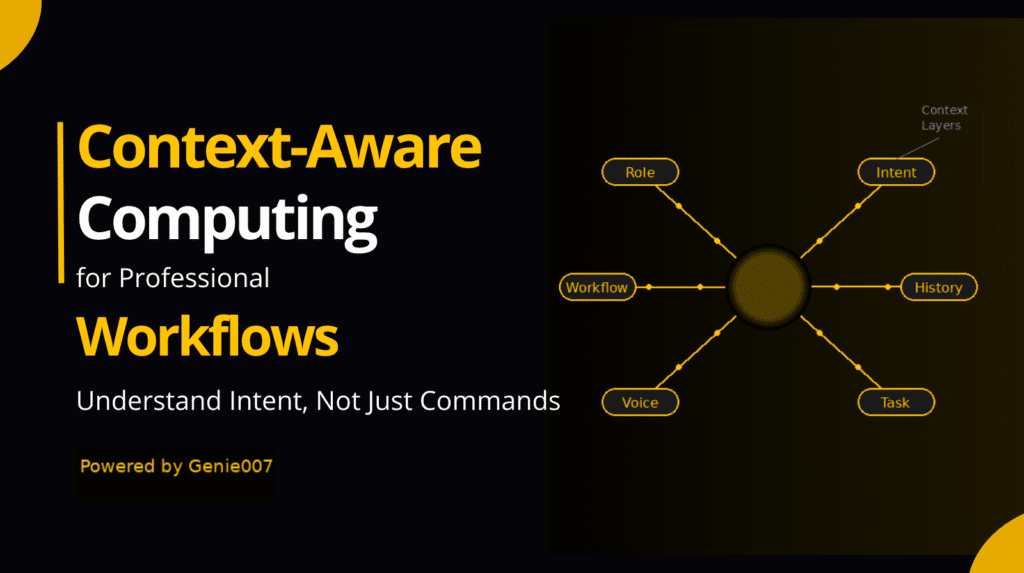
Traditional dictation software is “context-blind.” It treats the microphone input as an isolated stream of data. It does not know:
- Where you are: Are you on a casual Slack channel or a formal legal document?
- Who you are talking to: Is this a long-term client or a first-time lead?
- What is on the screen: It cannot see the email you are replying to, so it cannot reference the specific questions asked in that email.
In 2026, work is 90% context. The same sentence spoken on LinkedIn needs to be an “engagement hook,” while on Gmail, it needs to be an “executive summary.” Because voice typing hears words but doesn’t see the environment, the output is almost always generic. This “Generic Output” is a brand killer. It makes your communication feel like a “bot,” even though you used your own voice to create it.
The Copy-Paste Problem That Voice Typing Cannot Solve
One of the biggest productivity drains in the modern era is the “Digital Shuffle”-the constant copying of information from one tab and pasting it into another. Voice typing does nothing to solve this.
Imagine you are doing market research. You find a statistic on a website. You have to:
- Highlight and Copy the stat.
- Switch to your Report tab.
- Paste the stat.
- Activate Voice Typing to explain the stat.
- Manually format the explanation.
The real issue is not typing speed; it is tab switching and manual context transfer. Voice typing ignores this problem completely, leaving the human to act as the “middleman” between two pieces of software.
Where Dictation Software Still Works Well
To be fair, dictation software hasn’t lost its value entirely. It remains the gold standard for:
- Journaling and Brain-Dumping: When you just need to get thoughts out without worrying about where they land.
- Accessibility: For users with physical disabilities, it is an essential bridge to the digital world.
- Transcription: Converting a recorded meeting or a long lecture into a readable transcript.
If your work is mostly document-based and “linear”-meaning you start at the top of a blank page and work your way to the bottom-voice typing is a great tool. But for the “Tab-Hopping” professional, it quickly feels like a bottleneck.
The Shift From Voice Typing to Voice-Driven Workflows
We are currently witnessing a major industrial shift. Professionals are moving from Voice-to-Text → Voice-to-Action.
Instead of speaking to write words, they want to speak to get tasks done. In an “Action-Oriented” workflow, the commands change:
- “Reply to this email professionally using my standard pricing.”
- “Summarize this 50-page PDF and put the key points into a Slack message.”
- “Find the bugs in this code and suggest a fix in the comments.”
These are not writing requests; they are workflow requests. They require an AI that can “read” the browser, understand the intent, and execute the final step without the human having to proofread every comma.
Why Context-Aware Voice AI Is the Next Step

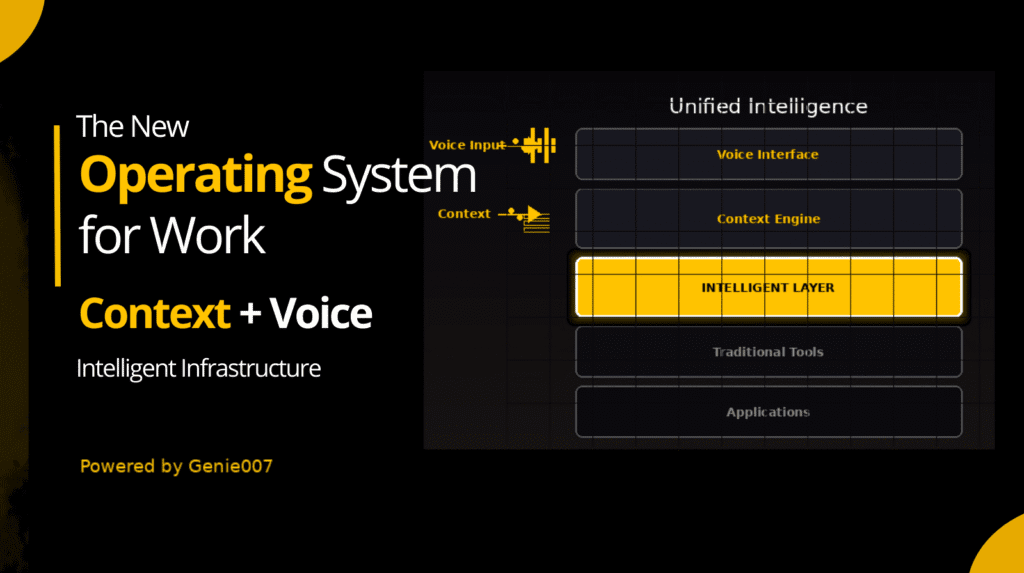
The next evolution is Context-Aware Voice AI, such as Genie007. This technology doesn’t just listen; it perceives. By understanding what page you are on and what content is visible, a context-aware assistant can:
- Eliminate Formatting: It knows how a LinkedIn post should look versus a Jira ticket.
- Auto-Fill Data: It can pull the client’s name from the header of an email and insert it into the greeting automatically.
- Bridge the Tabs: It can “see” the data on Tab A and use it to execute a task on Tab B without a single copy-paste action.
This is the difference between “typing faster” and “working smarter.” It moves the human from the role of a “typist” to the role of a “Director.”
From Transcription to Execution
Voice typing belongs to the transcription era. Modern professionals need Execution Tools. * Transcription answers: “What words did you say?”
- Execution answers: “What are you trying to accomplish?”
This shift is subtle but powerful. It changes voice from a hardware peripheral into a true Productivity Assistant. When you speak to an execution tool, the “Edit Tax” disappears because the AI uses the context of the webpage to ensure the first draft is the final draft.
Real Example: Email Reply
Let’s compare the two methods in a real-world scenario:
With Voice Typing:
- Open Email.
- Click “Reply.”
- Turn on Dictation.
- Speak: “Hi John thanks for the invite I will be there at two.”
- Manually fix “John” (add comma).
- Manually capitalize “I”.
- Manually change “two” to “2:00 PM.”
- Add signature.
- Click Send.
With Context-Aware Voice AI (Genie007):
- Open Email.
- Speak: “Genie, accept this invite for 2 PM.”
- Genie reads the sender’s name, creates a professional reply, formats it, and places it in the box.
- Click Send.
The number of manual steps is cut by 60%. Across 100 emails, that is the difference between a stressed workday and an easy one.
Why Professionals Outgrow Basic Voice-to-Text Tools
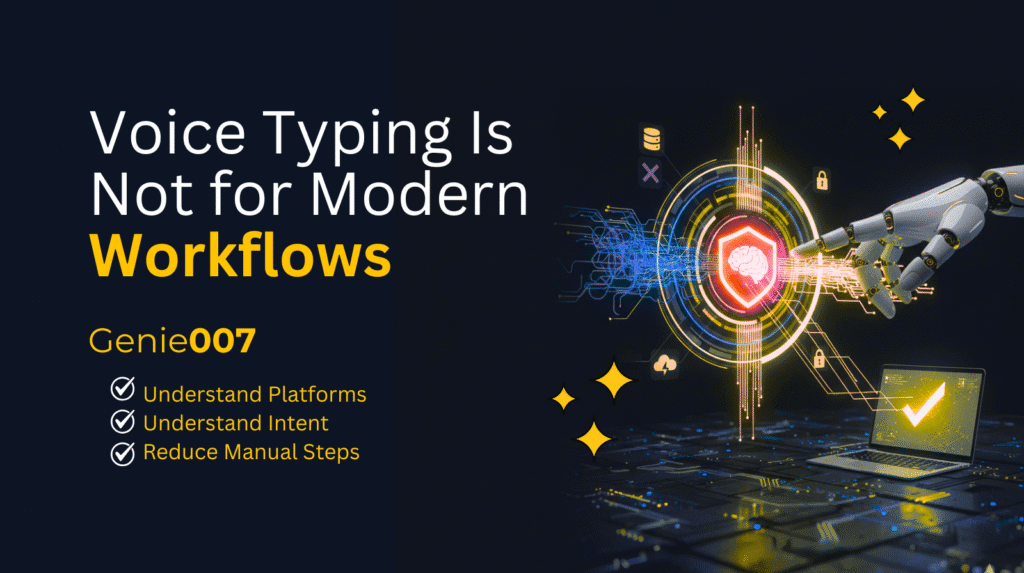
Most professionals start their journey with system dictation (like Apple or Windows dictation). They quickly realize these tools were designed for “writing,” not for “working.” As their demands grow, they seek out tools that:
- Understand Platforms: Knowing the difference between a Tweet and a Technical Report.
- Understand Intent: Recognizing that “send this” means “click the blue button.”
- Reduce Manual Steps: Eliminating the need to touch the mouse for formatting.
Modern work happens in the browser, and if your voice tool doesn’t “live” in the browser with you, it’s just another piece of friction.
The Future of Work Is Voice-First, But Not Voice-Typing
Voice will dominate productivity in the coming years, but not in the form of dictation. It will dominate as Voice-Driven Execution. We are entering an era where speaking triggers intelligent actions directly where you work. This is the evolution professionals are beginning to adopt. Not because voice typing is bad – but because, in the high-speed economy of 2026, it is no longer enough.
The keyboard is becoming a secondary tool. The voice is becoming the primary interface. But for that to work, your AI must be able to do, not just type.
Why is traditional voice-to-text considered “outdated” in 2026?
Traditional voice-to-text is a linear process that only transcribes sounds into characters. It doesn’t understand the context of the website you are using (like LinkedIn vs. Gmail), meaning you spend more time editing the text than you saved by speaking it.
What is the “Edit Tax” in dictation?
The “Edit Tax” is the extra time spent manually fixing punctuation, adjusting professional tone, and reformatting text after using a standard dictation tool. For many, this tax is so high that it makes typing feel faster than speaking.
How does Voice-to-Action differ from Voice-to-Text?
Voice-to-Text only writes words. Voice-to-Action understands your intent. For example, instead of just typing a sentence, a Voice-to-Action assistant like Genie007 can draft a reply, format it for a specific platform, and prepare it for sending based on a single command.
Can Voice-to-Action AI handle industry-specific jargon?
Yes. Unlike basic dictation, context-aware AI agents “read” the browser tab. If you are in a code editor, it recognizes syntax; if you are in a CRM, it recognizes lead data, ensuring 99% accuracy in specialized fields.