What “Voice to Action” Actually Means
Voice to action is the practice of speaking a short command and having AI produce a complete, ready-to-use output — not a transcription of what you said, but the actual result you needed. Say “reply professionally,” and a full email reply is written. Say “comment on this post,” and a contextually appropriate LinkedIn comment appears. Say “write a Python function for user validation,” and clean, working code is placed in your editor. The command is five to ten words. The output is everything that matters.
This is fundamentally different from every other voice technology that came before it. Traditional voice typing converts your speech into text — you still have to compose, organise, and write. Voice to action removes composition from the equation entirely. You state your intent, and the AI reads the full context of your current environment, understands what a good output looks like, and produces it. You never type. You never draft. You go from thought to finished work in a single spoken sentence.
The efficiency gap is substantial. Speaking runs at roughly 150 words per minute compared to 40 words per minute for typing — already a 3 to 4 times speed advantage. But voice to action multiplies this further. You say 10 words, and AI produces 200. For structured tasks like writing emails, drafting code, or creating comments, this represents a 20 to 30 times multiplier over basic dictation. That is not a marginal improvement — it is a different category of tool.
How Genie 007 works starts with this principle: the user should only have to state what they want, not how to produce it. The AI handles the rest.
Voice to Action vs Voice to Text: The Key Difference
Voice to text — also called voice typing or voice dictation — converts spoken words into written text, character by character. You say “I hope this email finds you well,” and those exact words appear on screen. The software is a transcription engine. The intelligence stops at the point of transcription.
Voice to action works differently at every stage. You do not narrate the output you want — you describe the intent. The system then reads your environment: which application you are in, what content surrounds your cursor, what the platform expects, and what a high-quality response looks like in this specific context. Only then does it generate the output. The command triggers understanding, and understanding produces the result.
Consider a practical comparison. In Gmail, a voice-to-text approach means saying the entire email reply word for word — you are the writer, the software is your transcriptionist. A voice-to-action approach means saying “reply professionally, decline but suggest next week” — the AI reads the original email, understands the thread, matches your tone, and writes the full reply. You said eight words. The output is three professional paragraphs.
On LinkedIn, voice to text would require you to compose and dictate an entire comment. Voice to action means saying “comment on this post” — the AI reads the post content, assesses what a relevant and professional comment looks like, and writes one. Same logic applies in a code editor: “refactor this function for readability” produces refactored code, not a transcription of the phrase “refactor this function for readability.”
If you are comparing tools and weighing your options, the article on best dictation software in 2026 sets out where voice typing tools stand against voice-to-action systems and what each is suited for.
The distinction matters because they solve different problems. Voice to text is a faster way to produce text. Voice to action is a replacement for the act of producing text. Both have their place — but they are not the same technology wearing different labels.
How Genie 007’s Context-Aware AI Works
Genie 007 is built around a mode called Genie Mode, and Genie Mode is where voice to action lives in practice. When you activate it and speak a command, the system does something that standard voice assistants do not: it reads the full context of your current environment before generating any output.
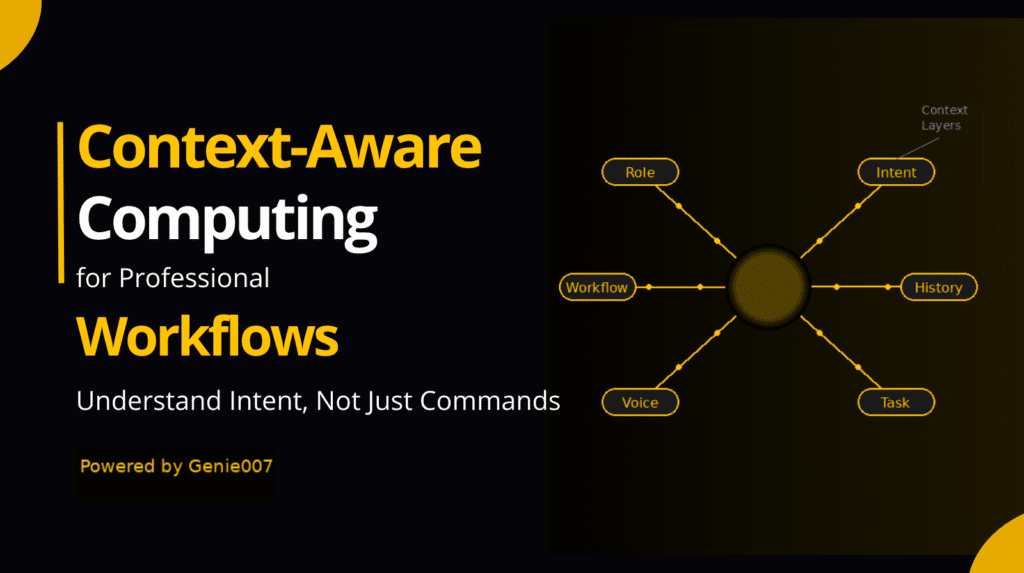
Context, in this case, means everything relevant. In an email client, it reads the subject line, the sender, the body of the incoming message, and the history of the thread. In a code editor, it reads the function or class you are working in, the language, the surrounding logic, and the variable names already in use. On a social platform, it reads the post you are viewing, the author, the topic, and the tone of the existing comments. This environmental awareness is what makes the output appropriate rather than generic.
The AI then produces a complete output that fits the context: the right length, the right format, the right tone, the right content. “Reply professionally” in a Gmail thread about a product delay does not produce the same output as “reply professionally” in a thread about a job application — because the context is different, and the AI reads both.
This is what makes Genie 007 a context-aware AI voice assistant rather than a dictation tool with an AI layer on top. The context reading happens first. The output follows from it. The user’s spoken command is the trigger, not the composition.
Beyond Genie Mode, Genie 007 also offers Voice Typing Mode — 99.5% accuracy across 140 or more languages, with automatic punctuation and grammar, working in any text field on any site. And for more complex workflows, Agent Mode lets a single voice command trigger autonomous actions across the web — “engage with 20 LinkedIn posts” will go and execute that, one by one, without further input.
Privacy is handled at the infrastructure level. Your audio never leaves your device — all processing happens locally, no voice recordings are stored, and the system is GDPR compliant and HIPAA ready. This matters for professionals handling sensitive communications: legal, medical, financial, or anything that cannot go through third-party servers.
Real Examples of Voice to Action
The clearest way to understand what voice to action produces is to see it in practice. The following five examples show what you say and what actually happens — with no additional typing involved.
| Where you are | What you say | What Genie 007 produces |
|---|---|---|
| Gmail — viewing an email asking to reschedule a meeting | “Reply professionally, accept but ask for a morning slot” | A complete, three-paragraph professional email reply confirming acceptance, explaining the preference, and suggesting specific times — placed in the reply field, ready to send |
| LinkedIn — viewing a post about remote work trends | “Comment on this post” | A contextually relevant, professional comment referencing the key argument in the post, adding a supporting perspective — ready to submit |
| VS Code — inside a JavaScript file with an existing user object | “Write a function for user validation” | A working validation function matching the naming conventions, data structure, and style of the surrounding code — placed at the cursor |
| Notion — on a blank page inside a project workspace | “Write a project brief for a mobile app launch” | A structured project brief with sections for objectives, scope, timeline, stakeholders, and success metrics — formatted in Notion’s style, ready to share |
| Google Docs — inside a half-written report with visible headings and data | “Write the executive summary” | An accurate executive summary drawn from the document’s actual content — not a generic summary, but one that reflects what is in the specific document on screen |
In each case, the spoken command is five to ten words. The output is complete, specific, and contextually accurate. No additional editing for format or structure is required. This is what distinguishes voice to action from any dictation-based approach — the user expresses intent, and the system produces the result.
The same capability applies to replies, comments, code commits, support tickets, meeting notes, Slack messages, and anything else where structured text needs to be created in a specific context. The platform changes; the process stays the same.
Voice to Action Across All Your Apps and Platforms
One of the practical questions people ask about any voice tool is where it actually works. The answer for voice to action via Genie 007 is: anywhere you have a text field. The Chrome extension works across every website and web application. The Windows app and Mac app extend this to the desktop. Mobile is coming.
For email — Gmail and Outlook — voice to action is particularly high-value because email composition is one of the most time-consuming structured writing tasks in a typical workday. If you send 30 emails a day and each takes three minutes to write, that is 90 minutes. With voice to action, each reply takes a single command. The time cost collapses. The article on voice typing for email covers the email workflow in more detail, including how to handle different tones and thread types.
For developers, the productivity case is clear. Dictating long, detailed prompts into AI coding assistants — something that takes significant typing effort — becomes a brief spoken command. “Write a REST endpoint for user login with JWT” is seven words spoken in two seconds. The same instruction typed precisely takes far longer, and the spoken version carries the same information. Genie Mode then produces the code directly into the editor, reading any surrounding context to match the style and structure already in use.
On professional networks like LinkedIn, voice to action changes how you engage with content. Commenting thoughtfully on posts, replying to messages, and drafting new posts all become faster — not because you are typing faster, but because you are not typing at all. A thoughtful comment that would take two minutes to compose and type takes five seconds to trigger.
For customer-facing work in tools like HubSpot, Salesforce, or Zendesk, voice to action handles the repetitive structured writing that fills support and sales workflows — follow-up emails, case notes, deal summaries, and status updates. The commands are short. The outputs are complete and consistent.
Across Slack, Notion, Google Docs, Teams, Jira, Figma, Reddit, Discord, and any site with a text field, the same logic applies. You speak. The AI reads the context. The output appears. Typing is optional — and for most tasks, unnecessary.
“You say 10 words, the AI produces 200 — and they are the right 200 words for this specific situation.”
This is the practical difference voice to action makes across a working day. Not a single task done faster, but a category of tasks — all structured writing, in all contexts — that no longer requires the same kind of effort.
FAQ — Voice to Action
What is voice to action?
Voice to action is the ability to speak a short command — typically five to ten words — and have AI produce a complete, ready-to-use output, such as a full email reply, a code function, or a social media comment. It differs from voice typing in that you are expressing intent rather than composing text. The AI reads the context of your current environment and produces an appropriate output from your spoken instruction. Genie 007’s Genie Mode is built on this principle: one short command, full contextual output, no typing required.
How does voice to action differ from voice typing?
Voice typing converts your spoken words directly into text — you say what you want to appear, and it appears. Voice to action works at the level of intent. You say what you want to achieve, and the AI determines what to write, based on the context of where you are and what is on screen. Voice typing is a transcription tool. Voice to action is a completion engine. The practical difference: voice typing still requires you to compose; voice to action removes composition from the task entirely. For structured tasks — emails, code, comments, reports — this produces the 20 to 30 times efficiency advantage over basic dictation.
Is voice to action AI context-aware?
Yes — context awareness is what makes voice to action work. Without reading the surrounding environment, a short command like “reply professionally” or “comment on this post” cannot produce a relevant output. Genie 007 reads the full context of your current environment before generating anything: the platform you are on, the content surrounding your cursor, the thread or document or codebase you are working in, and what an appropriate output looks like in that specific situation. This is why the outputs are specific and usable, not generic. The audio is processed locally, so context is read without sending data to external servers.
What apps support voice to action?
Genie 007 works in any application or website with a text input field. This includes Gmail, Outlook, Slack, Notion, Google Docs, LinkedIn, GitHub, VS Code, Jira, HubSpot, Salesforce, Figma, Discord, Reddit, Twitter/X, Facebook, WhatsApp Web, and Microsoft Teams — among many others. The Chrome extension covers all browser-based applications. The Windows app and Mac app extend coverage to the desktop. Mobile support is in development. There is no per-app setup required — install once and it works across all supported environments.
Is voice to action private and secure?
Yes. Genie 007 processes audio locally on your device. No voice recordings are stored, and no audio is sent to external servers. The system is GDPR compliant and HIPAA ready, making it appropriate for use in medical, legal, financial, and other regulated environments. You can find the full technical detail on the your audio never leaves your device page. This architecture means that voice to action does not create a data trail of your spoken commands — what you say stays on your machine.
Ready to replace typing entirely? Install Genie 007 Free → Chrome extension, Windows app, Mac app — one short command does the work.Written by Bill Kiani, founder of Genie 007.
Related Articles in This Series
- Best Dictation Software for Mac 2026
- Best Dictation Software for Lawyers in 2026
- Voice Typing for Gmail: Beyond Dictation in 2026
- AI Voice Commands: Context-Aware AI That Acts
Genie 007 works across every major app — see the full guides to voice typing in Notion, voice typing in Slack, how to talk to type, and voice typing for Outlook.
Genie 007 works across every major app. For setup steps, see the full guide to voice typing in Notion and voice typing in Slack.
New to voice typing? The complete guide on how to talk to type walks through every option available in 2026, including voice typing for Outlook and other email apps.