Genie 007: The Complete AI Voice Assistant Guide (2026)

Genie 007 AI voice assistant voice to action 2026

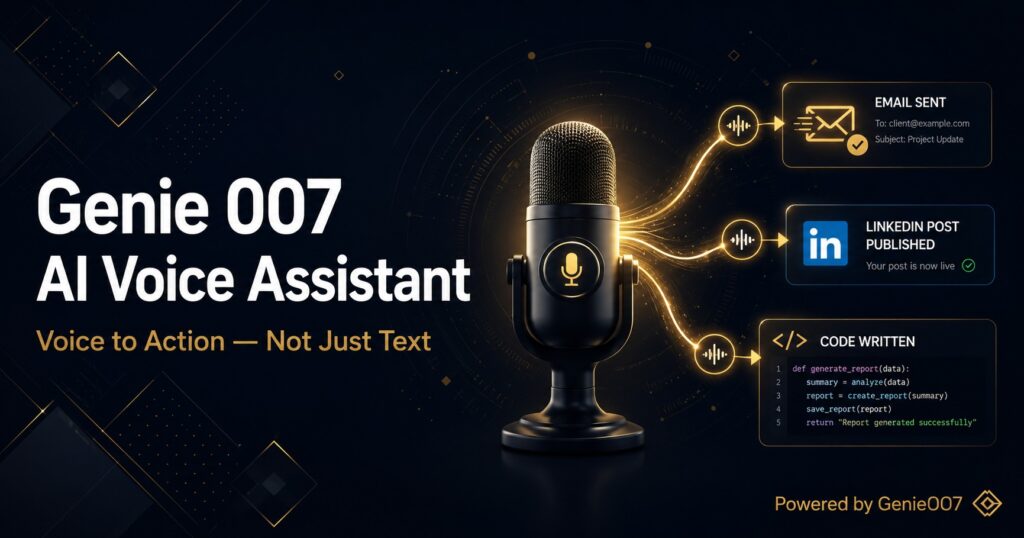
The Genie 007 AI voice assistant is not a dictation tool with a rebrand. It is the first consumer-accessible AI assistant that reads what is on your screen, understands what you want to achieve, and executes it — inside the apps you already use, from a single voice command. If you have been frustrated by voice tools that transcribe your words but leave the actual work to you, this guide explains why Genie 007 operates on a fundamentally different level, what every feature actually does, and how it runs across Chrome, Windows, Mac, and mobile.

The concept the product is built around is called voice to action: the gap between speaking a command and that command being executed in your app is zero. You do not receive a draft to copy. You do not get a suggestion to act on. The action happens. This distinction — voice-to-action rather than voice-to-text — is what separates Genie 007 from the 700+ other speech tools currently available on the Chrome Web Store.

Genie 007 at a Glance: Quick Reference Table

FeatureDetail
Chrome Web Store rating5.0 / 5.0 ★★★★★
Last updatedJanuary 2026
Languages supported140+ (speak in any, output in any)
Accuracy99.5%
PlatformsChrome extension, Windows app, Mac app, Mobile (coming)
Works inGmail, Slack, Notion, LinkedIn, GitHub, Jira, HubSpot, Salesforce, VS Code, Figma, Discord, Reddit, Twitter/X, Facebook, WhatsApp Web, Google Docs, Outlook, Teams — any site with a text field
PrivacyAudio processed locally. No voice recordings stored. GDPR compliant. HIPAA ready.
Free tierYes — no credit card required
Chrome Store URLInstall free on Chrome Web Store

What Makes Genie 007 Different: Voice to Action vs. Voice to Text

Every other voice tool on the market does one of two things: it transcribes your speech into text, or it answers questions. Genie 007 does neither of these as its primary function. Its primary function is execution.

Here is the practical difference. With a standard voice typing tool, you speak and text appears. You still have to: check the text, format it, open the right field, paste or type, and click Send. With a standard AI assistant (Siri, Alexa, Google Assistant), you ask a question and receive an answer. You still have to take that answer and do something with it. With the Genie 007 AI voice assistant, you describe an outcome and it happens. “Reply to this email saying I’ll be there Thursday” — the reply window opens, the text appears, and it is ready to send. You approved one thing. You did not type anything.

This is possible because of three capabilities working together that most voice tools have only one of:

Context reading: Genie 007 reads what is currently on your screen. It knows which app you are in, what the active thread or document contains, who it is from, and what the relevant surrounding content says. This means your voice commands can be short and natural — the way you would speak to a colleague who is sitting next to you and looking at the same screen.

Intent understanding: The AI processes what you want to achieve, not just what you said. “Make this shorter” applied to an email means something different to “make this shorter” applied to a code comment. “Reply professionally” in LinkedIn means something different than the same phrase in a customer support ticket. Genie 007 resolves that context automatically.

Action execution: The result lands where it needs to — not in a side panel, not in your clipboard waiting for you to paste it. In the reply box. In the Notion page. In the Slack thread. In the HubSpot note. The work is done, not handed back to you half-finished.

For a broader look at why traditional voice assistants fall short of this standard, see Why Your Voice Assistant Is Useless at Work.

Genie 007 Features: Everything the Extension Actually Does

The Genie 007 AI voice assistant is not a single feature — it is a layered system with distinct operating modes, each solving a different category of work problem. Here is what each mode does and when to use it.

Genie Mode — Voice to Action for In-App Tasks

Genie Mode is the core of the product and the feature that defines what voice-to-action means in practice. When you activate Genie Mode, Genie 007 reads your current browser environment — the active tab, its content, and any active field — and waits for a short voice command. You describe what you want done. It does it.

The depth of context awareness here is what separates Genie Mode from everything that looks similar on the surface. When you say “summarise this” in Gmail, Genie 007 reads the full email thread, pulls out the key points, and places a concise summary where you need it. When you say “reply thanking them and asking for a call next week” in LinkedIn, it reads the message you received, writes a contextually relevant reply in your tone, and populates the reply box. You did not explain any context. It already had it.

Practical examples of what Genie Mode handles daily:

  • “Reply to this saying I’ll get back to them by end of Friday” — in Gmail, Slack, or any messaging interface
  • “Write a comment on this post agreeing with the main point and adding something about our own experience” — on LinkedIn, Twitter/X, Reddit
  • “Translate this into Spanish and rewrite it more formally” — on any text field
  • “Add a paragraph summarising the key risks to this section” — in Notion, Google Docs, any document editor
  • “Fill in this form with my standard contact information” — on any web form
  • “Write a function that validates email addresses” — in VS Code, GitHub, Cursor, or any code editor with a text field

Voice Typing Mode — Advanced Speech-to-Text

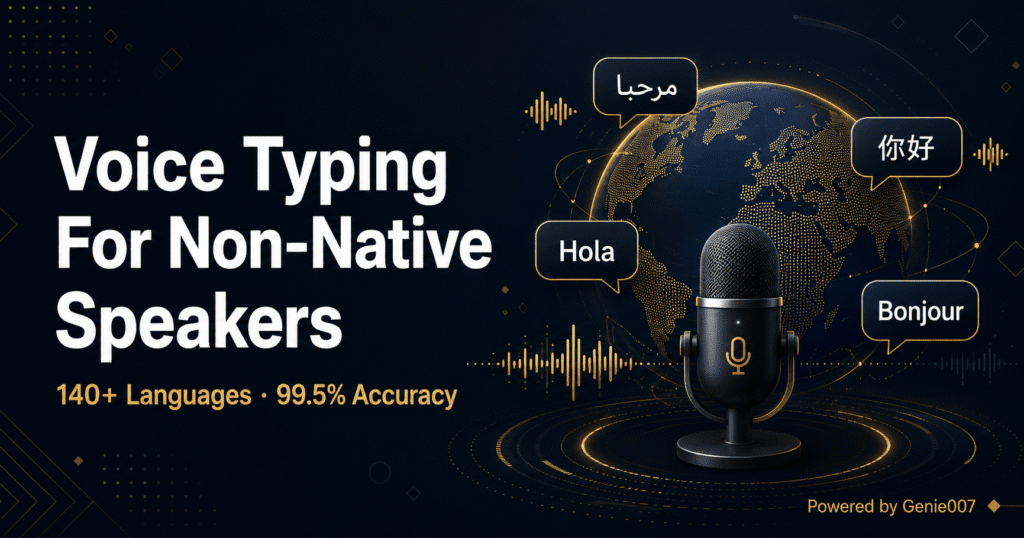
For longer-form dictation — documents, detailed emails, meeting notes, reports — Voice Typing Mode gives you 99.5% accurate speech-to-text in 140+ languages with automatic punctuation, grammar, and formatting. You speak naturally; Genie 007 handles the structure.

Unlike basic browser dictation, Voice Typing Mode understands context within what you are saying. It applies appropriate paragraph breaks, handles technical terminology correctly, and adapts to your personal writing patterns over time. You speak at a natural pace — around 130 words per minute — which is roughly three times the average typing speed of 40 words per minute for knowledge workers.

Voice Typing Mode works in any text field on any website. It is not limited to specific apps, does not require configuration per site, and does not break when websites update their interfaces — because it operates at browser level, not by injecting code into specific apps.

Agent Mode — Autonomous Multi-Step Execution

Agent Mode takes voice-to-action from single commands to multi-step autonomous goals. You describe an objective involving multiple apps, multiple steps, or extended research — and Genie 007 works through it without you staying involved in each step.

Examples of what Agent Mode handles:

  • “Find the three pricing pages for our main competitors, open them, and put a comparison table in a new Google Sheet” — three apps, multiple navigation steps, one command
  • “Engage with 20 LinkedIn posts relevant to our industry — like them and leave a relevant comment on each” — reads posts, evaluates relevance, writes contextual comments, executes
  • “Go through my inbox and flag anything from clients that hasn’t been replied to in more than two days” — reads threads, evaluates timestamps, identifies gaps
  • “Read Sarah’s email about the Q3 brief, write a proposal response based on it, and save it to the shared Notion space” — reads email, generates proposal, navigates to Notion, saves

Agent Mode requires explicit activation and review before any irreversible actions (sending emails, posting publicly). For a deeper look at how Agent Mode handles complex tasks, see Voice Commands That Actually Do Things.

Multi-Language Input and Output

Genie 007 supports 140+ languages with an important distinction from most multilingual voice tools: you can speak in one language and receive output in another. This is not translation as an afterthought — it is built into the core command processing. You can say (in French) “reply to this email in formal English” and receive an English reply. You can dictate in Hindi and have the output appear in German. You can switch languages mid-session without reconfiguration.

The 99.5% accuracy figure applies across all supported languages, not just English. Genie 007 was built for global knowledge workers — the 140+ language figure is not a marketing addition, it reflects genuine multilingual accuracy at the core recognition layer.

Tone and Output Control

Every output Genie 007 produces can be directed with tone and style instructions. You do not need to re-prompt or edit the result to match how you communicate. Simply include the tone in your command: “reply professionally but warmly,” “write this more directly,” “make this shorter and add a question at the end,” “match the casual tone they used.” The AI adapts the output to the instruction, not the other way around.

This is the feature that makes outputs sound like you, not like generic AI. Genie 007 is not producing templated responses — it is producing contextually appropriate content that fits both the situation and the communication style you specify.

Platform Coverage: Chrome, Windows, Mac, Mobile, and Chromebook

Genie 007 is available across multiple platforms. Here is what each platform offers and where to find it.

Chrome Extension (Primary Platform)

The Chrome extension is the primary and most fully featured version of Genie 007. It is available on the Chrome Web Store at no cost, has a 5.0/5.0 star rating, and was last updated in January 2026. The extension ID is fhmdfbnanmbdapfchlpmbgihkpigffbe and the direct install URL is: chromewebstore.google.com/detail/genie-007.

Installation takes under two minutes. After installing, Genie 007 appears as an icon in your Chrome toolbar. Click it to activate, or use the keyboard shortcut. The extension then reads your active tab and waits for a voice command. There is no per-app configuration, no API keys to add, no integration setup. It works on every website in Chrome immediately.

The Chrome extension gives you access to all three modes — Genie Mode, Voice Typing Mode, and Agent Mode — along with the full multilingual capability and tone controls. It is the version to install first and the one most actively developed.

The Chrome extension also works on Chromebook — any Chromebook running Chrome OS with the Chrome browser installed. No additional setup required. Because Chromebook users do all their work in Chrome anyway, Genie 007 covers every app they use.

Windows Desktop App

The Windows desktop app extends Genie 007 beyond the browser. While the Chrome extension covers all browser-based work — which accounts for the majority of knowledge work in 2026 — the Windows app brings voice-to-action to native Windows applications and the desktop environment itself.

Windows users gain system-level access: dictating into any text field in any Windows application (not just browser-based ones), executing commands in native apps, and using Genie 007 as a full desktop voice assistant. This makes it directly comparable to Windows Voice Access (Microsoft’s built-in tool) but with the AI layer — context understanding and intent execution — that Windows Voice Access lacks.

The Windows app pairs naturally with the Chrome extension: browser work handled by the extension, native desktop work handled by the app. Most Windows users find the Chrome extension alone covers 80–90% of their daily workflow, with the desktop app extending coverage to the remainder.

Mac Desktop App

The Mac desktop app provides the same system-wide voice-to-action capability for macOS users. Like the Windows version, it extends Genie 007 beyond the browser to native Mac applications — writing in Pages, dictating into any input field, executing commands system-wide.

Mac users who spend their day in browser apps (the majority) will find the Chrome extension sufficient. The Mac app is the right choice for anyone who regularly works in native macOS applications like Final Cut Pro, Logic, Xcode, or any desktop software without a browser equivalent.

One advantage of Genie 007 on Mac compared to alternatives like SuperWhisper or Wispr Flow: while those tools focus primarily on transcription with Mac-first design, Genie 007’s Mac app inherits the full voice-to-action intelligence of the platform. It is not just dictation for native apps — it is context-aware execution.

Mobile (iOS and Android — Coming Soon)

Mobile versions for iOS and Android are in development. When released, the Genie 007 mobile app will bring voice-to-action to smartphones — covering mobile Gmail, WhatsApp, LinkedIn, browser-based apps, and any text field on the device.

Mobile voice assistants have historically been the weakest category — Siri and Google Assistant handle device commands and simple queries but cannot read the content of your emails, write contextually relevant replies, or execute multi-step tasks across apps. Genie 007 on mobile is designed to close that gap: full voice-to-action capability on the device you use throughout the day when a keyboard is inconvenient or unavailable.

The mobile release timeline has not been publicly confirmed as of May 2026. The current recommendation is to install the Chrome extension and Windows or Mac app while mobile access is in development.

Voice to Action in Practice: Real Workflows Across Apps

Abstract descriptions of AI capability are easy to write and hard to evaluate. Here is what the Genie 007 AI voice assistant actually looks like in the apps where most knowledge work happens.

In Gmail

Open an email thread. Activate Genie 007. Say “reply confirming the meeting for next Thursday at 3pm, mention I’ll send the agenda by Wednesday.” Genie 007 reads the thread (sender, subject, conversation history), opens the reply window, writes a contextually appropriate reply with the confirmation and the agenda note, and presents it for your approval. You review it — takes five seconds — and click Send. Total time: under thirty seconds. See the full email workflow guide here.

In Slack and Teams

You return from a two-hour meeting to 40 Slack messages across six channels. Say “summarise the #product channel — what decisions were made?” Genie 007 reads the thread and returns a structured digest: three decisions made, two open questions flagged, one action item assigned to you. Say “reply to Jamie’s question about the deadline: tell him it’s still Friday, I’ll send the doc this afternoon.” Done. You never left Slack or typed a word. For a deeper guide on AI in these tools, see AI That Works in Gmail, Slack and Notion.

In LinkedIn

You are reading a post in your feed. Say “write a comment agreeing with the main point about AI adoption timelines and adding that our team has seen similar patterns.” Genie 007 reads the post, drafts a relevant comment in your voice, and places it in the comment box. Say “write a connection request message to this person mentioning we both attended the same webinar.” It reads their profile and the implied context, writes a personalised message, and places it in the message field. Complete guide to LinkedIn voice workflows here.

In Notion and Google Docs

Open a long strategy document. Say “give me the three key takeaways from this document.” Genie 007 reads the whole thing and returns a structured three-point summary. Say “add a new section called ‘Risks’ and write three bullet points about execution risks based on what’s in this document.” It creates the section and populates it. For meeting notes: “add today’s decisions from the call — we agreed to push the launch to Q4, Sarah owns client comms, deadline is October 15th.” It adds a formatted entry with the date and details.

In GitHub and VS Code (Developers)

Developers benefit particularly from Genie 007 because long, detailed AI prompts — the kind that produce good code — are painful to type and natural to speak. “Write a function that takes an array of user objects, filters out any where the email field is missing, and returns only the first name and email of the remaining users — add error handling for null arrays.” That command takes about twelve seconds to say. It takes about ninety seconds to type accurately. Genie 007 processes it, places the code in the active editor field, and you review it. Speaking complex prompts at natural speed produces better AI outputs than typed prompts that people abbreviate out of typing fatigue.

Genie 007 vs. Other Voice Assistants: An Honest Comparison

The voice assistant market in 2026 is large and varied. Here is where Genie 007 sits relative to the most commonly compared alternatives.

ToolPrimary FunctionContext-AwareBrowser ActionsMulti-Language OutputPlatform
Genie 007Voice to actionYes — full screen readingYes — executes in-appYes — 140+ languagesChrome, Windows, Mac, Mobile soon
SiriDevice commands + Q&ALimited (device context only)NoLimitedApple devices only
Google AssistantDevice commands + Q&ALimitedNoLimitedAndroid + Google devices
Dragon (Nuance)Professional dictationNoNoLimitedWindows only, $699
Voice InBrowser dictation onlyNoNoYes (via Google Speech API)Chrome only, $60/yr
Whisper (OpenAI)TranscriptionNoNoYes (transcription)API only — no UI
Windows Voice AccessOS navigation by voiceLimited (Windows UI only)LimitedLimitedWindows only, free

The key differentiator in every row is browser-level action execution. Siri, Alexa, and Google Assistant can control your device and answer questions — they cannot read your Gmail and draft a contextually relevant reply. Dragon and Voice In can transcribe accurately into text fields — they cannot understand context or execute intent. Genie 007 is the only tool in this comparison that does both: understands context and executes action.

For a more detailed breakdown of how AI productivity tools compare in 2026, see Best AI Productivity Tools 2026.

Privacy and Security: How Genie 007 Handles Your Voice Data

Privacy is a legitimate concern with any tool that processes your voice and reads the content of your communications. Genie 007’s architecture addresses this directly.

Audio processing is local. Your voice is processed on your own device — it is converted to text intent before any data leaves your machine. Raw audio never travels to external servers. This means nobody can intercept your voice recordings, they are not stored anywhere, and they cannot be accessed by third parties.

No voice recordings stored. Genie 007 does not retain audio. Once your command is processed, the audio does not exist anywhere — not on your device, not on Genie 007’s servers. There is no voice history to breach.

GDPR compliant. Genie 007 is built to meet GDPR requirements for European users. The local processing architecture means the data handling requirements are substantially simpler — your voice never becomes data on a remote system.

HIPAA ready. For healthcare, legal, and financial professionals handling sensitive information, Genie 007’s architecture is designed to meet HIPAA readiness standards. Your clinical notes, legal correspondence, and financial communications stay on your device during processing.

For the full technical breakdown of Genie 007’s privacy architecture, see the Security and Privacy page.

Genie 007 Pricing: What the Free Tier Includes

Genie 007 offers a free tier that does not require a credit card to access. The free tier includes core Genie Mode functionality — enough to experience voice-to-action in Gmail, Slack, LinkedIn, and other primary apps — along with Voice Typing Mode and basic multi-language support.

Paid plans extend Agent Mode capacity, increase the number of complex multi-step tasks, add team features, and extend the AI processing depth for very long documents. For most individual knowledge workers, the free tier provides meaningful daily value before any paid upgrade is necessary.

Pricing details are available at genie007.co.uk. The install and free trial are available directly from the Chrome Web Store listing.

Getting Started With Genie 007 in Under 5 Minutes

Setup is genuinely fast. Here is the complete process from zero to first voice command:

Step 1 — Install the Chrome extension. Go to the Chrome Web Store listing and click “Add to Chrome.” The extension installs in under thirty seconds. You will see the Genie 007 icon appear in your Chrome toolbar.

Step 2 — Allow microphone access. When you first activate Genie 007, Chrome will ask for microphone permission. Grant it. This is a one-time step and can be revoked at any time from Chrome’s privacy settings if needed.

Step 3 — Open any app where you work. Navigate to Gmail, Slack, LinkedIn, Notion, or any other web app. Open a relevant message, thread, or document. You do not need to configure anything per app — Genie 007 reads whatever is on your screen.

Step 4 — Activate and speak your first command. Click the Genie 007 icon (or use the keyboard shortcut). Speak a natural command: “summarise this email,” “reply saying I’ll have it ready by Thursday,” “write a comment on this post.” Watch the result appear.

Step 5 — Review before sending. By default, Genie 007 presents the result for your approval before executing irreversible actions (sending emails, posting publicly). Read it, make any adjustments, and confirm. This review step takes five seconds for most outputs and disappears entirely once you trust the AI’s defaults for your most common tasks.

Most users find the adjustment period is about two to three days. By day five, speaking commands to their computer feels entirely natural, and the habit of reaching for the keyboard for communication tasks starts to feel slow by comparison. For a structured first-week guide, see Replace Your Keyboard With Your Voice.

Who Genie 007 Is Built For

The Genie 007 AI voice assistant addresses specific categories of knowledge workers rather than everyone equally. These are the profiles where the productivity gain is most significant:

High-volume communicators. Anyone sending 40+ emails, messages, or replies per day. The cumulative time saving from voice-to-action at that volume is typically 60–90 minutes per day. Sales teams, customer success managers, recruiters, and account managers fall into this category.

Developers working with AI. Prompting AI systems by voice produces longer, more precise prompts than typing. The quality of AI output correlates with prompt specificity — speaking detailed prompts naturally produces better code than typing abbreviated versions. Developers using Cursor, GitHub Copilot, ChatGPT, or any AI coding assistant benefit immediately.

Professionals with accessibility needs. People with dyslexia, ADHD, repetitive strain injury, carpal tunnel syndrome, or motor impairments that make typing difficult or painful find voice-to-action transformative rather than merely faster. The keyboard is not the natural interface for knowledge work — it was designed for typing. For people for whom typing is a barrier, Genie 007 removes that barrier entirely. For more on this, see Talk to Your Computer and Actually Get Things Done.

Multilingual professionals. Knowledge workers who operate in multiple languages — serving international clients, working in multinational organisations, or communicating in a second or third language — benefit from Genie 007’s native multilingual architecture. The ability to speak in one language and produce output in another is genuinely useful, not a novelty feature.

Anyone who works across many apps. If your day involves switching between Gmail, Slack, Notion, LinkedIn, CRM, and project management tools — the context-switching cost is real and measurable. Agent Mode reduces this by handling cross-app tasks from a single voice command.

Frequently Asked Questions About Genie 007

Is Genie 007 free to use?

Yes. Genie 007 has a free tier accessible directly from the Chrome Web Store — no credit card required. The free tier includes core Genie Mode and Voice Typing Mode functionality. Paid plans extend Agent Mode capacity and team features. You can start using it today without entering any payment information.

Does Genie 007 work on Mac and Windows, or only in Chrome?

Genie 007 is available as a Chrome extension (which works on any OS running Chrome, including Windows, Mac, Linux, and Chromebook), a native Windows desktop app, and a native Mac desktop app. For most users, the Chrome extension alone covers the majority of daily work. The desktop apps extend voice-to-action to native applications outside the browser.

What is “voice to action” and how is it different from voice typing?

Voice typing converts your speech into text that appears in a field. You still have to format it, move it to the right place, and take the next action manually. Voice to action converts your spoken command into a completed outcome — a reply drafted and placed in Gmail, a comment written and placed in the LinkedIn comment box, a summary added to the Notion page. The text is not the end product; the completed task is. For a full explanation, see How to Use AI at Work Without Being a Prompt Engineer.

Is Genie 007 safe for sensitive professional communication?

Yes. Audio is processed locally on your device — raw voice recordings never leave your machine. Genie 007 is GDPR compliant and HIPAA ready, making it appropriate for healthcare, legal, and financial work. The Security and Privacy page has the full technical architecture detail. The short version: your voice stays on your device.

Which apps does Genie 007 work with?

Any website with a text field — which covers the entire web. Specifically tested and optimised for: Gmail, Google Docs, Google Calendar, Slack, Microsoft Teams, Outlook, LinkedIn, Twitter/X, Facebook, Instagram, Reddit, Notion, HubSpot, Salesforce, Jira, Asana, Trello, GitHub, GitLab, VS Code (web), Cursor, Figma, Discord, WhatsApp Web, and more. If a website has a text field, Genie 007 can operate in it.

How accurate is Genie 007 for non-English languages?

Genie 007 supports 140+ languages at 99.5% accuracy. This is not English-optimised accuracy with degraded performance in other languages — the 99.5% figure reflects performance across the supported language set. The multilingual architecture was built as a core feature, not added as a localisation layer.


👉 Install Genie 007 Free on Chrome — No Credit Card Required

Written by Bill Kiani, founder of Genie 007.

Share This :

Leave a Reply

Your email address will not be published. Required fields are marked *

Thank You!

Your request has been submitted successfully.
We will contact you soon.

Welcome to Genie 007 10x your productivity.