Voice typing for project managers addresses one of the most persistent drains on PM time: writing the same information over and over in different formats. A project manager running three active workstreams might produce the same core status update five or six times a week — in Jira, in Slack, in a stakeholder email, in a weekly report, and in a meeting agenda. Each iteration typed from scratch. Voice typing for project managers cuts that repetition out. And Genie 007 goes further than dictation: you describe the status once and it writes the full professional update — for whichever tool you are in.
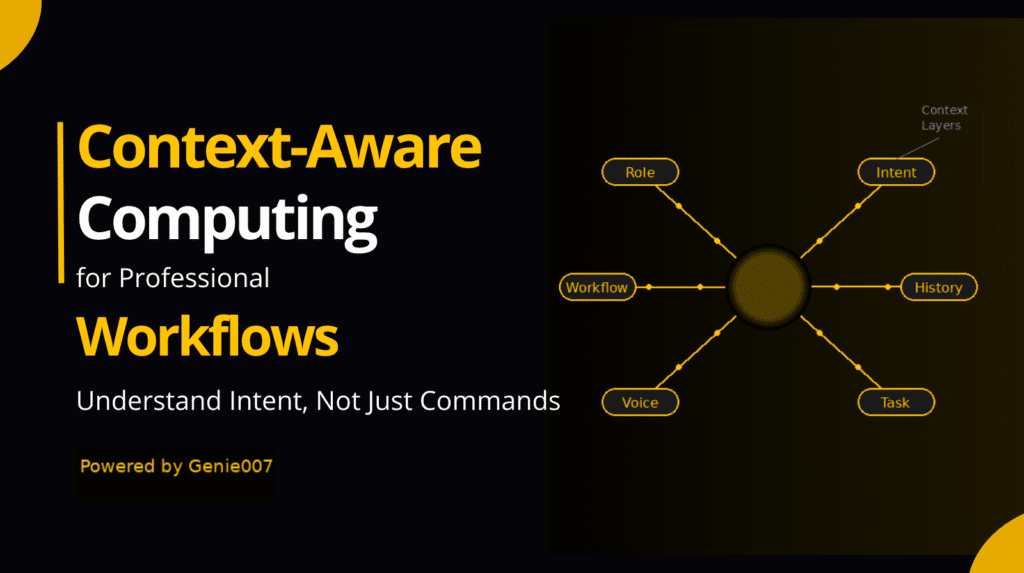
Genie 007 is a voice-to-action AI, not a transcription tool. Genie Mode — the context-aware AI layer — reads what is on your screen and produces completed output from a spoken command. Say “write a project status update for the client: we are on track, minor delays in QA, will ship Friday, no blockers” and Genie 007 writes a full professional status update, appropriately formatted for whatever text field it is placed in. You are not dictating words — you are giving instructions and the AI executes. For more on how this works in practice, see the Genie 007 AI voice assistant guide.
Genie 007 works as a Chrome extension (covering any browser-based PM tool), a Windows desktop app, and a Mac desktop app — meaning it integrates with your entire project management stack without any native integration or API approval process.
How Voice Typing for Project Managers Changes Your Workflow
Project managers are the communication infrastructure of an organisation. PMI research consistently identifies poor communication as one of the top causes of project failure — meaning the quality and frequency of documentation is not an administrative task but a delivery risk. They translate technical progress into business language for stakeholders, business requirements into technical language for delivery teams, and decisions into action for everyone. That translation work is almost entirely written. Status updates, sprint reviews, risk logs, meeting summaries, stakeholder reports, change requests, escalation emails, retrospective notes, and weekly reports — the volume of documentation generated by a single project manager running two or three projects simultaneously is extraordinary.
What makes this particularly inefficient is the repetition. The same factual information — what shipped, what is blocked, what the timeline is — gets rewritten in different formats for different audiences. The client version of a status update is different in tone from the internal Slack summary, which is different again from the weekly leadership report. Each rewrite is effectively a new document even though the underlying information is identical. Voice typing for project managers, combined with AI intent understanding, collapses this repetition: speak the facts once, describe the audience and format, and let the AI produce the appropriate version.
The PM Tools Voice Typing Works In
Genie 007 works in any text field in any application — which covers the full range of tools project managers use:
Jira. Issue descriptions, acceptance criteria, sprint notes, comment updates, and epic summaries. Voice dictation in Jira eliminates the friction of opening a ticket and typing structured content. Say “write an acceptance criteria section for a user story about password reset: the user receives an email link, the link expires in 24 hours, the new password must meet the existing strength requirements” and Genie 007 writes properly formatted acceptance criteria, ready to paste or placed directly in the open Jira ticket. For more on voice-powered Jira workflows, see voice dictation in Jira.
Asana. Task descriptions, project briefs, status updates, and comment threads. The same voice-to-action capability applies in Asana’s task and project views. A spoken command describing a task’s requirements produces a complete, structured task description with all fields populated. Genie 007’s Asana integration works through the Chrome extension — for a detailed workflow guide, see voice typing in Asana.
Monday.com, ClickUp, Notion, Linear. All browser-based PM tools work with the Chrome extension. Genie 007 works in any text input field — column updates, item descriptions, doc sections, comment fields. No tool-specific setup is required beyond installing the extension.
Email and Slack. Stakeholder emails and team Slack updates are where most PM communication lives outside the task management system. Genie 007 works in Gmail, Outlook (web), and Slack in the browser — and in Outlook desktop and Slack desktop through the desktop app. Voice-to-action for communications means client emails and internal updates take seconds to produce.
Five Project Manager Workflows That Change With Voice-to-Action
Workflow 1 — End-of-day status update.
At the end of the work day, activate Genie 007 in your project update field and say: “Status update for project Meridian: development sprint 4 completed on time, QA in progress, found two minor bugs being fixed, expected sign-off Thursday, no change to delivery date.”
Genie 007 writes a complete, professionally structured project status update — appropriate to the audience (internal team, client, or leadership depending on where you are writing), formatted with the key information clearly presented. What previously took 10 minutes to structure and type takes 30 seconds to speak.
Workflow 2 — Post-meeting action capture.
Immediately after a project meeting, say: “Write meeting notes for the discovery session: attendees were Sarah, Tom, and David. Decisions made: approved extended timeline to end of Q3, agreed to descope the reporting module for v1. Actions: Tom to send updated scope doc by Friday, Sarah to schedule follow-up with the client, I will update Jira epics by tomorrow.”
Genie 007 produces structured meeting notes with decisions and action items clearly delineated — the format managers and stakeholders expect without 20 minutes of writing.
Workflow 3 — Risk log entry.
Say: “Add a risk log entry: risk is delayed API documentation from the third-party vendor. Probability high. Impact medium — could delay integration work by one sprint. Mitigation: chase vendor weekly, identify alternative API approach, flag to client if not resolved by 15 June.”
Genie 007 produces a properly structured risk entry with all fields completed. Keeping risk logs current often falls behind because the writing overhead is disproportionate to the information — voice capture removes that friction entirely.
Workflow 4 — Stakeholder email.
Say: “Write a client update email for project Phoenix. We are on track overall. The design phase completed last week. Development starts Monday. Milestone dates have not changed. Next update will be at the end of sprint 2 on 20 June.”
Genie 007 writes a complete professional client email — appropriate register, clear structure, no jargon. A task that typically requires 15 minutes of drafting, revising, and agonising over tone takes under a minute.
Workflow 5 — Sprint retrospective notes.
After a retrospective session, say: “Write retrospective notes for sprint 3. Went well: team communication improved, all stories accepted by QA. Needs improvement: story pointing still inconsistent, too many mid-sprint scope changes. Action items: introduce a formal change request process for mid-sprint additions, run a pointing calibration session before sprint 5.”
Genie 007 produces clean, structured retrospective documentation ready for the team wiki or Jira — preserving the insights from the session before they fade.
Privacy and Data Security for Project Managers
Project managers handle commercially sensitive information as a matter of course — client names, project timelines, budget information, internal decision-making, and strategic initiatives that are often confidential. Standard cloud-based voice tools process audio on remote servers, which means that information is transmitted to and temporarily handled by a third-party service provider. For most organisations and their legal teams, that is not an acceptable data handling arrangement for sensitive project information.
Genie 007 processes all audio locally on the device. No audio is recorded, stored, or transmitted. No project information, client names, or budget details leave your machine during voice processing. Genie 007 is GDPR compliant and HIPAA ready — relevant for project managers in healthcare, financial services, legal, and government sectors where data handling is audited and contractually specified. Full technical detail on local processing architecture is available on the security and privacy page.
Setting Up Genie 007 in Your PM Workflow
Step 1: Install for your primary tools. If your project management work happens primarily in browser-based tools (Jira, Asana, Monday.com, ClickUp, Notion, Gmail, Slack in browser), install the Chrome extension. For desktop tools (Outlook, desktop Slack, MS Teams desktop), install the Windows or Mac desktop app. One Genie 007 account covers all platforms.
Step 2: Add your project vocabulary. Project names, client names, technical terminology, team member names, and any acronyms specific to your organisation or industry. Genie 007’s base accuracy is 99.5% across 140 languages, and adding custom vocabulary ensures project-specific terminology transcribes accurately from the first use.
Step 3: Build your command patterns. The most efficient PM users of Genie 007 develop a short set of recurring command patterns for their most frequent documentation types — status update format, risk entry format, meeting note format. Consistency in how you frame commands produces consistent output structure. This takes one week to establish and saves hours every week thereafter.
Step 4: Use it for AI prompts. Project managers using AI tools (Claude, ChatGPT, Copilot) for analysis, report drafting, or risk assessment benefit enormously from giving longer, more detailed prompts. Typing a detailed AI prompt takes time that creates friction. Speaking a detailed prompt at 150 words per minute takes 20 seconds. Genie 007 makes richer AI interactions faster, which directly improves the output quality of any AI tool in your PM stack.
Frequently Asked Questions
Does voice typing work in Jira and Asana?
Yes. Genie 007 works in any text field in any browser-based application. Jira and Asana both run in the browser, so the Chrome extension covers all text inputs — ticket descriptions, acceptance criteria, comment fields, sprint notes, and project briefs. For dedicated workflows in each tool, see the guides for voice dictation in Jira and voice typing in Asana.
Can Genie 007 write full status updates or does it just transcribe what I say?
Genie 007 writes full, professionally structured documents from spoken commands — it is not a transcription tool. You give it the key information in whatever order it comes to you, describe the audience and purpose, and Genie Mode produces appropriately structured output. A spoken command describing project status produces a complete stakeholder update, not a raw transcript of your words.
How does voice typing help with meeting notes?
For meeting notes, voice typing offers two workflows. During a meeting: activate Genie 007 to capture decisions and actions as they happen, speaking brief notes that are immediately converted. After a meeting: give Genie 007 a spoken summary of the key points and it produces structured meeting notes. Both approaches are faster and produce better documentation than typing notes later from memory.
Is it suitable for confidential client project information?
Yes, specifically because Genie 007 processes audio locally. No client names, project details, timelines, or commercially sensitive information are transmitted to external servers. For project managers under NDA obligations or working in regulated industries, this local processing architecture is the key data security requirement that most cloud-based voice tools do not meet. Full details at genie007.co.uk/security-privacy.
Can Genie 007 help with writing project reports?
Yes. For regular reports — weekly status reports, sprint review reports, month-end summaries, project closure reports — Genie 007 significantly reduces the writing time. Describe the key points you want to cover, specify the audience and tone (internal team, client, executive leadership), and Genie Mode produces a complete, appropriately structured report draft. You review, adjust specific figures and details, and publish or send. A two-hour writing task regularly becomes a 20-minute review task.
What happens if I work across multiple PM tools?
Genie 007 works across all of them simultaneously. The Chrome extension covers every browser-based tool — switch from Jira to Asana to Notion to Gmail and Genie 007 works in all of them without any tool-switching or reconfiguration. The same voice commands work regardless of which application you are in. One installation, every tool.
Stop rewriting the same project updates five different times. Speak once, get the professional output you need. Install Genie 007 Free →
Related reading: AI voice typing vs basic dictation, voice typing on Windows 11, voice typing for journalists.