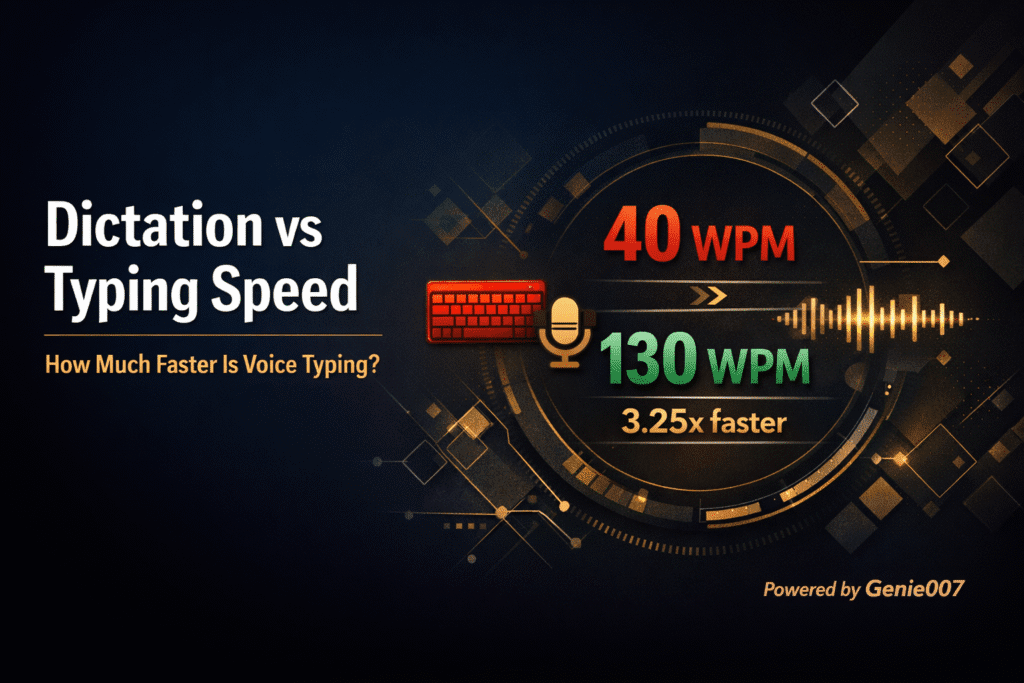
Typing remains one of the biggest bottlenecks in modern digital work. Even a fast typist averages between 40 and 60 words per minute, while professional typists may reach around 75. In comparison, most people speak at 100 to 150 words per minute, and high-accuracy dictation can exceed that.
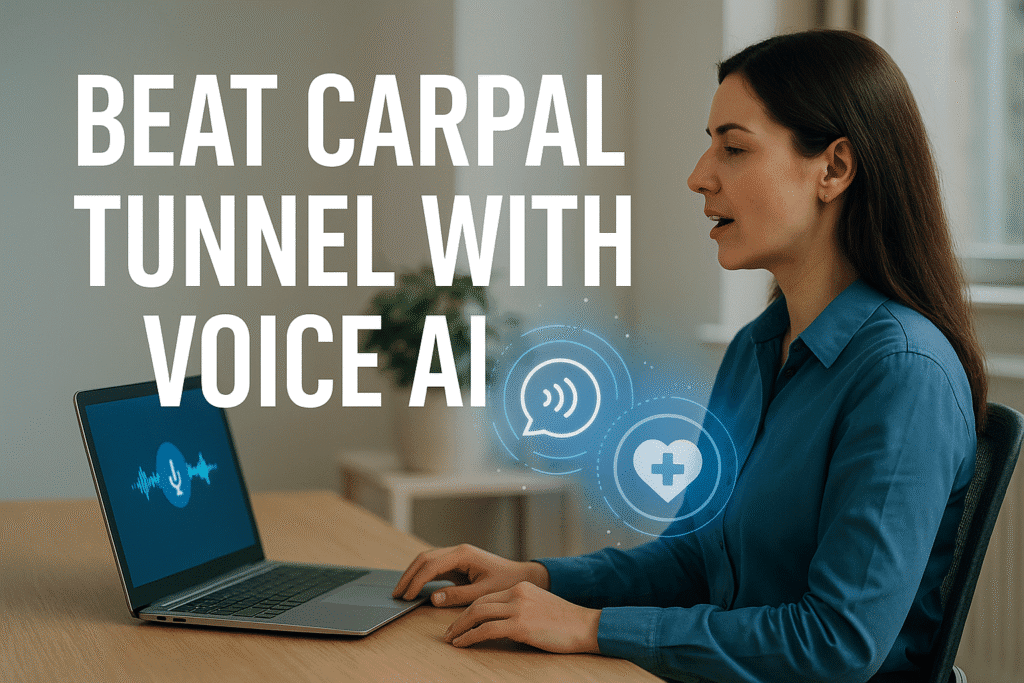
A 2025 global study found that speech input averages 93 words per minute, more than four times faster than traditional typing, which averages about 21 words per minute. Beyond speed, constant typing causes wrist strain and repetitive stress injuries such as carpal tunnel syndrome. Voice typing removes that physical burden, allowing productivity without pain.
Genie007 is an AI-powered voice typing assistant that combines accurate dictation, contextual understanding, multilingual flexibility, and privacy-first processing to create a seamless, hands-free writing experience. This guide explains why AI voice typing matters in 2025, how Genie007 works, and how it helps you work faster and healthier.
Why Voice Typing Matters in 2025
1. Speed and Efficiency
Speaking is naturally faster than typing. Studies show speech recognition generates text about three times faster, with fewer errors. For professionals, that means instant emails, reports, and documentation without waiting on manual input. In industries such as healthcare, switching from typing at 30 words per minute to dictating at 150 can save hours every day.
2. Reduced Physical Strain
Prolonged keyboard use contributes to wrist pain and other repetitive stress injuries. Speech technology reduces repetitive motion and allows users to work comfortably from any position, supporting better ergonomics and long-term health.
3. Accessibility and Inclusion
Voice typing helps individuals with disabilities, limited mobility, or temporary injuries to write independently. It also benefits non-native speakers who may find traditional keyboard layouts challenging.
4. Hands-Free Multitasking
Voice typing lets you dictate notes while walking, driving, or multitasking. It captures your thoughts instantly, helping you stay productive throughout the day.
5. Accuracy and Consistency
Modern speech recognition systems, combined with AI correction, achieve accuracy rates of up to 99.5 percent. This ensures that your dictated content is as clean and polished as typed text, if not better.
Meet Genie007: A Context-Aware AI Voice Assistant
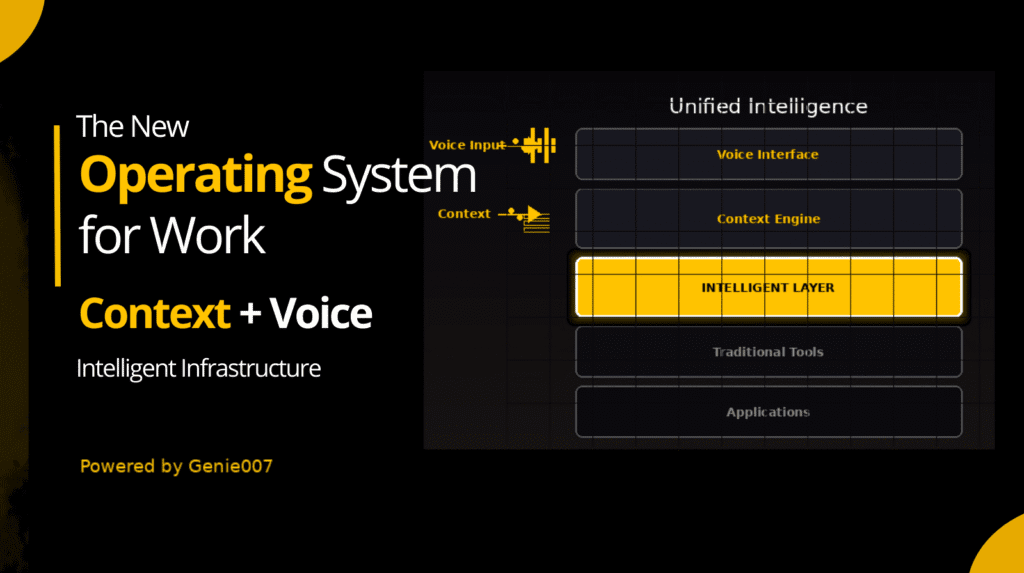
Genie007 is more than a transcription tool. It’s a smart, context-aware AI assistant that understands your intent, tone, and purpose, delivering polished, structured writing across any website or app.
Key Features
- Works Everywhere: Genie007 functions on any platform with a text field, including Gmail, Slack, LinkedIn, WordPress, and Notion. No extensions or plugins required.
- Context-Aware Writing: The assistant recognises the purpose of your writing. It can draft formal emails, summarise threads, or craft engaging posts based on your spoken instructions.
- Multilingual Mastery: Supports over 140 languages with automatic detection. You can switch between languages mid-sentence without losing context or accuracy.
- Privacy-First Processing: Voice commands are processed locally on your device. Genie007 never stores or shares your recordings without consent, ensuring total data security.
- Voice Control Commands: Manage punctuation, formatting, tone, and edits with simple voice commands like “comma,” “new paragraph,” or “make this bold.” Genie007 responds instantly and accurately.
How AI Voice Typing Works
AI voice typing, or speech-to-text, operates through several advanced stages:
- Audio Capture: The microphone records your spoken input.
- Noise Filtering: Background sounds are filtered for clear recognition.
- Acoustic and Language Modeling: Neural networks convert sound patterns into phonemes, then words, using trained linguistic models.
- Prediction and Correction: The AI analyses context to predict correct words and phrasing. Genie007 adds intent understanding to refine tone and vocabulary.
- Output and Learning: Text appears instantly on-screen. Genie007 continuously learns your voice, accent, and style to improve accuracy with ongoing use.
Real-World Benefits of an AI Voice Typing Assistant
1. Boost Productivity and Creativity
You can draft long documents, emails, and reports up to three times faster than typing. Genie007 handles grammar, tone, and punctuation automatically, allowing you to focus on ideas. Use it to brainstorm or record creative thoughts hands-free.
2. Protect Your Health
Typing for long hours causes strain on the wrists, shoulders, and back. Voice typing removes that strain by letting you work comfortably from any position. It’s a proven solution for reducing repetitive stress injuries.
3. Work Hands-Free Anywhere
Whether at your desk, walking, or commuting, Genie007 allows complete control by voice. Dictate, edit, and send content without touching the keyboard. Commands like “send message” or “summarize section” let you work efficiently on the go.
4. Collaborate Across Languages
With support for over 140 languages, Genie007 allows smooth communication across global teams. It automatically detects language changes mid-sentence and maintains natural grammar and tone.
5. Privacy and Compliance
Genie007 prioritises privacy. All data is processed locally, encrypted, and never stored without permission. The system complies with GDPR and enterprise-grade security standards.
Use Cases for Professionals
| Scenario | How Genie007 Helps |
|---|---|
| Email Productivity | Dictate responses in Gmail or Outlook. Genie007 ensures professional tone and formatting. |
| Meeting Notes | Transcribe and summarise discussions automatically, capturing key action points. |
| Content Creation | Bloggers and marketers can dictate full posts while the AI handles structure and grammar. |
| Project Management | Update tasks in Trello, Notion, or Asana using simple voice commands. |
| Customer Support | Dictate quick responses while maintaining accuracy and empathy in tone. |
Best Practices for Effective Voice Typing
- Prepare Your Thoughts: Organise your ideas with short bullet points before dictating.
- Use Punctuation Commands: Say “comma,” “period,” or “new paragraph” to create structured text.
- Speak Naturally: Avoid over-enunciating. AI systems understand normal conversational speech best.
- Proofread Briefly: Review for technical or brand-specific terms that may need correction.
- Use Editing Commands: Genie007 responds to commands like “delete last line,” “make this formal,” or “summarize section.”
Comparison Table: Voice Typing vs. Traditional Typing
| Feature | Traditional Typing | Basic Dictation | AI Voice Typing (Genie007) |
|---|---|---|---|
| Speed (WPM) | 40–60 | 100–150 | 150+ with AI enhancement |
| Accuracy | High with experience | Moderate | Up to 99.5% with AI correction |
| Hands-Free | No | Yes | Yes |
| Language Support | Limited by keyboard | Limited | 140+ languages with auto-detection |
| Context Awareness | None | Minimal | Fully adaptive to tone and platform |
| Privacy | Local files | Often cloud-based | Fully local and encrypted |
FAQs
Can it recognise multiple speakers?
Genie007 is optimised for single-speaker input, but meeting mode can record and tag multiple participants for accurate transcription.
Is my data secure?
Yes. All data remains on your device and is encrypted. Genie007 complies with GDPR and enterprise security protocols.
Conclusion: Work Smarter, Not Harder
An AI voice typing assistant is no longer a futuristic tool—it’s an essential productivity partner. It replaces repetitive typing with natural speech, allowing faster, more efficient communication while reducing physical strain.
With Genie007, you gain more than a transcription tool; you gain a context-aware, multilingual, and secure AI companion that adapts to your workflow. Whether you’re writing reports, creating content, or managing tasks, Genie007 helps you work faster, healthier, and smarter.
If you’re ready to transform your workflow and turn hours of typing into minutes of speech, try Genie007 free today and experience the future of hands-free productivity.