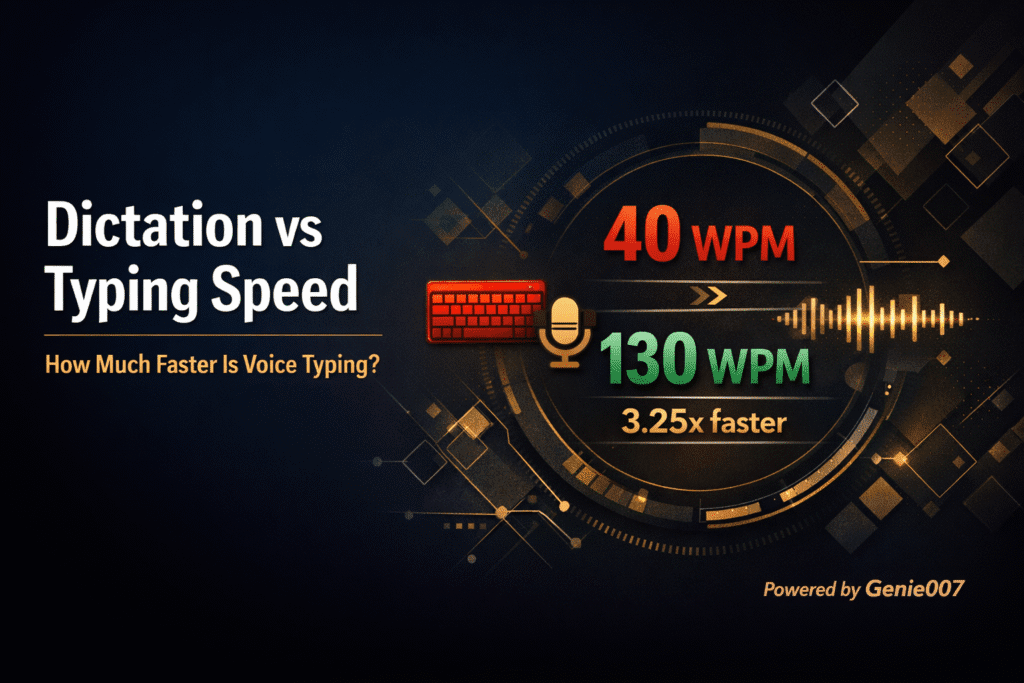
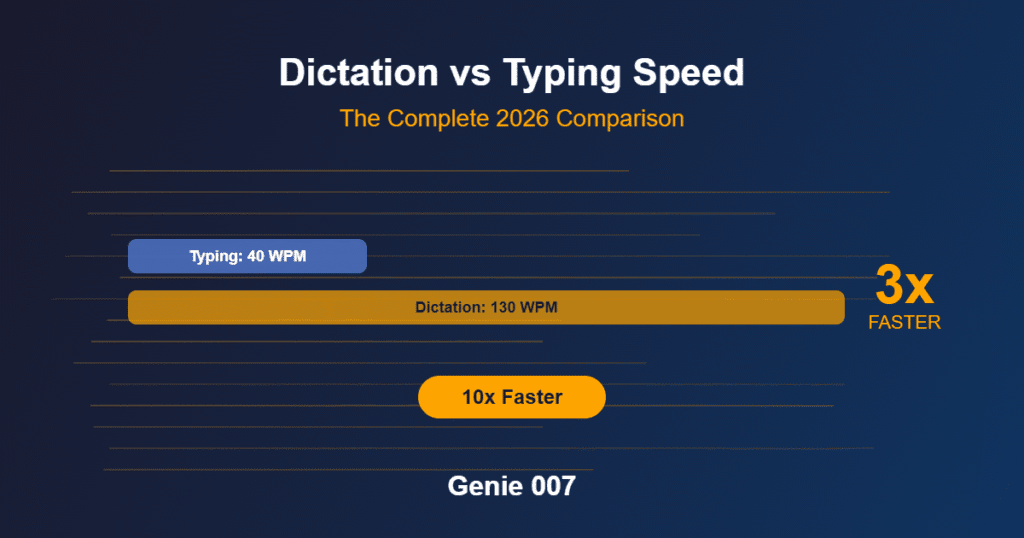
The average person types 40 words per minute. The average person speaks at 130 words per minute. That gap — a 3.25:1 ratio — means someone writing 3,000 words of emails, messages and documents per day is spending roughly 50 extra minutes at their keyboard that voice typing vs typing would eliminate entirely. And that is the conservative estimate.
Stanford University’s Human-Computer Interaction Lab tested this directly and found that speech to text is faster than typing by a factor of three on mobile devices, with a 20.4% lower error rate. On a full desktop keyboard the absolute numbers shift, but the direction stays the same: your voice is faster than your fingers. The question of dictation vs typing speed is not close. It is settled.
So why are most knowledge workers still typing everything? Usually because they have not seen the actual numbers laid out clearly. This article fixes that. Below you will find verified speed data, the real productivity maths for your daily workload, and an honest breakdown of why basic dictation captures only part of the speed advantage — and what AI voice dictation changes about the equation.
What the Data Says About Average Typing Speed
The average typing speed WPM for the general adult population sits at approximately 40 WPM, according to data aggregated across major typing test platforms including Ratatype, TypingTest.com and TypingSpeedTest.co. That number has remained remarkably stable for years, despite the fact that most adults now spend hours per day at a keyboard.
| User Type | Speed (WPM) |
|---|---|
| Hunt and peck typist | 30 |
| Average adult | 40 |
| Office worker (daily typing) | 50–60 |
| Professional typist | 65–80 |
| Effective dictation | 130 |
| Natural speech | 150 |
Sources: TypingSpeedTest.co, TypersWorld, Ratatype, NIH speech rate data. Updated March 2026.
The breakdown by user type tells a more nuanced story. Casual and hunt-and-peck typists sit around 27–37 WPM. Regular office workers who type daily tend to fall in the 50–60 WPM range. Professional typists and transcriptionists reach 65–80 WPM sustained. And truly fast typists — the top five percent — type above 80 WPM. A 2025 survey of over 56,000 participants found a practical average closer to 41–52 WPM depending on the testing method. Across all the data, one thing is consistent: most people are nowhere near the 80 WPM ceiling. The typical knowledge worker sits around 50 WPM. This is the baseline for any meaningful typing speed comparison.
Beyond raw speed, accuracy matters. Typing at 60 WPM with 85% accuracy produces less usable text per minute than typing at 45 WPM with 98% accuracy, because the time spent correcting errors wipes out the speed gain. This is a detail most comparisons overlook but it matters when we get to the productivity calculations below.
How Fast Do People Actually Speak? The Dictation Speed Baseline
Research from the National Institutes of Health and cross-language studies published in academic journals put average conversational speaking speed WPM for English at around 130–170 words per minute. That range depends on the speaker and context, but even at the low end, speaking is more than three times faster than the average typing speed.
However, dictation speed is not the same as conversational speaking speed. When you dictate, you are composing as you speak — forming sentences in real time — which is cognitively different from chatting with a friend. Effective dictation words per minute for someone new to the process typically runs at 100–120 WPM. With practice and a modern speech recognition tool, experienced users sustain 130–150 WPM — because the software handles punctuation, formatting and corrections automatically.
So how fast is voice dictation in real-world use? A 2025 multi-country clinical study measured both typing and dictation speeds across 72 accents and found a median dictation speed of 93 WPM against a median typing speed of just 21.5 WPM — a 4.3× speed increase. Even after adjusting for error correction time, dictation still delivered a 2.5× advantage. The voice typing speed WPM advantage is consistent across studies, settings and languages. For the average office worker typing at 50 WPM, even a conservative 120 WPM effective dictation speed represents a 2.4× gain. For the average general population typist at 40 WPM, the ratio climbs to 3.25:1 or higher.
The Real Productivity Maths — Dictation vs Typing Speed in Practice
Abstract speed ratios are interesting. What actually matters is the time you get back every day. Here is a concrete typing speed comparison for a knowledge worker who produces roughly 3,000 words of combined output per day across emails, Slack messages, meeting notes, documents and reports.
At 40 WPM (average typist): 3,000 ÷ 40 = 75 minutes of pure typing time per day.
At 50 WPM (regular office worker): 3,000 ÷ 50 = 60 minutes per day.
At 130 WPM (effective dictation speed): 3,000 ÷ 130 = 23 minutes per day.
| Time Period | Typing (40 WPM) | Dictation (130 WPM) | Time Saved |
|---|---|---|---|
| Per day (3,000 words) | 75 min | 23 min | 52 min |
| Per week (5 days) | 6.25 hrs | 1.9 hrs | 4.3 hrs |
| Per month (22 days) | 27.5 hrs | 8.4 hrs | 19 hrs |
| Per year (48 weeks) | 300 hrs | 92 hrs | 208 hrs (≈ 5.2 working weeks) |
That is over five full working weeks returned to you every year, simply by switching from keyboard to voice. And this calculation only accounts for the raw text entry speed.
It does not include the cognitive load difference. When you type, your brain is performing two tasks simultaneously: composing thoughts and translating them into finger movements on a keyboard. When you dictate, you remove the physical translation layer. Your brain handles one task — expressing ideas — while the software handles the mechanics. Multiple productivity studies, including research from Carnegie Mellon University, have noted that this reduction in cognitive load leads to better first-draft quality and faster overall voice to text productivity, because you spend less time rewriting.
The dictation productivity advantage compounds further when you consider that most text entry at work is structured and routine: responding to emails, posting updates, writing tickets, answering questions. For these tasks, the speed difference between keyboard and voice is not a marginal improvement. It is a category shift in workflow efficiency.
Why Basic Voice Typing Tools Don’t Deliver the Full Speed Gain
If dictation is so much faster, why has the world not already switched? The answer is that basic voice typing tools capture only part of the theoretical speed advantage. With a standard speech recognition tool, you still have to mentally compose every word you are going to say, speak it aloud in full, review the transcription for errors, then manually format the result. You are still doing all the cognitive work of writing — you have simply replaced the physical act of pressing keys with the physical act of speaking.
Standard voice typing also requires you to dictate structural elements. You need to say “new paragraph” or “comma” or “question mark” with most basic tools. That overhead slows you down and breaks the natural language flow. Voice recognition accuracy varies with background noise, microphone quality and accent — and when the software makes a mistake, you stop to fix it, which interrupts your momentum. The theoretical voice typing speed WPM of 130–150 often drops to an effective 80–100 WPM once you account for all the friction.
Beyond this, basic dictation is purely voice-to-text. It transcribes what you say, word for word. It does not understand the context of what you are working on. It does not know whether you are replying to an email, commenting on a LinkedIn post, or writing a project update. Every piece of contextual understanding and professional judgement still comes from you, expressed word by word through your voice. For a quick text message, that works fine. For the complex professional communication that fills most of a knowledge worker’s day, word-by-word dictation still leaves significant time on the table.
The Genie 007 Multiplier — Why This Is a Different Category Entirely
Here is where the dictation vs typing speed comparison fundamentally changes. Genie 007 is not another voice typing tool. It is not a dictation app. It is a context-aware AI voice assistant that works across your entire operating system — Chrome extension, Windows app, Mac app — and it operates on a completely different principle.
The progression looks like this:
Basic typing: Think every word → type every word → ~40 WPM
Basic dictation: Think every word → say every word → ~130 WPM (3.25× faster)
Genie 007 Genie Mode: Give one short voice command → complete output generated → the multiplier is no longer about WPM at all
To make this concrete, here are three everyday tasks done all three ways:
| Task | ⌨️ Typing | 🎙️ Basic Dictation | ✨ Genie 007 |
|---|---|---|---|
| Reply to a client email | Read thread, compose, type every sentence — ~5 min | Read thread, compose, speak every sentence — ~90 sec | “Reply professionally, ask for the contract deadline” — ~8 sec |
| LinkedIn comment | Read post, think, type it out — ~3 min | Read post, think, say it aloud — ~45 sec | “Comment on this, mention our SaaS work” — ~6 sec |
| Slack team update | Compose update, type it — ~4 min | Compose mentally, say it — ~70 sec | “Send a quick update about the shipping delay” — ~5 sec |
The maths here is straightforward. That five-minute email becomes an eight-second voice command — a roughly 37× difference. The three-minute LinkedIn comment becomes six seconds — 30× faster. The four-minute Slack update becomes five seconds — 48× faster. Across structured professional communication, the real-world multiplier versus typing is not 3.25×. It is closer to 20–40×.
This is because Genie Mode is not transcribing your words. It is reading the full context of what is on your screen — the email thread, the LinkedIn post, the Slack channel history — and generating a complete, professionally written response from your short intent command. You choose the tone (professional, casual, formal, persuasive) and response length. The AI produces output that sounds like you, not generic AI dictation output. This is voice-to-action, not voice-to-text. Think-to-Text, not Speech-to-Text.
To be clear and honest about when this applies: for open-ended creative writing where every single word choice matters — a novel, a personal essay — Voice Typing Mode or traditional dictation is still the right tool. Genie 007 includes a dedicated Voice Typing Mode with automatic punctuation, grammar correction and intelligent formatting across 140+ languages at 99.5% speech recognition accuracy for exactly this purpose. But for the majority of professional writing — emails, replies, comments, updates, reports, tickets, outreach messages — which is structured, contextual and follows patterns, Genie Mode is a categorically different and faster workflow.
Genie 007 is not a faster way to type. It is a replacement for typing entirely.
Additionally, Agent Mode takes this further for tasks at scale. Tell Genie 007 to engage with 20 LinkedIn posts and it autonomously likes and comments on them with contextually appropriate voice commands — handling the kind of repetitive professional engagement that would take an hour by typing in a matter of minutes.
And for the 42% of professionals globally who write primarily in a language that is not their native tongue, the multi-language intelligence is a genuine productivity gain. Speak in your native language and receive the output in any of 140+ languages. The translation cognitive overhead disappears, and non-native speakers get native-quality professional communication without the mental effort of composing in a second language.
Your audio is processed locally on your device. No voice recordings are stored. No data is sent to external servers. GDPR compliant, HIPAA ready.
Who Gets the Most From Switching to Voice Input?
Not everyone writes the same volume. The people who see the biggest return from hands free typing and AI voice dictation are those whose daily workflow is text-heavy and repetitive.
📧 Knowledge workers with high email volume are the most obvious beneficiaries. Someone sending 40 emails per day at an average of 75 words each produces 3,000 words daily. At 40 WPM, that is 75 minutes of typing. With Genie 007, most of those emails become 5–10 second voice commands. The daily typing time drops from over an hour to under ten minutes.
🤕 People with RSI or carpal tunnel benefit from both the speed and the physical relief. Dictation removes the repetitive strain that causes or worsens repetitive strain injury (RSI) and carpal tunnel syndrome. For many, it is not just a productivity tool — it is a medical necessity for continuing to work comfortably. Read more about voice typing for hand and wrist pain.
🌍 Non-native English speakers gain a double advantage. The cognitive overhead of composing in a second language slows writing speed by 30–50%. Genie 007’s multi-language intelligence lets you speak in your native language and receive the output in English (or any other target language) at native quality. The translation bottleneck vanishes.
💻 Developers doing voice-commanded coding can speak function descriptions and get clean code generated in VS Code, without hunting for syntax or special characters. For documentation, comments and natural language tasks within a coding workflow, voice input is dramatically faster than typing.
📈 Sales and customer service professionals handle high-volume outreach and support replies where speed directly impacts revenue. Agent Mode enables autonomous engagement across LinkedIn and other platforms — voice-commanded automated actions at scale across the web. For CRM-heavy teams, voice typing in HubSpot eliminates manual data entry and keeps pipeline notes detailed without slowing down between calls.
How to Close the Speed Gap Starting Today
The learning curve for basic dictation is real but short. Most people reach their normal typing speed within two to three weeks of consistent practice. By week four, the speed advantage kicks in and keeps growing. Here are the common mistakes that slow beginners down.
First, resist the urge to edit while speaking. Dictation works best when you let the words flow continuously and fix errors afterward. Second, speak at your natural conversational pace — many beginners slow down unnecessarily because they assume the software needs it. Modern speech recognition keeps up with natural speech easily. Third, do not worry about saying punctuation manually. Tools like Genie 007 handle automatic punctuation and grammar correction, so you can speak naturally without saying “comma” or “full stop.”
For structured professional tasks — the emails, messages, comments and updates that fill most of your workday — Genie Mode skips the learning curve entirely. You are not learning to dictate. You are giving a short instruction and the context-aware AI handles the rest. Here is how to start:
Step 1: Install Genie 007 from the Chrome Web Store — free, no credit card required.
Step 2: Open any text field on any website — Gmail, Slack, LinkedIn, Notion, Google Docs, or any of the hundreds of apps Genie 007 works in. See every app Genie 007 works in.
Step 3: Activate Genie Mode and give a short voice command describing what you want. The AI reads the context of what is on your screen and generates the complete output.
For a deeper look at the technology behind this, see how Genie 007’s voice-to-action works.
Frequently Asked Questions
Is dictation faster than typing?
Yes, and the data is consistent across multiple studies and contexts. The average speaking speed of 130–150 WPM is roughly 3 to 3.75 times faster than the average typing speed of 40 WPM. A Stanford University study confirmed a 3× speed advantage on mobile devices with a 20.4% lower error rate. Even accounting for pauses, corrections and the cognitive overhead of composing aloud, effective dictation speed remains at least 2 to 3 times faster than keyboard typing for most people. Professional typists at 65–80 WPM still face a 2:1 or greater speed ratio against natural speech.
How fast is voice dictation in words per minute?
Natural conversational speech falls between 130 and 170 WPM. When used for dictation — where you are composing and speaking simultaneously — effective speed typically sits at 120–150 WPM for experienced users. Beginners usually start at 80–100 WPM and improve within a few weeks. Modern AI-powered dictation tools with automatic punctuation and formatting help users sustain speeds closer to the upper end of this range by removing the need to dictate structural elements like commas and paragraph breaks.
Can voice dictation replace typing completely?
For most professional communication — emails, messages, documents, reports, comments — yes. Voice Typing Mode handles extended writing where you want control over every word. Genie Mode handles structured tasks where you can describe your intent in a short voice command and receive complete output. The combination covers nearly every text entry scenario a knowledge worker encounters. Typing remains preferable for tasks that involve heavy use of special characters, precise code syntax, or very short inputs like search queries.
How accurate is speech recognition in 2026?
Modern speech recognition technology has improved dramatically. Leading tools now achieve 95–99% accuracy in quiet environments, which is comparable to or better than average human typing accuracy of 92–98%. A study by Email Me App found a 4% voice error rate versus an 8% typing error rate in controlled conditions. Accuracy drops in noisy environments, but professional-grade tools like Genie 007 — which processes audio locally on your device — achieve 99.5% accuracy across 140+ languages.
Does voice typing help with carpal tunnel or RSI?
Voice typing removes the repetitive finger, hand and wrist movements that cause or worsen repetitive strain injury and carpal tunnel syndrome. For people already experiencing symptoms, switching to dictation can reduce physical strain significantly while also increasing output speed. Many occupational health professionals now recommend voice typing as a primary intervention for typing-related musculoskeletal conditions.
Ready to stop typing and start talking?
Get instant access to Voice Typing Mode, Genie Mode and Agent Mode across every website and app — no credit card required.
Written by [author name], founder of Genie 007.