Why Voice Typing for Slack Changes How Teams Communicate
Slack is where modern teams live — quick messages, threaded replies, status updates, channel announcements. But all that communication means constant typing. The average knowledge worker sends between 30 and 50 Slack messages per day, and that number climbs higher for managers and team leads. Voice typing for Slack removes the bottleneck by letting you speak your messages instead of typing every single one.
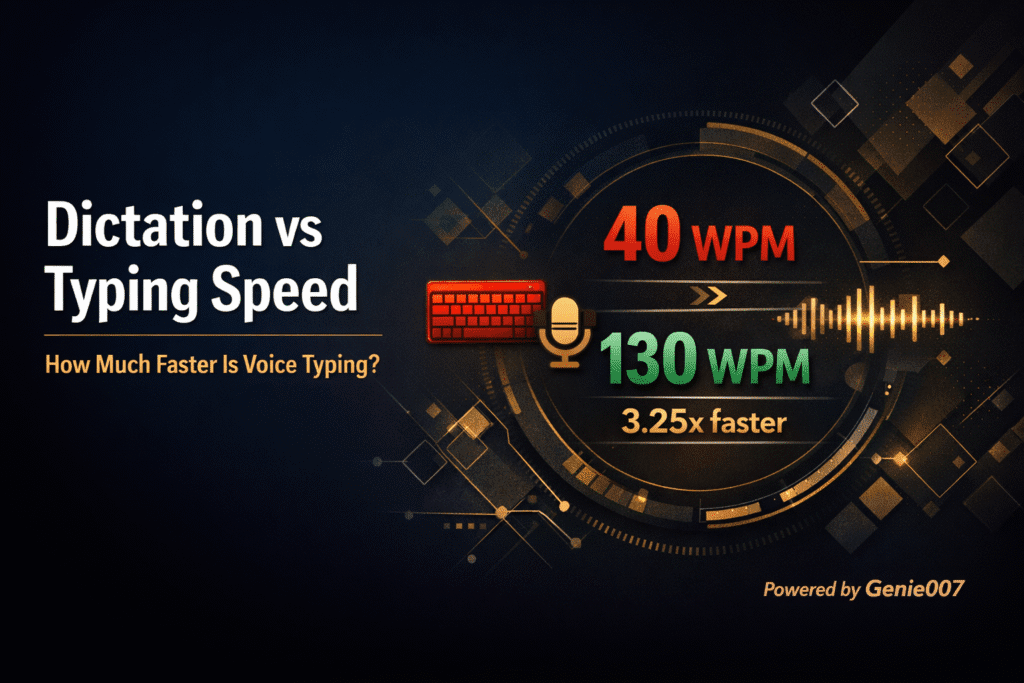
Most people type at roughly 40 words per minute. Natural speech sits closer to 150 words per minute. That gap matters when you are drafting a detailed project update, replying to five threads before a standup, or setting your status while juggling a phone call. With Genie 007 installed, you click any Slack text field, activate voice typing, and speak naturally. Your words appear as clean, punctuated text — ready to send.
This is not a basic speech-to-text transcription tool. Genie 007 is a context-aware AI voice assistant that understands you are inside Slack and formats your output accordingly. Say “reply to Sarah that the deployment is on track for Friday” and Genie 007 produces a properly written reply — not a raw dump of words. That is the difference between dictation and voice-to-action. If you have been searching for a reliable way to add voice typing for Slack to your daily workflow, Genie 007 is built for exactly this.
How Voice Typing for Slack Works with Genie 007
Setting up voice typing for Slack takes under two minutes. Genie 007 works as a Chrome extension, a Windows app, and a Mac app, so it covers every way you access Slack — browser, desktop, or both. Here is the exact setup process.
Step 1: Install Genie 007
Head to the Chrome Web Store and add the Genie 007 extension. No credit card required. The free tier gives you immediate access to voice typing across every website, including Slack. If you prefer the desktop app, download the Windows or Mac version from genie007.co.uk.
Step 2: Open Slack and Click Any Text Field
Open Slack in your browser at app.slack.com or use the desktop app. Click into any message field — a channel, a direct message, a thread reply, or the status field. Genie 007 detects the active text field automatically.
Step 3: Activate and Speak
Press the Genie 007 shortcut key or click the floating microphone icon. Start speaking naturally. Your words appear in the Slack message field with automatic punctuation, grammar correction, and proper formatting. When you are done, review the text and hit Enter to send. That is all there is to it.
5 Slack Workflows That Voice Typing for Slack Makes Effortless
Voice typing for Slack is not just about speed. It changes which tasks feel worth doing. Here are five real workflows where voice typing for Slack makes the biggest difference.
Workflow 1: Morning Standup Updates
Instead of typing a three-paragraph standup update in your team channel, speak it in 30 seconds. Say something like: “Yesterday I finished the API integration for the payments module and reviewed two pull requests from the frontend team. Today I am working on the error handling for edge cases in the checkout flow. No blockers.” Genie 007 turns that into a clean, structured message — properly punctuated with no filler words.
Workflow 2: Threaded Replies to Multiple Conversations
When you return from a meeting with 12 unread threads, typing individual replies to each one takes 15 minutes. With voice typing, click a thread, speak your reply, send it, move to the next thread. You can clear your entire Slack backlog in five minutes. This hands free Slack approach means you can do this while reviewing notes from the meeting you just left.
Workflow 3: Detailed Project Updates in Channels
Long-form channel updates are where voice typing for Slack delivers the biggest time savings. A 200-word project status that takes four minutes to type takes 80 seconds to dictate. Genie 007 handles the formatting — paragraphs break naturally, lists stay organised, and technical terms like API endpoints or sprint numbers come through accurately thanks to 99.5% recognition accuracy across 140+ languages.
Workflow 4: Quick Status Changes
Click your Slack status field, activate Genie 007, and say “In a meeting until 3pm” or “Working from home today — available on Slack.” The status text appears instantly. No hunting for the status emoji picker, no typing on a tiny input field.
Workflow 5: Slack Connect Messages to External Partners
External-facing messages in Slack Connect channels deserve more care than internal ones. Speaking your message lets you focus on tone and content rather than typing mechanics. Activate Genie 007, select a professional tone, and dictate your message. The AI adjusts formality automatically because it understands the context of the conversation. Voice typing for Slack turns these high-stakes messages into a natural speaking exercise rather than a stressful writing task.
Voice Typing for Slack vs Built-In Slack Audio Clips
Slack has a built-in audio clip feature that lets you record and send voice messages. This is not the same as voice typing. Audio clips send a recording that the recipient has to listen to — they cannot skim it, search it, or quote it in a reply. Voice typing converts your speech into text before you send it, so the recipient gets a normal Slack message they can read, search, and reference.
Here is a direct comparison:
| Feature | Slack Audio Clips | Voice Typing with Genie 007 |
|---|---|---|
| Output format | Audio recording | Clean text message |
| Recipient can skim | No — must listen in full | Yes — it is text |
| Searchable in Slack | No | Yes |
| Works in threads | Yes | Yes |
| Works in Slack Connect | Yes | Yes |
| AI formatting and punctuation | No | Yes — automatic |
| Tone and style control | No | Yes — professional, casual, formal |
| Language support | Limited | 140+ languages, 99.5% accuracy |
For asynchronous teams and distributed workplaces, text messages are far more practical than audio clips. Voice typing for Slack gives you the speed of speaking with the usability of text.
Hands-Free Slack: Dictate in Slack Without Touching the Keyboard
For professionals dealing with repetitive strain injury, carpal tunnel, or any condition that makes prolonged typing painful, hands-free Slack communication is essential. Genie 007 turns Slack into a fully voice-operated workspace. You can dictate in Slack for hours without touching the keyboard once.
The voice typing mode handles everything: composing new messages, replying to threads, editing your profile status, and even formatting messages with bold text or bullet points by saying commands like “bold that” or “new bullet point.” Combined with keyboard shortcuts for navigation, you can operate Slack entirely by voice.
This also applies to mobile situations. When you are commuting, walking between meetings, or eating lunch, pulling out a keyboard is impractical. Voice typing for Slack on the Genie 007 mobile app (coming soon) and desktop app lets you stay responsive without stopping what you are doing. The same voice dictation teams rely on in Slack works identically in Microsoft Teams, Discord, and every other messaging platform.
Slack Speech to Text: How Genie 007 Handles Accuracy
The biggest concern with slack speech to text is accuracy. Nobody wants to send a garbled message to their team or, worse, to a client in a Slack Connect channel. Genie 007 addresses this with three layers of intelligence.
First, the speech recognition engine delivers 99.5% accuracy across 140+ supported languages. It handles accents, industry jargon, and mixed-language input. If you switch from English to Spanish mid-sentence, Genie 007 detects the change automatically and transcribes both languages correctly.
Second, the AI applies automatic punctuation and grammar correction. You do not need to say “comma” or “period.” Speak naturally and the AI inserts punctuation where it belongs. This alone saves significant time compared to basic dictation tools that require verbal punctuation commands.
Third, Genie Mode adds context awareness. When you activate Genie Mode in Slack, the AI reads the surrounding conversation and produces a response that fits the thread. Say “agree with the timeline and suggest we add a buffer week” and the output is a properly written message that references the discussion — not a generic sentence.
Voice Dictation for Teams: Using Genie 007 Across Your Organisation
Voice dictation for teams scales beyond individual productivity. When multiple team members adopt voice typing for Slack, the communication cadence of the entire organisation speeds up. Messages are longer and more detailed because speaking is faster than typing. Response times drop because replying takes seconds instead of minutes. If you are evaluating tools for your entire company, the enterprise voice typing guide covers deployment, compliance, and ROI for professional teams.
For teams looking to deploy voice typing across an entire organisation, the enterprise voice typing guide covers app-by-app setup, security, ROI calculations, and deployment strategies for professional teams.
Genie 007 works consistently across platforms — Chrome extension, Windows app, and Mac app — so every team member gets the same experience regardless of their operating system. There is no per-seat enterprise pricing trap. The free tier covers core voice typing, and premium plans give you access to Genie Mode, Agent Mode, and advanced tone controls.
For teams that already use voice typing across multiple apps, Genie 007 provides a single tool that works everywhere. The same voice assistant that handles Slack also works in Gmail, Notion, Jira, HubSpot, Google Docs, and every other web app with a text field. No need to install separate plugins for each platform. If your team uses Notion for documentation, the voice typing for Notion guide covers the full setup. Developers who want voice typing for coding workflows should check the vibe coding by voice guide.
Common Problems with Voice Typing for Slack and How to Fix Them
Most issues with voice typing for Slack come down to three things: microphone permissions, browser focus, and text field detection. Here is how to fix each one so your voice typing for Slack setup runs perfectly.
Microphone Not Detected
If Genie 007 does not pick up your voice, check your browser microphone permissions. In Chrome, click the lock icon next to the URL bar, then make sure “Microphone” is set to “Allow.” Also verify that your operating system microphone permissions allow Chrome to access the mic. On Windows, go to Settings → Privacy → Microphone. On Mac, go to System Settings → Privacy → Microphone.
Text Not Appearing in Slack Field
Genie 007 types into whichever text field has focus. If the text is appearing somewhere else or not at all, click directly inside the Slack message input field before activating voice typing. Make sure the cursor is blinking inside the field. This is especially important when switching between Slack channels quickly.
Slack Desktop App vs Browser
The Genie 007 Chrome extension works in Slack’s browser version at app.slack.com. For the Slack desktop app, use the Genie 007 Windows or Mac desktop app instead. The desktop app provides system-level voice typing that works in any application, including the native Slack client. Either way, you get full voice typing for Slack with zero configuration headaches.
Privacy and Security for Voice Typing in Slack
When you use voice typing in a workplace communication tool, privacy matters. Genie 007 processes all audio locally on your device. No voice recordings are stored. No audio is sent to external servers. Your spoken words are converted to text on your machine and then typed into the Slack field — the same as if you had typed them yourself.
Genie 007 is GDPR compliant and HIPAA ready, which makes it suitable for teams in regulated industries including healthcare, finance, and legal. For a detailed breakdown of the security architecture, visit the Genie 007 security and privacy page.
This local-processing approach is a significant advantage over voice typing tools that route audio through cloud servers. Your Slack messages stay between you and your team — Genie 007 never sees the content.
Frequently Asked Questions About Voice Typing for Slack
Does Slack have built-in voice typing?
No. Slack offers audio clips for sending voice recordings, but it does not have native voice-to-text for composing messages. You need a dedicated voice typing for Slack tool like Genie 007 to dictate text messages. Genie 007 works in both the Slack browser app and the desktop client via the Windows or Mac app.
What is the best free voice typing tool for Slack?
Genie 007 offers a free tier that includes voice typing across all websites, including Slack. The free plan gives you access to advanced speech recognition with 99.5% accuracy in 140+ languages, automatic punctuation, and grammar correction. Premium plans add Genie Mode for context-aware responses and Agent Mode for automated actions.
Can I use voice typing in the Slack desktop app?
Yes. The Genie 007 Chrome extension works in Slack’s browser version at app.slack.com. For the native Slack desktop app, install the Genie 007 Windows app or Mac app, which provides system-level voice typing that works in any application on your computer — including Slack, Microsoft Teams, Discord, and every other messaging tool.
How accurate is voice typing for Slack messages?
Genie 007 delivers 99.5% speech recognition accuracy across 140+ languages. It handles technical jargon, proper nouns, and mixed-language input. Automatic punctuation and grammar correction ensure your messages read naturally without manual editing. For most users, the text is ready to send immediately after dictation. If you are comparing accuracy across tools, the best dictation software for Windows 2026 roundup tests 10 tools head to head, and the Reddit community recommendations cover real user experiences.
Is voice typing for Slack secure for workplace use?
Yes. Voice typing for Slack through Genie 007 is fully secure for workplace use. All audio is processed locally on your device. No voice recordings are stored or transmitted to external servers. The tool is GDPR compliant and HIPAA ready, making it suitable for organisations in healthcare, finance, legal, and other regulated sectors. Your Slack messages remain private. If you code, you can also use voice dictation for vibe coding in Cursor and VS Code.
Ready to stop typing every Slack message by hand? Install Genie 007 Free → — works in Slack, Gmail, Notion, and every website with a text field. No credit card required.
Written by Bill Kiani, founder of Genie 007.