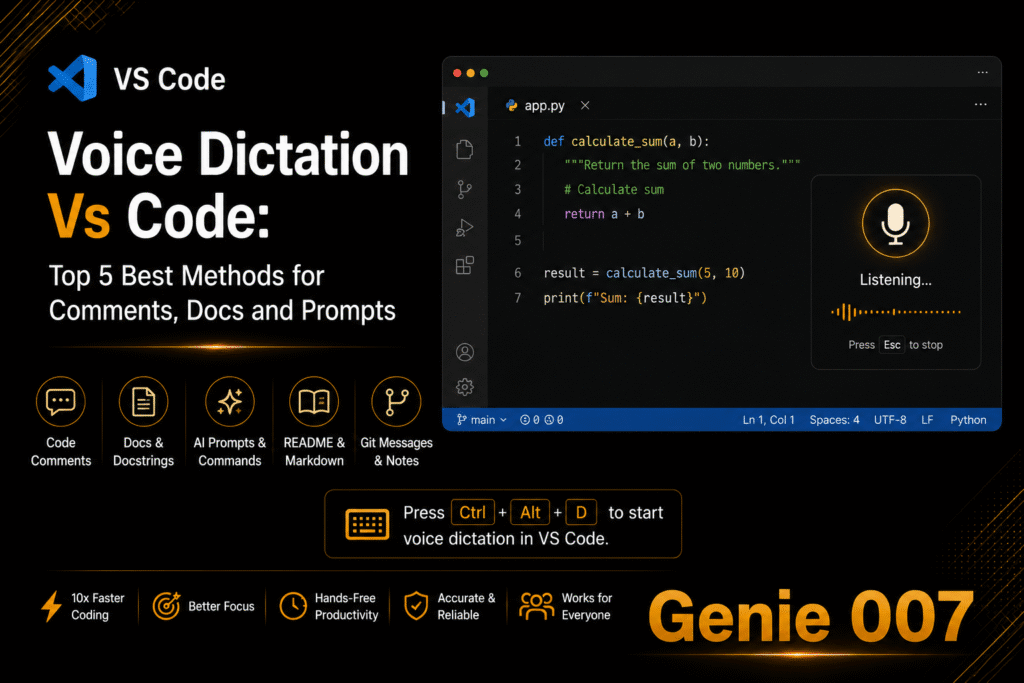
Vibe coding voice dictation changes how developers interact with AI coding assistants. Instead of typing every prompt into Cursor, VS Code, or Claude Code, you speak your instructions and let the AI build the code. Andrej Karpathy coined the term “vibe coding” to describe a workflow where you give in to the vibes and let the AI handle the details. Adding voice dictation to that workflow means you can describe features, debug issues, and write documentation at 130 words per minute instead of 40. Genie 007 makes vibe coding voice dictation work across every developer tool — IDE, terminal, browser, and desktop app — with local audio processing that keeps your code private.
Why Speak Instead of Type When Vibe Coding
The average developer types between 40 and 60 words per minute. Natural speech runs at 130 to 150 words per minute. When you are prompting an AI assistant, the bottleneck is no longer writing code character by character — it is describing what you want clearly enough for the model to generate the right output. Voice removes the bottleneck entirely.
Typing long, detailed prompts creates friction. Most developers shorten their prompts to save time, which leads to worse AI output and more back-and-forth correction cycles. When you can speak a full paragraph of context in fifteen seconds, you naturally give the AI better instructions. The result is fewer iterations and faster shipping.
Flow state matters too. Switching between thinking and typing breaks concentration. With voice dictation for developers, the gap between having an idea and expressing it drops to almost nothing. You describe a React component, explain the edge cases, and ask for tests — all in one breath. The AI gets everything it needs in a single prompt instead of three separate ones.
There is also the physical benefit. Developers spend eight to twelve hours a day at a keyboard. Repetitive strain injuries like carpal tunnel syndrome affect a significant portion of software engineers. Vibe coding voice dictation reduces keyboard usage by 50 to 80 percent for prompt-heavy workflows, which directly reduces strain on wrists and hands.
Setting Up Genie 007 for Vibe Coding in Cursor, VS Code, and the Terminal
Genie 007 works as a Chrome extension for browser-based tools and as a native desktop app for IDEs and terminal applications. This means it covers your entire development environment with a single tool — no switching between different voice solutions for different apps.
Cursor and VS Code Setup
Install the Genie 007 desktop app for Windows or Mac. Open Cursor or VS Code. Click any text field — the Composer panel, an inline edit box, a terminal pane, or a code comment — and activate Genie 007 with the keyboard shortcut. Speak your prompt. Genie 007 transcribes your speech directly into the active text field with automatic punctuation and formatting. Press Enter to send the prompt to the AI assistant.
This setup also works for dictation in Cursor AI workflows and any JetBrains IDE. For Cursor Composer specifically, voice dictation is powerful because Composer accepts long, multi-paragraph instructions. Speaking a detailed prompt like “Create a user authentication module with email and password login, add rate limiting to the login endpoint, include proper error messages for invalid credentials, and write unit tests for all three scenarios” takes about ten seconds by voice versus thirty seconds by typing.
Terminal and Claude Code
The Genie 007 desktop app works in any terminal application — iTerm, Windows Terminal, Hyper, or the integrated terminal in your IDE. This covers tools like Claude Code, GitHub CLI, and any command-line workflow. Activate voice dictation, speak your command, and it appears in the terminal input. Claude Code users can dictate complex refactoring instructions without touching the keyboard.
Browser-Based Developer Tools
The Genie 007 Chrome extension handles every browser-based developer tool: GitHub pull request descriptions, Jira ticket comments, Linear issues, Notion documentation, Confluence pages, and any web-based IDE like GitHub Codespaces or Gitpod. Developers who use voice typing with ChatGPT for brainstorming and code generation find the same extension covers that workflow too. One extension covers everything you do in the browser, making vibe coding voice dictation truly universal.
Vibe Coding Voice Prompt Patterns That Work
The difference between good and bad AI-generated code often comes down to the quality of the prompt. Voice naturally encourages more detailed, conversational prompts. Here are five patterns that produce better results when spoken.
The Context-First Pattern
Start by describing the existing codebase context before asking for new code. Say: “I have a Next.js app with a PostgreSQL database using Prisma as the ORM. The users table has email, name, and role columns. Create an API route at /api/users that returns paginated results with filtering by role. Use the existing Prisma client imported from lib/db.” Giving context first means the AI generates code that fits your stack instead of guessing.
The Iterative Refinement Pattern
Speak an initial broad request, review the output, then dictate refinements. First prompt: “Build a dashboard component that shows monthly revenue data as a bar chart.” Second prompt: “Add a date range picker above the chart and make the bars show a tooltip with the exact amount on hover.” This works well because speaking each refinement takes seconds, making rapid iteration feel natural.
The Test-First Pattern
Describe the tests before the implementation. Say: “Write Jest tests for a shopping cart module. Test adding an item, removing an item, updating quantity, calculating total with a ten percent discount code, and handling an empty cart. Then implement the module to pass all tests.” This pattern produces more reliable code because the AI has clear success criteria.
The Debug-by-Description Pattern
Describe what is happening versus what should happen. Say: “This function should return an array of unique user IDs, but it returns duplicates when users appear in multiple teams. The input is an array of team objects where each team has a members array. Fix the deduplication logic.” Voice encourages developers to explain bugs in plain language, which often leads to clearer problem descriptions than copying error messages.
The Documentation Pattern
Dictate documentation for existing code. Say: “Write JSDoc comments for this function. It takes a configuration object with optional fields for timeout, retries, and base URL. It returns a configured Axios instance. Note that timeout defaults to 5000 milliseconds and retries defaults to 3.” Documentation is one of the highest-ROI uses of vibe coding voice dictation because developers typically skip it due to typing overhead. According to a Stack Overflow developer survey, writing documentation is consistently cited as one of the least enjoyable parts of the job — voice dictation makes it fast enough that developers actually do it.
Handling Technical Terms and Code Syntax with Voice Dictation
One of the biggest concerns developers have about coding with voice is whether the dictation tool can handle technical vocabulary. Genie 007 uses AI-powered transcription that recognises developer terminology out of the box.
Common technical terms like JSON, OAuth, regex, API, PostgreSQL, GraphQL, TypeScript, webpack, and kubectl transcribe correctly without custom configuration. Framework names like Next.js, React, Vue, Django, FastAPI, and Express are recognised automatically. Even package names and CLI commands come through accurately in most cases.
For variable names and specific code syntax, the approach is different. You do not dictate raw code like “const user equals await prisma dot user dot find unique.” Instead, you describe what you want in natural language and let the AI write the actual syntax. This is the core principle of vibe coding — you provide intent, the AI provides implementation. The dictation tool handles the natural language part, and the coding assistant handles the syntax part.
When you do need exact strings — like a specific file path or environment variable name — Genie 007 Genie Mode understands context. If you say “set the database URL to the environment variable DATABASE_URL,” it produces the correct output for whatever platform you are working in. The context-aware AI adapts your vibe coding voice dictation to whether you are in a .env file, a Docker Compose YAML, or a Python settings module.
Voice Dictation for Pull Requests, Code Reviews, and Documentation
Beyond writing code, vibe coding voice dictation saves significant time on the writing-heavy parts of development. Pull request descriptions, code review comments, commit messages, README files, and inline documentation all benefit from voice input.
A detailed pull request description might take five minutes to type. Speaking the same description takes under two minutes. Say: “This PR adds rate limiting to all authenticated API endpoints. It uses a sliding window algorithm with Redis as the backing store. The default limit is 100 requests per minute per user, configurable via environment variables. Breaking change — the middleware order in the Express app has changed. Reviewers should check the integration tests for the rate limiting edge cases.” That entire description flows naturally in speech.
Code review comments benefit similarly. Instead of terse “fix this” comments, voice encourages fuller explanations: “This query runs inside a loop which will cause N plus one performance issues at scale. Consider using a batch query outside the loop or adding a DataLoader. The users table already has an index on team_id that would support the batch approach.” Better review comments lead to fewer follow-up questions and faster merges.
Privacy and Security for Developers Using Voice Dictation
Developers work with proprietary code, API keys, infrastructure details, and customer data. Any voice dictation tool that sends audio to cloud servers creates a potential data leak. Genie 007 processes all audio locally on your device. No voice recordings are stored, no audio is transmitted to external servers, and no text is logged.
This matters especially in enterprise environments where security policies prohibit sending code or internal communications to third-party services. With Genie 007, your dictated prompts — which may contain references to internal architecture, customer names, or proprietary algorithms — never leave your machine. The full security and privacy architecture is documented for teams that need compliance review.
For developers working on open-source projects or personal code, the privacy benefit is simpler: your voice data is not being used to train models or stored on servers you do not control. What you say stays on your device, which is what makes vibe coding voice dictation with Genie 007 the safest choice for developers.
Frequently Asked Questions About Vibe Coding with Voice
What is vibe coding and how does voice dictation fit in?
Vibe coding is a development workflow where you describe what you want to build and let AI coding assistants like Cursor, Claude Code, or GitHub Copilot generate the code. Voice dictation fits in as the input method — instead of typing your prompts and instructions to the AI, you speak them. This is faster because speech runs at 130 to 150 words per minute versus 40 to 60 for typing, and it naturally produces more detailed prompts that give the AI better context.
Can voice dictation handle programming terminology accurately?
Yes. Genie 007 uses AI-powered transcription that recognises common developer terms like JSON, OAuth, REST, GraphQL, TypeScript, React, PostgreSQL, and hundreds of other technical words. For raw code syntax, the vibe coding approach is to describe intent in natural language and let the AI write the actual code, so you rarely need to dictate exact syntax.
Is voice dictation for coding secure enough for enterprise codebases?
Genie 007 processes all audio locally on the device. No recordings are stored and no audio is sent to external servers. This architecture meets the requirements of development teams that cannot send proprietary code or internal communications to third-party cloud services. GDPR compliance and HIPAA readiness are built in.
Does vibe coding with voice work in all IDEs and developer tools?
Genie 007 works in Cursor, VS Code, JetBrains IDEs, terminal applications, and any browser-based developer tool through the Chrome extension. The desktop app for Windows and Mac provides voice input to any application with a text field, covering the entire development workflow from IDE to browser to terminal.
How does voice dictation compare to typing for writing AI prompts?
Voice dictation produces longer, more detailed prompts in less time. A prompt that takes 30 seconds to type takes about 10 seconds to speak. The longer prompts typically produce better AI output on the first attempt, reducing the number of iteration cycles. Developers who switch to voice for prompting report spending less total time on AI-assisted coding tasks because each prompt is more complete.
Ready to speed up your vibe coding workflow? Install Genie 007 free and start dictating prompts across Cursor, VS Code, Claude Code, and every developer tool you use. No credit card required.
This guide is part of the developer resources hub — explore more guides on voice dictation for VS Code, Cursor, terminal workflows, and AI-assisted development.
Written by Bill Kiani, founder of Genie 007.
Looking for more options? See our complete guide to the best dictation software recommended by Reddit users in 2026.
See our complete guide to the top 10 AI tools for 2026 that professionals rely on daily.
On Windows? Check out the best dictation software for Windows in 2026 to find the right tool for your setup.