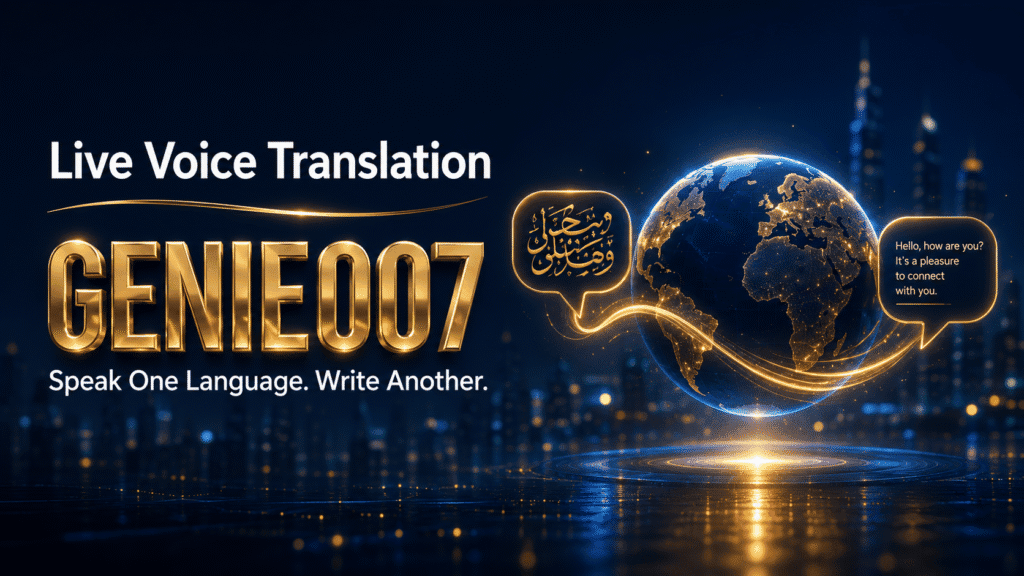
Live voice translation used to mean holding a phone between two people at a market stall. In 2026 the more common scenario is quieter and far more frequent: you think in one language and work in another. The client email must go out in English, the supplier message in Spanish, the team update in French — and the version in your head is in Urdu, Hindi or Polish.
This guide covers what live voice translation tools can genuinely do in 2026, why the copy-paste translation loop quietly eats hours of your week, and how Genie 007 lets you speak in any of 140+ languages and get polished, ready-to-send text in another — directly inside Gmail, LinkedIn, Slack, WhatsApp or wherever you actually work.
The Two-Language Workday Is Now Normal
Of the roughly 1.5 billion people who speak English, only about 400 million are native speakers — more than a billion people use English as a second language, and a large share of them use it professionally every day. Meanwhile, an ACTFL employer survey found that nine out of ten US employers rely on employees with language skills other than English.
That is the real audience for real-time voice translation: not tourists, but professionals doing cross-language work all day. The Karachi-based freelancer writing proposals for London agencies. The Madrid sales manager reporting to a Berlin head office in English. The Birmingham operations lead coordinating suppliers in Gujarati, Polish and Romanian before lunch.
For these people the hard part is rarely understanding the other language. It is producing written output in it — quickly, in the right tone, without sounding like a machine did it. And that is exactly where most translation tools fall down.
Why the Copy-Paste Translation Loop Fails
Here is the workflow most bilingual professionals actually use. Draft the message in your first language in a notes app. Copy it. Paste it into a free web translator. Copy the output. Paste it into the email. Reread it, wince at the stiff phrasing, and spend five minutes fixing tone, idioms and that one sentence that came out backwards. Send. Repeat fifteen times a day.
The loop fails in four distinct ways:
- It produces “translationese”. Word-for-word engines preserve your sentence structure, so an Urdu sentence pattern shows through in the English. Readers can’t always say what’s off, but they notice.
- It strips context. A translator doesn’t know whether the text is a LinkedIn post, a formal complaint or a message to a friend, so it defaults to one flat register for everything.
- It burns time. Six steps per message, several minutes each, multiplied across every email, reply and post. That’s easily an hour a day for anyone working across two languages.
- It leaks data. Pasting client names, contract terms or patient details into a free web translator sends that content to a third-party server. For anyone handling confidential work, that alone should end the habit.
Typing the draft first also doubles the work: you write the message once in your language, then effectively rewrite it in the second. Speaking is faster than typing for almost everyone, which is why the interesting tools in this space now start with your voice.
What Live Voice Translation Apps Can Do in 2026
The technology has moved quickly. Streaming speech recognition plus large language models made genuinely live translation practical, and every major platform now ships some version of it:
- Google Translate offers a conversation mode: two people take turns speaking into one phone and the app translates each turn aloud. It is free and covers a huge language list, but it is turn-based — speak, wait, read — and lives in its own app.
- Apple’s Live Translation in iOS 26 translates phone calls and FaceTime in real time, with AirPods delivering the translated audio. Impressive for conversations, limited to Apple’s ecosystem and a shorter language list.
- DeepL Voice brings real time voice translation into meetings, showing translated captions as participants speak. Built for enterprises, priced accordingly.
- Dedicated hardware such as Timekettle earbuds targets in-person conversations — travel, front-desk work, field teams.
Notice the pattern: nearly every mainstream voice translator app is built for conversations. Speech goes in, translated speech or captions come out, and the moment passes. That’s the right design for a phone call or a market stall.
But most cross-language knowledge work doesn’t end in speech. It ends in writing — an email, a proposal, a LinkedIn post, a Slack reply, a support ticket. A tool that plays translated audio to a stranger does nothing for the message you owe a client by 5 pm. What the copy-paste crowd actually needs is different: speak in one language, and have finished text appear in another, inside the app where the work lives.
| Tool | Built for | Output | Works inside your apps? | Languages |
|---|---|---|---|---|
| Google Translate (conversation mode) | Face-to-face chats | Spoken audio + on-screen text | No — separate app | 100+ |
| Apple Live Translation (iOS 26) | Calls, FaceTime, Messages | Translated audio/captions | Apple apps only | ~20 |
| DeepL Voice | Business meetings | Live captions | Meeting platforms | 30+ |
| Genie 007 | Writing across languages | Polished, ready-to-send text | Yes — Gmail, LinkedIn, Slack, WhatsApp and more | 140+ |
Speak One Language, Write Another: Live Voice Translation in Genie 007
Genie 007 is a voice AI built around think-to-text: instead of transcribing your words literally, it works out what you mean and writes it properly. Live translation is baked into that. You speak in any of 140+ languages — accents, code-switching and half-formed thoughts included — and it delivers finished text in the language you choose, in the app you’re already using. No separate translator, no copy-paste loop.
It runs on Windows, Mac, mobile and as a browser extension, and works inside Gmail, Outlook, LinkedIn, WhatsApp, Slack, Teams, Notion, Google Docs and most places you can put a cursor. Here’s what that looks like with real language pairs.
Speak Urdu, send a polished English client email
You open the reply window in Gmail and say, in Urdu: “Tell them the shipment is delayed by a week because of the port strike, apologise properly, and offer a 10% discount on the next order.”
Genie 007 doesn’t produce a literal translation of your Urdu sentences. It produces the email you meant: a professional English apology with the delay explained, the discount offered, and a courteous sign-off — in your usual writing style. You review it, adjust a detail by voice if needed (“make the apology warmer”), and send. Total time: under a minute, against ten or more for the draft-translate-paste-fix routine.
Speak English, publish a Spanish LinkedIn post
Marketing to Spanish-speaking clients but thinking in English? Open LinkedIn, start a post, and say: “Announce that we’re opening the Barcelona office in September, keep it upbeat, thank the local team, end with a question to drive comments.”
Because Genie Mode is platform-aware, the output reads like a native-written Spanish LinkedIn post — right register, natural idiom, hashtags where they belong — not a translated English one. The same instruction in a Gmail window would have come out as a formal announcement email instead.
Pairs that come up every day
- Hindi → English: speak your stand-up update in Hindi, post it to Slack in clean, casual English.
- English → German: dictate supplier requirements in English, send the message in precise, formal German.
- French → English: talk through meeting notes in French, file them in Notion in structured English bullet points.
- Arabic → English: answer a support ticket by speaking Arabic, reply in courteous, on-brand English.
For distributed teams this compounds fast — a manager running a global team can hear updates in three languages and send every follow-up in one, without a translator tab ever opening. It’s also why non-native English professionals are among the heaviest users of voice typing built for non-native English speakers: the point isn’t translation as a party trick, it’s sounding like yourself on your best day, in your second language.
Privacy is the other difference from the free-translator habit. Genie 007 processes commands in-browser and on-device with AES-256 encryption, stores no audio, and retains no data — your client’s contract terms never reach anyone’s server, including Genie 007’s own. It’s GDPR compliant and HIPAA ready. Plans start at £5/month with a free trial and no credit card required.
Accuracy and Nuance: What to Expect
Honest expectations matter more here than marketing claims. Modern live voice translation is very good at everyday professional content — emails, messages, posts, meeting notes — and dramatically better than the word-for-word engines of five years ago, because intent-level translation avoids the classic idiom traps. Speak “it’s not my cup of tea” in English and ask for German output, and you get a German way of declining, not a sentence about tea.
Accuracy still varies with conditions. Heavy background noise, crosstalk and very rare language pairs reduce quality in any system. Proper nouns — people, products, street names — deserve a glance before you hit send. And some content should always get human review regardless of the tool: contracts, legal filings, and anything medical or safety-critical. A good multilingual voice typing tool earns trust on the daily 95% of communication, not by claiming perfection on the risky 5%.
Two things help Genie 007 specifically on nuance. First, it’s built for accents — a Punjabi-accented English speaker or an English-accented Spanish speaker gets clean results, because the model works from meaning rather than phonetic perfection. Second, output is voice-refinable: if the tone lands wrong, say “more formal” or “shorter and friendlier” and it rewrites in place. One recurring theme in user feedback is non-native speakers being told their written English suddenly reads as native — which is the entire point.
Live Voice Translation: FAQ
Is there an app that translates your voice in real time?
Yes — several. Google Translate’s conversation mode and Apple’s iOS 26 Live Translation handle spoken conversations, while Genie 007 takes a different approach: you speak in one of 140+ languages and it writes polished text in another, directly inside Gmail, LinkedIn, Slack and other apps. Choose based on whether your output is speech or writing.
How accurate is live voice translation?
For common language pairs and clear audio, modern AI translation is accurate enough for everyday business communication — emails, messages, posts and meetings. Accuracy drops with heavy noise, rare language pairs and specialised jargon. Intent-based systems like Genie 007 also fix tone and idioms rather than translating word-for-word, but contracts and medical content should still get human review.
Can Google Translate do live voice translation?
Yes — its conversation mode translates two speakers turn by turn on one phone, free of charge, and it’s genuinely useful for travel and face-to-face chats. It is turn-based rather than simultaneous, lives in a separate app, and outputs literal translations, so it suits conversations far better than producing written work like emails or posts.
Can I speak in one language and have my computer type in another?
Yes. With Genie 007 on Windows, Mac, mobile or the multilingual browser extension, you place your cursor in any text field, speak in your language, and finished text appears in your chosen output language — with punctuation, formatting and tone handled for you.
Try Genie 007 Free
If you spend your days thinking in one language and writing in another, the copy-paste translator loop is costing you an hour a day you don’t need to lose. Speak once, in your own language, and send polished text in any of 140+ — that’s the whole workflow.
Download Genie 007 free — available for Windows, Mac, mobile and as a browser extension. No credit card required.
Written by Bill Kiani, founder of Genie 007.