Voice typing for non-native English speakers has become one of the most effective productivity tools available to global professionals in 2026. If English is not your first language, you already know the feeling: you think fluently in Hindi, Spanish, Mandarin, or French, but the moment you sit down to type a professional email in English, every sentence slows you down. You pause. You backspace. You second-guess your word choice. What should take five minutes takes twenty-five.
The problem is not your English. The problem is that typing forces your brain to simultaneously translate, compose, spell, and format — all at once. That is an enormous cognitive load even for native speakers. For non-native English professionals, it is genuinely exhausting — and it shows in the quality of what gets written. Voice typing removes that bottleneck entirely. Instead of stopping to type each word, you speak. And when the right tool is handling the output, you can speak in your native language and get polished, professional English text back — instantly.
For professionals looking to produce more written content faster, the guide to voice typing for writers covers dictation workflows that authors and bloggers use to double their output by speaking their first drafts.
University students who are non-native English speakers face a particular challenge: writing academic English while thinking in their native language. The voice typing for students guide covers this workflow in full, including how Genie 007 handles cross-language dictation for essay writing.
Why Typing in a Second Language Is So Much Harder Than Speaking It
Studies of professional writing workflows consistently show that non-native writers produce text at approximately half the speed of native writers — not because their ideas are slower, but because the mechanical demands of typing in a second language create constant micro-interruptions. Every unfamiliar word triggers a spelling check. Every sentence triggers a grammar check. The result is a fragmented process that breaks the flow of thinking entirely.
Speaking bypasses most of that friction. When you talk, you think and communicate simultaneously. The words come out in the order your brain produces them, without the stop-start rhythm of second-language typing. For non-native English professionals — especially those who have strong spoken English but struggle with written fluency under time pressure — voice typing is the most immediate productivity unlock available. Most people speak at 130–150 words per minute while typing at just 40 WPM. For a non-native English speaker who types even slower due to second-language friction, that gap widens to 4x or 5x in practice. A Slack reply that takes eight minutes to type takes ninety seconds to dictate. This is why voice typing for non-native English speakers is growing faster than any other dictation category in 2026.
There is a second, less obvious benefit. When the mechanical burden of writing in a second language is lifted, the quality of your ideas improves too. Non-native writers often simplify their sentences to avoid mistakes, cutting nuance and detail they would naturally include in their first language. Voice input — especially AI-assisted voice input — lets you communicate with full complexity, and the AI handles the English rendering.
The Feature That Changes Everything: Speak Your Language, Write in English
Most voice typing tools require you to speak in the language you want to write in. If you want English text, you need to speak English. That still leaves the core problem unsolved for many non-native speakers — speaking accurate English under pressure is different from speaking your native tongue, and the quality of your dictated output reflects that.
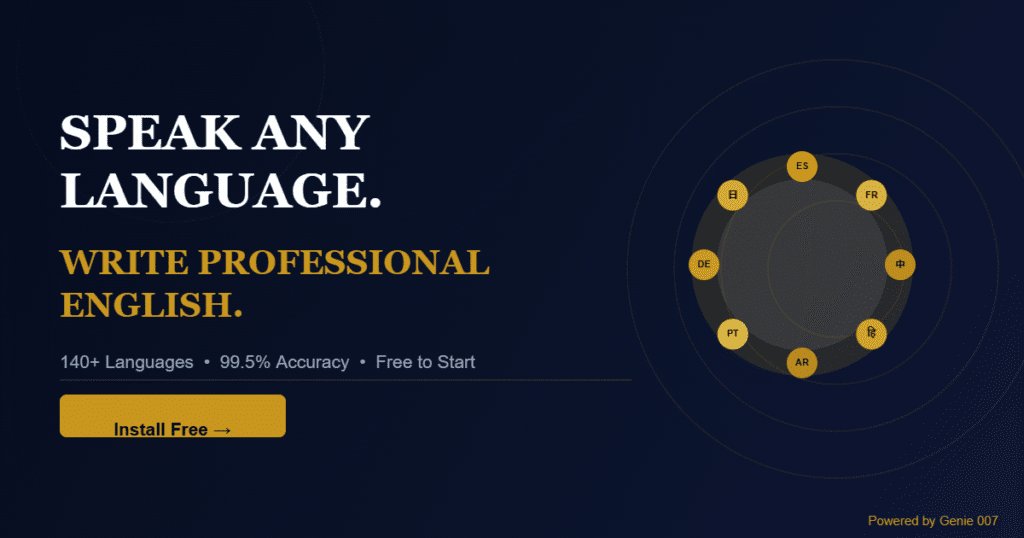
Genie 007 approaches this differently. Through its context-aware AI engine, you can speak in your native language — Spanish, French, Hindi, Mandarin, Arabic, Portuguese, or any of 140+ supported languages — and instruct Genie 007 to produce the output in professional English. A French-speaking account manager can say, in French: “Reply to this client saying we will have the report ready by Thursday and apologise for the delay” — and Genie 007 writes a polished English email directly in their Gmail compose window. No translation app. No copy-pasting. No switching tabs.
This is what sets Genie 007 apart from every standard speech-to-text tool. It is not transcribing what you say — it is understanding your intent and producing output that matches the platform, the tone, and the language you need. A voice command in Spanish becomes a professional English LinkedIn comment. A quick idea in Mandarin becomes a fully structured Slack update. The AI knows where you are on the web and adapts the output format accordingly, so a voice command in Gmail produces a different result from the same words spoken on LinkedIn or in a GitHub issue.
Voice Typing for Non-Native English Speakers: Real Workflows That Save Hours Daily
Writing Professional Emails
Email is where second-language friction hits hardest. The formality required — correct salutations, calibrated tone, appropriate sign-offs — demands constant mental effort from non-native writers. With Genie 007 active in Gmail or Outlook, you activate voice mode, describe what you want to say in whatever language comes naturally, and the AI writes a contextually appropriate English email directly into the compose window. You review, adjust if needed, and send. A task that took fifteen minutes now takes three.
Tone control is built in. You can say “write this as formal and brief” or “make this sound warm and apologetic” and the output adjusts accordingly. Non-native speakers no longer have to guess at English idioms or register — the AI handles that layer while you focus on the substance of what you want to communicate.
LinkedIn Posts and Professional Social Media
Many non-native English professionals avoid posting on LinkedIn because crafting something that sounds fluent and natural takes too long. With voice input, you describe the idea you want to share — in your native language or rough English — and Genie 007 composes a professional, platform-appropriate LinkedIn post that reads like a confident native writer produced it. The same approach works for Twitter/X threads, Reddit comments, workplace announcements in Slack or Teams, and any other platform where you need to write in English publicly.
The context-awareness matters here. Genie 007 knows you are on LinkedIn and formats the output accordingly — with the appropriate tone, paragraph length, and style for that platform. You do not need to specify “write this like a LinkedIn post” — it already knows.
CRM Notes and Internal Documentation
After a client call, updating CRM notes in English requires translating everything you just heard and discussed into coherent written English, often while still processing the conversation. For non-native speakers working across language boundaries — a Spanish-speaking sales rep managing English-language accounts, for example — this is where time quietly disappears every single day. Voice typing into any text field in your browser — HubSpot, Salesforce, Notion, Jira, or your company’s internal tools — lets you speak your update aloud and get clean English notes in seconds, with automatic punctuation and formatting.
Accuracy Across Accents: What to Expect in 2026
Early speech recognition technology was notoriously poor at recognising non-native accents. Models trained primarily on native American or British English simply could not cope with the full range of global pronunciation. That has changed substantially. Genie 007 achieves 99.5% accuracy across 140+ languages and accent variants, having been trained on a diverse global speech dataset that covers the full range of English accent variation found among non-native professional speakers.
More importantly, because Genie 007 processes meaning rather than simply transcribing phonemes, small pronunciation imperfections that would trip up a basic speech-to-text tool do not derail the output. The AI understands context. If you mispronounce a word but your intent is clear, the output reflects what you meant, not a literal transcription of what you said. For non-native speakers who are still developing pronunciation confidence, this is a significant quality-of-life improvement over older dictation systems.
Mid-sentence language switching is also supported. If you naturally mix languages when thinking — a common pattern for fluent multilingual speakers — Genie 007 can detect the switch and handle both inputs correctly, producing a coherent English output from mixed-language speech. For this reason, voice typing for non-native English speakers works best with Genie 007’s context-aware AI rather than a basic transcription tool.
Privacy: Your Spoken Words Stay on Your Device
A common concern for non-native professionals dictating sensitive business content is data privacy. If you are speaking client emails, internal documents, or CRM notes aloud, where does that audio go? With Genie 007, audio is processed locally on your device. No voice recordings are stored. Nothing is sent to external servers for storage. The tool is GDPR compliant and HIPAA ready, making it suitable even for professionals in regulated industries like legal, medical, or financial services. Full details on how data is handled are published on the Genie 007 security and privacy page.
How to Start: Your First Dictated Email in Five Minutes
Getting started with Genie 007 requires no technical setup. Install the Chrome extension, open any site with a text field, and speak. Here is the exact flow:
- Install the Genie 007 Chrome extension — free, no credit card required
- Open Gmail, Outlook, LinkedIn, Slack, Notion, or any site where you write in English
- Click into the text field where you want to write
- Activate Genie 007 with the keyboard shortcut or toolbar icon
- Speak your instruction — in English, your native language, or a mix
- Review the English output and send, post, or save
Voice typing for non-native English speakers is most powerful when used for cross-language output. For cross-language output specifically, include your language preference in the voice command: “In English, write a reply saying…” or simply speak in your native language after activating the tool — Genie 007 detects the input language automatically and can produce English output if that is your configured preference. The Windows and Mac desktop apps extend the same capability beyond the browser to any application on your computer.
Frequently Asked Questions
Can voice typing accurately recognise non-native English accents?
Yes. Genie 007 achieves 99.5% accuracy across 140+ languages and accent variations. Modern AI speech recognition is trained on diverse global speech patterns and handles a wide range of non-native English accents reliably. If you speak at a natural pace with reasonable clarity, accuracy is consistently high regardless of your accent origin.
Can I speak in my native language and get professional English text out?
Yes, this is one of Genie 007’s core capabilities. You can issue voice commands in Spanish, French, Hindi, Mandarin, Arabic, Portuguese, or any of 140+ supported languages and the tool produces professional English output in whatever text field you are using. This is not basic translation — the AI understands your intent and produces contextually appropriate English that matches the platform and required tone.
Will using voice typing improve my English writing over time?
Yes, as a natural side effect. When you see your spoken ideas rendered into correct English immediately, it creates a feedback loop. You begin to recognise phrasing patterns, see how professional sentences are constructed, and absorb vocabulary in context. Many non-native professional users report noticeably improved written English confidence within a few weeks of regular use — not because the tool teaches grammar, but because it consistently shows how their ideas translate into fluent English.
Which platforms and apps does Genie 007 work with?
The Genie 007 Chrome extension works in any website with a text field — Gmail, Outlook Web, LinkedIn, Slack, Notion, HubSpot, Salesforce, GitHub, Jira, Google Docs, and hundreds more. The Genie 007 Windows and Mac desktop apps provide system-wide voice input for applications outside the browser. Mobile support is in development.
Is voice typing free to use for non-native English professionals?
Genie 007 has a free tier with no credit card required. You can install the Chrome extension and start dictating professional English immediately. Premium plans unlock additional usage and advanced AI features. See genie007.co.uk for current plan details.
Ready to write professional English by speaking your language?
Install Genie 007 Free →
No credit card needed. Works in Chrome on Windows and Mac. 140+ languages. 99.5% accuracy.
Written by Bill Kiani, founder of Genie 007.