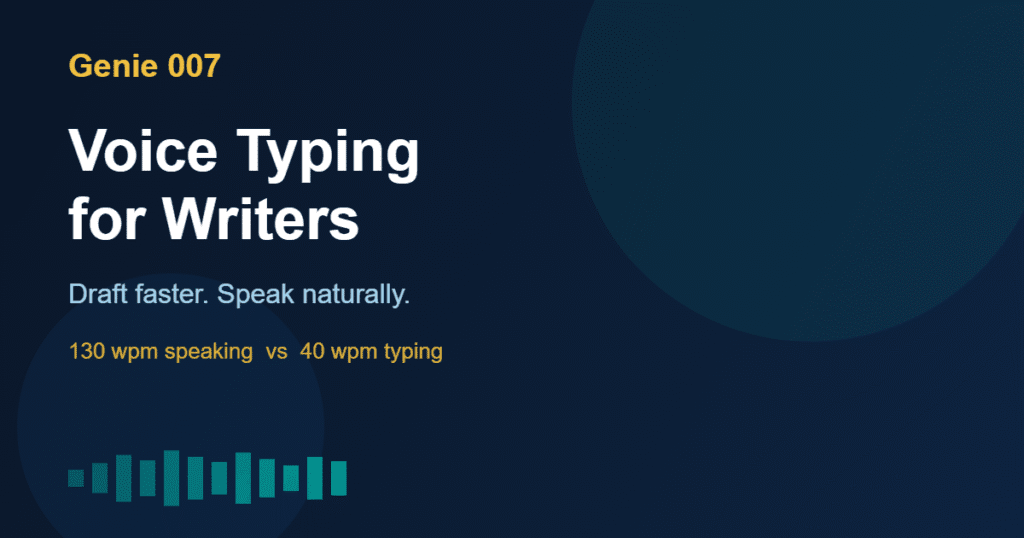
Voice typing for writers is one of the most underused productivity techniques in the craft today. The average person types at 40 words per minute. You speak at 130 words per minute. That gap means every hour you spend typing could be done in under 20 minutes by voice — and the words that come out are often more natural, more direct, and closer to your actual voice as a writer.
This guide covers everything you need to know about voice typing for writers: how it works, when to use it, the workflows that produce the best results, and how Genie 007 takes it well beyond basic dictation.
Students looking to apply similar techniques should read the voice typing for students guide, which covers lecture notes, essay drafts, and academic email workflows.
Why Voice Typing for Writers Changes How You Draft
Writers have always talked about getting out of their own way. Voice typing for writers solves this in a practical, measurable way. When you speak, you don’t stop to correct spelling. You don’t accidentally delete a paragraph. You just say the next sentence and it appears.
The psychological difference is significant. Typing creates a visual feedback loop — you see every word as you write it, which triggers editing instincts before you have finished the thought. Speaking bypasses that loop. You produce a complete thought before you see it on screen, leading to cleaner, more coherent drafts.
Prolific authors have used voice dictation to write entire novels. Writers who switch to voice consistently report faster drafts with less mental fatigue. Research shows speakers produce approximately 3 times more words per minute than typists — with equal or better quality in first drafts.
Voice Typing for Writers: Workflows That Get Results
Voice typing for writers works differently across different writing tasks. Here is where it adds the most value and how to structure each workflow.
First drafts: Don’t edit as you go — just speak. Set a timer for 25 minutes, dictate continuously, and review afterwards. Most writers find their first-draft word count doubles or triples compared to typing.
Outlining and brainstorming: Say your structure out loud before you write. Voice typing captures your thinking at the speed it happens, before internal filters kick in.
Email and correspondence: For writers handling client emails, pitches to editors, or newsletter updates, voice typing turns a 10-minute task into a 2-minute one. Speak naturally, review once, send.
Blog posts and articles: Many professional bloggers dictate complete post drafts in one session then lightly edit. The conversational tone from speaking often reads better than crafted-at-keyboard prose.
Research notes: When reading and wanting to capture insights, voice notes beat typing because you don’t have to look away from your source material.
Setting Up Voice Typing for Writers: What Actually Matters
Voice typing for writers works best with a few simple setup choices. Most writers get this right within their first session.
Microphone: Your laptop mic works for quiet spaces. A USB condenser microphone under £50 dramatically improves accuracy. If you dictate on walks, earbuds with a built-in mic handle outdoor noise well.
Environment: Quiet spaces improve recognition accuracy. Background music with vocals or nearby conversations introduce errors. A directional microphone pointed at your mouth filters most ambient sound.
Pacing: Speak at a natural, slightly deliberate pace. Speed causes errors that cost more correction time than you saved. Slightly slower, clear speech produces clean text needing almost no editing.
Punctuation commands: Learn the punctuation commands for your tool. Saying “comma”, “full stop”, “new paragraph” keeps your dictated text clean without extensive editing later.
How Genie 007 Goes Beyond Standard Voice Typing
Standard dictation converts speech to text — that is it. Genie 007 adds a second layer: context-aware AI that understands what you are trying to produce, not just what you are saying.
Say you are in Gmail writing to an editor. Rather than dictating word by word, you can say: “Reply professionally, tell them I am interested in the commission but need two weeks, keep it concise.” Genie 007 reads the thread, understands the context, and writes the complete professional reply. That is voice-to-action, not just voice-to-text.
For writers working across multiple tools — Notion for notes, Google Docs for drafts, LinkedIn for content — Genie 007 works in every text field on every site. The same context-aware AI follows you wherever you type.
Genie 007 supports 140+ languages with 99.5% accuracy. For multilingual writers or journalists working across language markets, you can speak in one language and have text appear in another.
Audio is processed locally on your device. Nothing is sent to external servers. No recordings are stored. Full details at Genie 007 Security and Privacy.
Common Mistakes Writers Make With Voice Typing
Most writers who try voice typing and give up do so because of avoidable mistakes in the first few sessions.
Trying to produce a polished first draft: Voice typing for writers produces rough drafts fast. If you stop every two sentences to mentally polish, you will dislike the process. Let the draft be messy. Edit afterwards.
Dictating in a noisy space: High error rates usually mean a bad audio environment, not bad software. Fix the mic or the space and accuracy jumps dramatically.
Using basic browser dictation for complex writing: Built-in browser dictation has no AI layer. It transcribes literally. For structured tasks — emails, proposals, LinkedIn posts — Genie 007 that understands context produces much better results.
Giving up after one session: Most writers take two or three sessions to find their rhythm with voice. By session three, most people are faster than they ever were at typing.
FAQ: Voice Typing for Writers
Is voice typing good for creative writing?
Yes — voice typing for writers is particularly effective for creative writing first drafts. Speaking often produces more natural dialogue and pacing than typed prose. Many published authors use dictation for entire novels. Treat it as a drafting tool, not a publishing tool — edit afterwards.
What is the best voice typing app for writers?
The best voice typing app for writers depends on your workflow. Genie 007 is the strongest option if you write across multiple platforms and want AI that understands context, not just transcription. For pure long-form dictation, Dragon or Whisper-based apps work well.
Can voice typing help with writer’s block?
Often yes. Voice typing for writers removes the typing-editing feedback loop that triggers self-censorship mid-sentence. Speaking forces you to commit to a thought before you see it, bypassing the internal critic behind blank-page paralysis.
How accurate is voice typing for writers?
Modern AI voice typing achieves 95 to 99.5 percent accuracy for clear speech in a quiet environment. Genie 007 reaches 99.5 percent accuracy across 140+ languages. In a 1,000-word session, that means roughly five corrections — less than a minute of editing.
Does voice typing work for technical or specialised writing?
Yes, with caveats. General prose, emails, and blog posts work excellently. Highly technical writing with specialist jargon may need more corrections initially. Most voice typing tools learn custom vocabulary over time.
Voice typing for writers is a genuine productivity shift that professional authors, journalists, and content creators rely on daily. The learning curve is short — most writers feel comfortable within two or three sessions. The payoff is permanent: faster drafts, less fatigue, and a more natural writing voice.
Ready to write faster? Install Genie 007 Free → and start your first dictated draft today.
If you send emails by voice, the voice typing for email guide covers the full workflow. For voice typing in a sales context, see voice dictation for sales.
Written by Bill Kiani, founder of Genie 007.
Related Articles in This Series
- Voice Typing for Students: Study Faster, Write Better, Score Higher
- Voice Typing in Google Docs: The Complete 2026 Guide
- Best AI Dictation Software in 2026: Compared and Reviewed
- Best Voice to Text Chrome Extension in 2026 — Full Comparison
Further Reading
If you create videos, podcasts or social content, the dedicated guide to voice typing for content creators covers scripts, captions and social posts specifically.
If you create video scripts or social content, the guide to voice typing for content creators covers those workflows specifically.