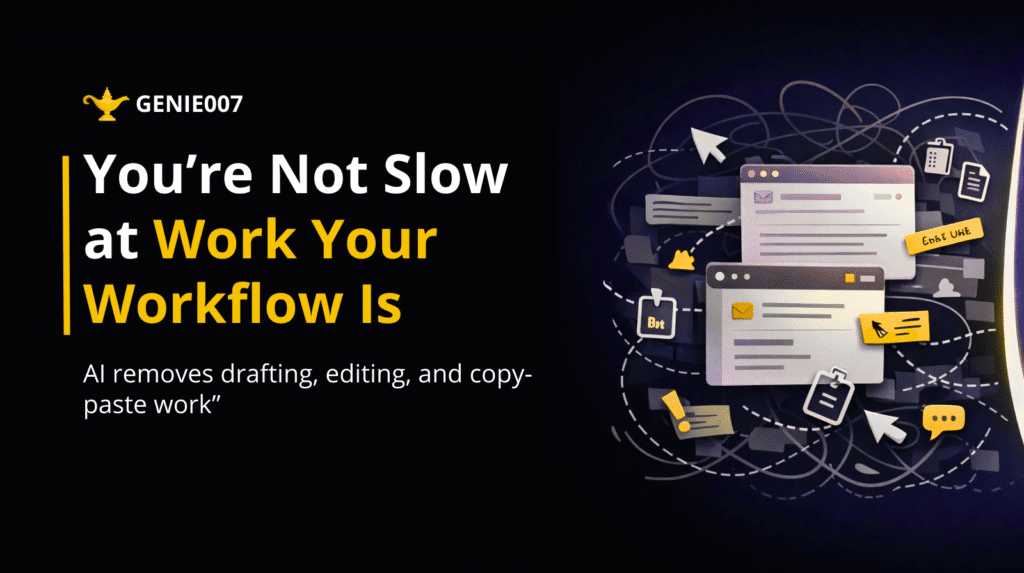
At the end of a busy workday, many professionals feel mentally exhausted yet strangely unproductive. Emails were answered, dashboards were checked, messages were sent, and documents were edited – but real progress feels small compared to the effort spent. This is where workflow productivity with AI becomes essential, as more professionals begin to realize that their daily work is slowed not by lack of skill, but by invisible workflow friction built into the way modern tools are used.
This feeling leads to a common assumption: “I need to work faster.”
But the real issue is rarely speed, skill, or discipline.
The real issue is workflow friction.
Small, invisible, repeated actions – switching tabs, copying text, adjusting tone, reformatting messages, updating tools manually – consume more time than thinking, planning, or decision-making. These actions are so normal that people no longer question them.
Your workflow productivity is slower than you think because you have accepted these micro-delays as normal parts of work.
What “Workflow Friction” Actually Looks Like in Daily Work
Workflow friction does not appear as a big problem. It appears as tiny actions repeated hundreds of times every day:
- Copying content from one app to another
- Rewriting the same idea differently for email, LinkedIn, and Slack
- Switching between CRM, Gmail, project tools, and documents
- Adjusting formatting again and again
- Manually updating dashboards after conversations
- Searching old messages to find context before replying
Individually, these actions take seconds. Together, they consume hours and silently destroy workflow productivity.
This is where modern professionals lose the majority of their time – not in work itself, but in the movement between tools.
Why Traditional AI Tools Do Not Solve This Problem
Many people believe AI writing tools have solved productivity. They can generate emails, drafts, and content quickly. But after the draft is generated, the real work begins:
You still have to:
- Copy the text
- Paste it into the correct platform
- Adjust tone and formatting
- Add context manually
- Send or update information in another tool
The workflow remains fragmented.
AI helped with writing, but not with execution.
This is the critical difference between AI tools and a system that understands your work environment.
The Shift Toward Context-Aware Productivity
Modern work does not happen in one place. It happens across browsers, tabs, dashboards, and communication platforms — and that fragmentation is the biggest threat to workflow productivity.
This is where context-aware AI changes everything.
Instead of asking you to move information between tools, context-aware systems understand:
- Where you are working
- What platform you are using
- What you are trying to do
- What action should happen next
This eliminates the mechanical layer between thought and execution, which is the foundation of real workflow productivity.
How Genie 007 Improves Workflow Productivity with AI
Genie 007 is built around a simple idea:
Remove the friction between intention and action.
Instead of helping you write faster, it helps you complete tasks instantly.
When you speak or type an instruction, Genie 007 understands the context of your current screen and performs the action directly:
- Drafts and sends emails from Gmail
- Updates CRM fields without opening dashboards
- Writes LinkedIn messages in the correct tone
- Logs notes after meetings automatically
- Converts thoughts into formatted communication instantly
The difference is subtle but powerful:
You stop managing tools. The system manages them for you.
From Tab Switching to Seamless Execution
A key barrier to workflow productivity is tab switching. Your brain resets every time you change platforms. This constant shifting reduces focus and slows cognitive flow.
With Genie 007:
- No switching between apps
- No searching for where to paste information
- No repeating the same content across platforms
You stay in your flow while actions happen around you — that is what true workflow productivity feels like.
This is how tasks that normally take minutes happen in seconds.
The Psychological Impact of Faster Workflows
When workflow friction disappears, something important happens: mental clarity improves.
You no longer feel overwhelmed by small tasks. Communication becomes lighter. Updating systems becomes effortless. You feel in control of your work instead of controlled by it.
This shift is not about speed alone. It is about reducing cognitive load.
Professionals who use simplifyd workflows often report:
- Less fatigue
- Better focus
- More creative thinking time
- Faster response cycles
Because their energy is spent on decisions, not mechanics.
Real Examples of Invisible Time Loss (And How It Changes)
Before
You finish a client call.
You open CRM. Add notes.
You open Gmail. Draft a follow-up.
You open Slack. Inform your team.
You open LinkedIn. Reply to a pending message.
15–20 minutes gone.
After
You speak one instruction.
Everything updates instantly across platforms.
Less than a minute.
The task is the same.
The workflow is completely different.
Why Workflow Productivity with AI Is the Future of Work
As digital tools increase, workflow complexity increases. More apps mean more friction unless something connects them intelligently.
The future of work is not about adding more tools.
It is about removing the effort of using them.
This is where browser-based, context-aware systems like Genie 007 fit naturally into modern professional environments – working quietly in the background, reducing the effort required to get things done.
Signs Your Workflow Is Slower Than It Should Be
You may not notice workflow friction affecting your workflow productivity, but you can recognise its symptoms — and once you do, improving workflow productivity becomes the obvious next step:
- You feel busy but not productive
- You spend more time writing than thinking
- You delay small tasks because they feel tiring
- You avoid updating systems regularly
- You struggle to maintain communication speed
These are not personal limitations. These are workflow limitations.
The New Standard: Speak, Think, Done
The most productive professionals in the coming years will not be those who type faster. They will be those who reduce manual interaction with tools.
They will operate in a way where:
Thought → Instruction → Action happens smoothly.
This is the standard Genie 007 is built around.
How Genie 007 Quietly Changes Daily Work Habits
What makes Genie 007 powerful is that it does not feel like a tool you “use.”
It feels like a system that removes steps from your routine.
You start noticing:
- Emails take seconds instead of minutes
- CRM stays updated without effort
- Communication feels instant
- Tasks no longer feel heavy
And over time, your entire workday feels lighter.
Conclusion: You Were Never Slow. Your Workflow Productivity Was.
Most professionals try to improve speed, discipline, and time management. But the real improvement comes from removing the invisible delays built into daily work.
When workflow friction disappears, productivity increases naturally.
Modern tools like Genie 007 do not make you work harder.
They make work happen with less effort.
And that is the real upgrade in how professionals get things done today.
FAQs
What is workflow friction in professional work?
Workflow friction refers to small repeated actions like tab switching, copying text, and manual updates that consume large amounts of time daily.
How does Genie 007 speed up tasks?
Genie 007 performs actions directly within your current work context, removing the need to switch between tools and manually update systems.
Is Genie 007 just another AI writing tool?
No. It goes beyond writing and performs real actions like sending emails, updating CRM, and managing communication across platforms.
Why do professionals feel busy but unproductive?
Because much of their time is spent on mechanical workflow steps instead of meaningful thinking and execution.
How does context-aware AI improve productivity?
It understands where you are working and performs actions accordingly, eliminating manual effort between tools.
Your privacy matters. Genie 007 processes all audio locally on your device — no recordings are stored, no data is sent to external servers. For full details, see our security and privacy page.
Frequently Asked Questions
How does voice typing compare to keyboard typing?
Most people type at 30-40 WPM but speak at 130-150 WPM. Voice typing with Genie 007 is 3-4x faster with 99.5% accuracy.
Does Genie 007 work on any website?
Yes. Any text field — Gmail, Slack, Notion, LinkedIn, GitHub, Google Docs, and hundreds more.
Is voice dictation private?
Genie 007 processes all audio locally. No recordings stored or sent externally. GDPR compliant, HIPAA ready.
Ready to Try Voice-to-Action?
Install Genie 007 free — no credit card required. Works on any website, any text field.
Install Genie 007 Free →For team-wide productivity gains, explore how AI productivity works for modern teams.
Teams looking for collective productivity gains should read about team AI productivity with Genie 007.
Written by Bill Kiani, founder of Genie 007.