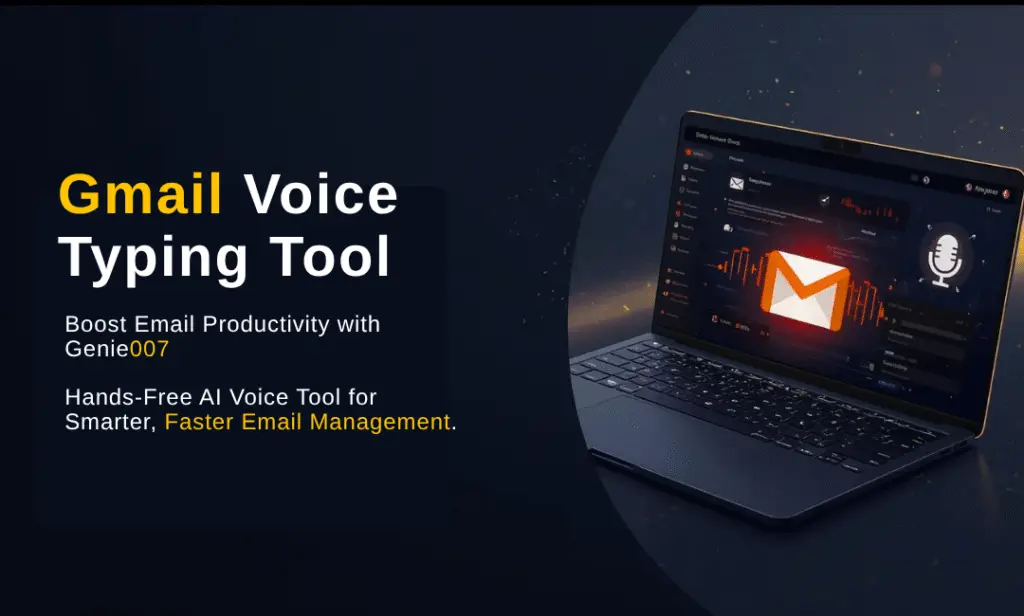
Gmail Voice Typing Tool is the fastest way to compose emails. Email remains the backbone of modern communication, yet drafting thoughtful, error-free messages can take more time than we’d like. You may find yourself struggling to keep up with overflowing inboxes, long threads and context switching. That’s where a Gmail voice typing tool can transform your daily workflow. By dictating your messages instead of typing them, you tap into the natural speed of speech, which is four times faster than the average typing speed. Gmail voice typing tool is a must-have for any email-heavy professional.
In this guide, we’ll show you how to use Genie 007 to dictate your Gmail emails hands-free, explain the benefits of voice-first productivity and answer common questions. Whether you’re a solopreneur trying to stay on top of client communication or a team leader who needs to send quick updates in multiple languages, a voice assistant can make your workday smoother. Gmail voice typing tool helps you reply to emails 3x faster than typing.
Gmail Voice Typing Tool: Why Use Gmail Voice Typing Tool?
Typing long emails can lead to fatigue and can be particularly painful for people with hand or wrist strain. Voice typing offers a more efficient alternative:
Most people don’t realise just how big the speed gap is between typing and speaking. The average person types at 40 WPM, but speaks at 130 WPM — that’s a 3.25x difference. For the full data breakdown, see our dictation vs typing speed comparison. Gmail voice typing tool helps you reply to emails 3x faster than typing.
- Faster composition: Speaking is roughly four times faster than typing. Dictate a 300-word email in a couple of minutes instead of painstakingly typing it out.
- Reduced errors: Modern speech recognition is surprisingly accurate and can reduce typos and spelling mistakes.
- Hands-free convenience: Respond to emails while multitasking or when you’re away from your keyboard.
- Inclusive communication: Voice typing makes email accessible to people with disabilities or injuries that prevent traditional typing.
- Multilingual support: Using a tool that recognises multiple languages lets you switch smoothly between English, Spanish, French, Chinese and more.
Introducing Genie 007: The Voice Assistant That Works Everywhere
Many voice typing solutions are restricted to specific extensions or devices, but Genie 007 is different. It’s a context-aware AI voice assistant that works across all your applications, not just Gmail.
Here’s what sets it apart:
- Works on any website: Because Genie 007 operates outside of browser extensions, you can use it in Gmail, Outlook, Slack or any other web app.
- Context-aware AI: When you dictate a message, Genie 007 understands the task, whether you want to reply, forward or draft a new email, and tailors its responses accordingly.
- Multilingual support: The assistant recognises over 90 languages. Switch between languages mid-sentence and it will still understand your speech.
- Privacy first: Genie 007 does not store or learn from your conversations, ensuring your email content stays confidential.
- Hands-free automation: Beyond dictation, ask Genie 007 to schedule meetings, set reminders or summarise incoming messages.
Setting Up Voice Typing in Gmail
Getting started with voice dictation in Gmail is simple with Genie 007: Gmail voice typing tool helps you reply to emails 3x faster than typing.
- Sign up for Genie007. You can create a free account at Genie 007 and follow the instructions to launch the assistant.
- Open Gmail. Navigate to Gmail in your browser.
- Activate Genie007. Press your hotkey (or say the wake word) to summon Genie007. A listening indicator will appear.
- Command your task. Try speaking: “Write a new email to Jane about our meeting next week.” Genie 007 will open a compose window and begin dictating your message.
- Review and send. Genie 007’s natural language processing ensures your email is polished, but you can quickly review and edit before pressing Send.
Sample Dictation Prompts
- “Compose a follow-up email to Thomas thanking him for the presentation and asking for the slide deck.”
- “Reply to Sara with confirmation of my availability on Thursday at 2 p.m.”
- “Forward John’s latest email to the marketing team and ask them for feedback on the draft.”
Genie 007 understands your intent and can fill in relevant email fields automatically, saving you precious time.
Benefits for Professionals
Voice typing isn’t just a novelty, it addresses real challenges faced by busy professionals: Gmail voice typing tool helps you reply to emails 3x faster than typing.
Speed and Productivity
Studies show that the average person can speak around 150 words per minute but types only about 40. This means you can churn out detailed messages faster than ever, leaving more time for deeper work. With Genie 007, you’re also less likely to make errors that slow you down.
Improved Well-Being
Repetitive typing can lead to strain or carpal tunnel syndrome. Voice typing alleviates this by letting your hands rest. If you already experience discomfort, dictating messages can provide immediate relief. Gmail voice typing tool helps you reply to emails 3x faster than typing.
Multilingual Communication
In today’s global marketplace, clear communication in multiple languages is crucial. Genie 007’s multilingual capabilities let you compose emails in Spanish, French, Mandarin or any of the 90+ languages supported. You can even mix languages in a single message.
Better Email Organisation
Use voice commands to search your Gmail archives, label messages or mark emails as read.
For example: “Search for invoices from last month” or “Label this email as urgent.”
Genie 007 interprets these commands and executes them instantly. Gmail voice typing tool helps you reply to emails 3x faster than typing.
How Genie 007 Compares to Built-In Dictation
Gmail’s own voice typing options are limited to certain devices and require enabling voice input in your keyboard settings. While convenient for quick messages, these built-in tools lack advanced features like context awareness and cross-app functionality.
Genie 007 extends your capabilities by:
- Automatically inserting punctuation and paragraphs so your emails read naturally.
- Allowing you to edit text with voice commands, such as “Delete last sentence” or “Move this paragraph after the next one.”
- Supporting complex workflows like scheduling meetings, setting reminders or summarising long email threads.
- Working beyond Gmail so you can use one voice assistant across all your communication platforms.
Tips for Effective Gmail Voice Typing
- Speak clearly and naturally. There’s no need to shout. Pause slightly to let the assistant process your thoughts.
- Use voice commands for formatting. Say “new paragraph,” “bullet point,” or “insert link” to create professional-looking messages.
- Proofread before sending. While Genie 007 is highly accurate, it’s always a good idea to quickly skim your message for minor adjustments.
- Create templates. Ask Genie 007 to remember common email structures like thank-you messages, meeting agendas or proposal outlines.
- Keep background noise minimal. A quiet environment improves dictation accuracy.
Frequently Asked Questions
Does Genie 007 work on mobile devices?
Yes. Because it’s not tied to a browser extension, Genie 007 works on both desktop and mobile browsers. You can dictate emails on your phone or tablet just as easily as on your laptop.
Can I switch languages mid-email?
Yes. If you need to write to an international colleague in another language, just start speaking in that language. Genie 007 will recognise the change and transcribe accordingly.
Does Genie 007 support Gmail shortcuts?
The assistant understands common commands like Send, Archive, Mark as read, etc. You can say, “Send” at the end of your message, and Genie 007 will send the email without you touching your keyboard.
Do I need a separate subscription to use Genie 007 with Gmail?
No. Genie 007 works across all websites and platforms as part of a single plan. There is no extra fee for using it with Gmail.
Final Thoughts: Email Smarter, Not Harder
If email eats up hours of your day, adopting a Gmail voice typing tool can dramatically improve your productivity. With Genie 007, you can compose longer, more thoughtful messages in a fraction of the time, all while reducing physical strain and enhancing multilingual communication. Gmail voice typing tool helps you reply to emails 3x faster than typing.
Your privacy matters. Genie 007 processes all audio locally on your device — no recordings are stored, no data is sent to external servers. For full details, see our security and privacy page.
Ready to take your email game to the next level?
Try Genie 007 free today and enjoy the freedom of voice-first productivity. Gmail voice typing tool helps you reply to emails 3x faster than typing.
Ready to Try Voice-to-Action?
Install Genie 007 free — no credit card required. Works on any website, any text field.
Install Genie 007 Free →Written by Bill Kiani, founder of Genie 007. Gmail voice typing tool helps you reply to emails 3x faster than typing.