Table of Contents
This guide is for anyone who wants to use AI at work without prompt engineering — no technical skills required. Somewhere along the way, “using AI” became conflated with “being good at writing prompts.” The internet is full of prompt libraries, prompt courses, prompt frameworks — all suggesting that the secret to getting value from AI is learning a specialised skill most people don’t have.

That’s backwards. The best AI tools should work with how you already think and communicate — not require you to learn a new language to operate them. If you have to write a carefully crafted 200-word instruction every time you want to reply to an email, the tool has failed you.
This guide is for everyone who wants to use AI seriously at work without spending hours on prompt engineering. The short version: the right tool doesn’t need you to be a prompt engineer. It just needs you to say what you want.
Use AI at Work Without Prompt Engineering: Getting Started
The difficulty isn’t usually the AI itself — it’s how most AI tools are designed. The standard model puts all the burden on you: understand what the AI needs to know, articulate it clearly in writing, evaluate the output, copy it back into wherever you need it, then do the last-mile actions yourself.
According to McKinsey’s research on generative AI, knowledge workers could automate 30–60% of their tasks with AI — but adoption stays far below that potential. One of the primary barriers cited: the friction of interfacing with current tools.
What Actually Makes AI Easy to Use at Work
Three things determine whether an AI tool feels easy or hard:
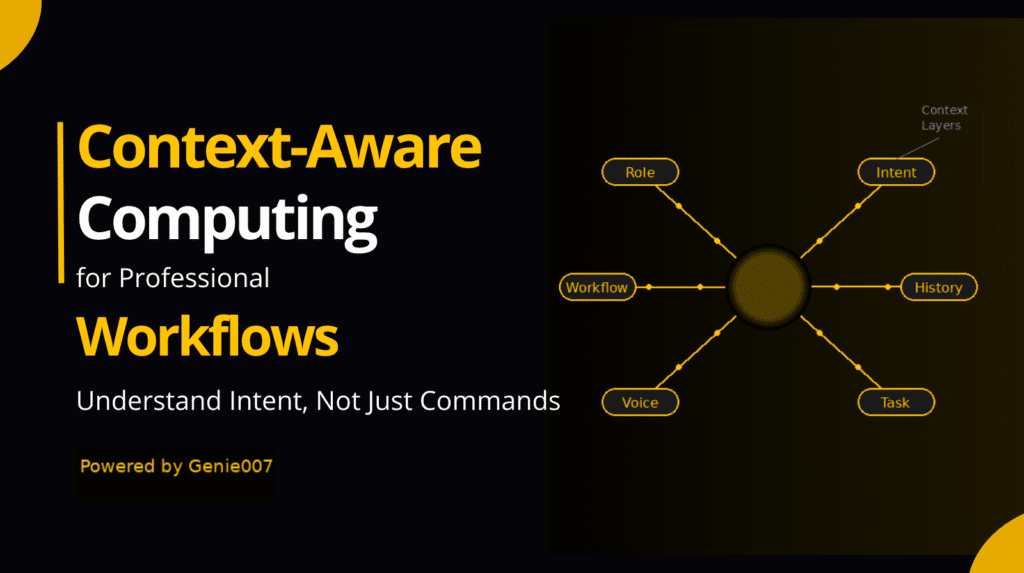
Context awareness. If the AI already knows what you’re looking at — the email you’re reading, the Slack thread you’re in — you don’t need to explain it. You say “reply to this” instead of describing the entire email context in your prompt.
Voice input. Typing a prompt is cognitively expensive. Speaking is natural. The AI tools that are genuinely easy to use are the ones you can talk to — briefly, naturally, the way you’d ask a capable colleague.
Action execution. The AI should do the thing — not just tell you how, or hand you a draft to manually apply. True ease-of-use means the AI handles the full workflow.
Genie 007 is built around all three. It’s context-aware, voice-first, and executes actions in your browser. That’s why it doesn’t require prompt engineering — because context does the heavy lifting that prompt engineers try to do with text.
The Prompt Engineering Trap
Prompt engineering is a real skill for people building AI applications. For the average knowledge worker trying to reply to emails faster, it’s overkill.
The trap: you try an AI tool, the output isn’t quite right, someone tells you “you need better prompts,” you learn frameworks like Chain of Thought and Role Prompting — and six hours later you have a slightly better email reply. That’s not a good trade.
The right question isn’t “how do I write better prompts?” It’s “why do I need to write prompts at all?” If an AI tool needs detailed prompts to understand a task, it isn’t reading context. These are tool design problems — not your prompting skill problems.
What Frictionless AI at Work Looks Like
In your inbox: Reading a prospect email asking about pricing. Say “reply confirming we’ll send a proposal by Friday and asking for a 30-minute call.” The AI already knows it’s a prospect email and what the context is.
In Slack: A colleague asks a question. Say “reply: yes, the deadline is Wednesday, let me know if you need the files before then.” Draft fills in, you approve and send.
On a long document: “Give me the three key takeaways and any action items.” The AI reads the active browser tab and responds in plain language.
Post-meeting: “Add to the Notion page for Project X: agreed to extend the deadline to July 15th, Sarah owns the client communication.” It navigates to Notion and adds the entry.
None of these required prompt engineering. They required telling the AI what you wanted, naturally, in a sentence or two. This connects directly to what we explore in AI That Works in Gmail, Slack and Notion.
Practical Tips for Getting More From AI Without Prompt Engineering
Use context-aware tools first. Switch from general-purpose chatbots to tools that read your current screen. The moment the AI knows what you’re looking at, most prompting complexity disappears.
Speak in outcomes, not instructions. Instead of carefully describing what you need, say what you want to achieve. “Decline this meeting — I have a conflict” rather than “write a polite professional email declining this meeting request because…”
Think in tasks, not text. “Process my inbox and flag anything urgent” is more useful than “write me a summary of these emails.” One is a task. The other is a text generation request.
Iterate conversationally. If the output isn’t right, say “make it shorter” or “change the tone — more direct.” This is natural language iteration, not prompt engineering.
Tools That Require Minimal Prompting (And Why)
Genie 007 requires the least prompting because context-reading replaces most prompt-writing. See how it compares in Best AI Chrome Extensions 2026. Notion AI requires minimal prompting within Notion because it reads the active page. General-purpose chatbots (ChatGPT, Claude, Gemini) require the most — no context, no app integration, every task explained from scratch.
Frequently Asked Questions
Do I need to learn specific commands or syntax to use Genie 007?
No. Genie 007 is designed for natural language input — say what you want the way you’d ask a colleague. No command syntax, no prompt framework.
I’ve tried AI before and found it more trouble than it’s worth. Why would this be different?
Most AI tools that feel like “more trouble than they’re worth” require you to do the last mile yourself — copying AI output into apps manually. Voice-to-action tools eliminate that step. The difference is execution, not generation.
Is voice input accurate enough for professional work?
In 2026, yes — modern speech recognition operates above 95% accuracy. Voice-to-action tools also understand intent from context, so minor mishearings are generally resolved without correction.
Related Reading
- AI That Works in Gmail, Slack and Notion — In-app AI without sidebars or copy-pasting
- Best AI Productivity Tools 2026 — The tools that actually save time
- Voice Commands That Actually Do Things — Real examples of voice-to-action at work
- Why Your Voice Assistant Is Useless at Work — Why Siri and Alexa don’t cut it
- Replace Your Keyboard With Your Voice — Going voice-first for all knowledge work
The Bottom Line
You don’t need to be a prompt engineer to use AI effectively at work. You need a tool that reads context, accepts natural voice input, and executes the full workflow — not just generates text for you to copy around manually. The productivity gains from AI are real, but they only materialise when the tool fits naturally into how you already work.
👉 Try Genie 007 — AI at work, without the prompt engineering