More of the meetings that decide anything now include someone joining in their second language. If you have searched for live translation for meetings, you have probably found a muddle of captions, interpreter channels and add-on licences — and no straight answer about what anything costs or which plan you actually need.
This guide sets out what Zoom and Microsoft Teams can translate in 2026, what the licensing small print says, and where third-party tools fit. It also covers the gap none of those tools address: understanding a colleague through captions is largely solved, but replying to them — in the chat, the follow-up email, the minutes — is not. We will deal with that part too.
What Live Translation for Meetings Actually Means
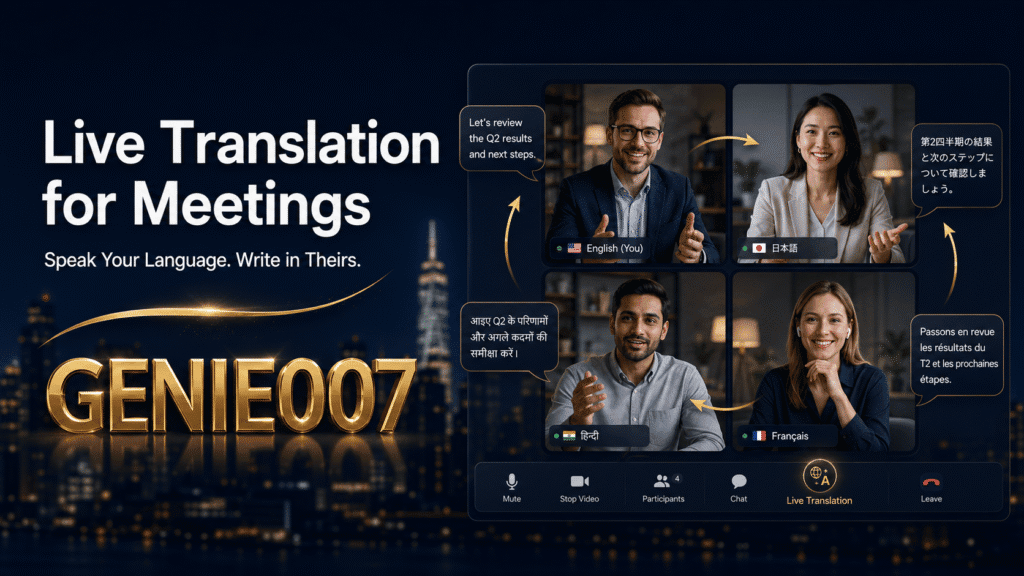
Vendors use the phrase to describe three different things, and mixing them up is how people buy the wrong licence. The first is translated captions: subtitles rendered in your chosen language while someone speaks another. This is what Zoom and Teams both build in — at a price, as we will see.
The second is interpretation: a separate audio channel where a human interpreter, or increasingly an AI voice, speaks the translation aloud. Both platforms support this for formal, high-stakes sessions. The third is cross-language writing — the chat messages, decisions, minutes and follow-ups that surround every meeting. No captioning tool touches this, which is why any honest guide to live translation for meetings has to treat it separately.
Zoom Live Translation: Languages, Plans and the Host Rule
Translated captions
Zoom’s translated captions turn spoken audio into subtitles in another language as the meeting runs. As of early 2026 they cover more than 35 languages — including Japanese, Chinese, Korean, German, French, Spanish and Italian — and Zoom’s AI Companion extends caption translation to 46 languages with automatic detection of the spoken language.
The catch is licensing. Translated captions come included with Business Plus and Enterprise-level plans; on other paid plans they are a separate add-on at roughly $5 per user per month. More importantly, the entitlement follows the host: if the person hosting does not hold the licence, nobody in that meeting can switch translated captions on, whatever plans the participants have. Zoom’s support article on enabling translated captions walks through the admin settings, and it is worth reading before you blame your own account.
One change worth flagging: from May 2026, Zoom no longer lets users save or download closed captions. Captions stay visible live and in recording playback, but if you want a written record of a multilingual meeting, you now need meeting transcripts — or your own notes.
Language interpretation
For formal sessions, Zoom’s language interpretation feature lets a host assign interpreters to dedicated audio channels; attendees pick their language and hear the interpreter over the original speaker at reduced volume. It works well for webinars and board-style meetings, but you source and pay the interpreters yourself, and the feature must be enabled in account settings before the meeting is scheduled.
Teams Live Translation: Captions and Interpreter Channels
Microsoft gates Teams live translation behind Teams Premium or a Microsoft 365 Copilot licence. The logic is friendlier than Zoom’s in one respect: if the meeting organiser holds the licence, every participant in that meeting can use translated captions, licensed or not. If only some individuals hold licences, only those people see the “Translate to” option.
Coverage is broad — roughly 40 spoken source languages translated into around 100 caption display languages as of 2026, powered by Azure’s speech translation service. In practice, the widely spoken pairs (English to Spanish, English to German, English to Chinese) perform noticeably better than lower-resource ones, so run a test call before relying on captions for anything contractual.
Teams also offers language interpretation for human interpreters, supporting up to 16 language pairs in meetings of up to 1,000 participants. You must enable it and assign interpreters when scheduling the meeting, and it is not available in end-to-end encrypted calls.
Third-Party Tools, and How the Options Compare
If your organisation will not fund platform add-ons, or you need guarantees the built-ins cannot give, a third-party layer can help. Wordly delivers AI translation as both audio and captions with no interpreter booking. Interprefy and KUDO route professional human interpreters into Zoom or Teams — the right call when a mistranslation is a legal liability, though at per-event pricing that makes no sense for a Tuesday stand-up. Lightweight caption tools such as Akkadu offer free trial minutes if you just want to test the experience.
Here is how the main live translation for meetings options line up:
| Option | What it does | Languages | Cost and requirements |
|---|---|---|---|
| Zoom translated captions | Live subtitles in the meeting | 35+ (46 via AI Companion) | Business Plus/Enterprise, or add-on around $5 per user/month; host must hold the licence |
| Teams translated captions | Live subtitles in the meeting | About 40 source, about 100 display languages | Teams Premium or Microsoft 365 Copilot; organiser licence covers all attendees |
| Zoom / Teams interpretation | Separate interpreter audio channels | Depends on interpreters (Teams: up to 16 pairs) | Paid plans; you hire the interpreters |
| Wordly, Interprefy, KUDO | AI or human interpretation layered onto the call | Varies by service and booking | Per-session or per-event pricing |
| Genie 007 | Writes your chat replies, emails and minutes across languages (does not caption the call) | 140+ | From £5/month, free trial |
The Part Captions Never Solve: Writing Back
Picture the call. Captions on, you have followed every word your Osaka supplier said. Then a question lands in the Zoom chat — in Japanese — and everyone waits. Captions gave you comprehension; they give you nothing for the reply. The standard workaround is the copy-paste loop: draft in English, paste into a translator tab, paste the output back, hope the tone survived the round trip.
The same problem follows you out of the meeting. Someone owes the Berlin office minutes in German. The Madrid client expects a follow-up email in Spanish that does not read like machine output. And now that Zoom has stopped users downloading captions, the written record of a multilingual meeting is squarely back on you.
This is where a different category of tool earns its place: not captioning what others say, but producing what you need to write. Genie 007 is built on think-to-text — you speak your intent in your own language, and it delivers polished writing that says what you meant, in the language you choose, inside the app you are already using.
Writing Across Languages During and After the Meeting
Let’s be precise, because the distinction matters: Genie 007 does not put captions on your Zoom or Teams call. For understanding what is said, use the built-in features above. What Genie 007 handles is every piece of writing the meeting generates, in more than 140 languages, with no tab-switching:
- Chat replies during the call. That Japanese question in the Zoom chat? Speak your answer in English and Genie 007 types it into the chat box in natural Japanese while the discussion carries on.
- Follow-up emails. The Teams call with Madrid ends at 4pm. Talk through what was agreed for ninety seconds; Genie 007 turns it into a professional follow-up email in Spanish, directly in Outlook, in your usual tone.
- Minutes in two languages. Dictate your notes once in English and produce structured minutes in German for the Berlin team — formatted and ready to paste into the recap thread.
Because it works as a live voice translation app as much as a dictation tool, it runs in either direction: speak German and get English, speak English and get Portuguese. It understands accents, tone and context, so “we’ll circle back on pricing” arrives as a natural idiom in the target language rather than a literal circle. For the broader workflow — joining, note-taking, follow-ups — see our guide to using a voice assistant for virtual meetings; if your real challenge is coordinating offices across languages and time zones, the piece on managing global teams takes the wider view.
Privacy deserves a paragraph, because multilingual meetings are often the sensitive ones — negotiations, hiring, client work. Genie 007 processes your words on your device or in your browser: commands and content never touch its servers, no audio is stored, and everything is protected with AES-256 encryption. It is GDPR compliant and HIPAA ready. A caption vendor sitting in the middle of your meeting audio cannot make that claim as cleanly.
On cost: Zoom’s caption add-on runs to about $5 per user per month and translates captions only. Genie 007 starts at £5 per month for individuals, with a Teams plan at £8 per user per month that pools 2,000 credits per user — full details on the pricing page. There is a free trial with no credit card, so you can test your own language pair on a real call before paying anything.
FAQ: Live Translation for Meetings
Does Zoom have built-in live translation?
Yes. Zoom offers translated captions in more than 35 languages, but only when the meeting host has a Business Plus or Enterprise plan, or the translated captions add-on at roughly $5 per user per month. If the host is unlicensed, participants cannot enable translation regardless of their own plans.
Is live translation free in Microsoft Teams?
No. Standard Teams includes live captions in the spoken language only; translating captions into another language requires Teams Premium or a Microsoft 365 Copilot licence. If the meeting organiser holds one of those licences, every participant in that meeting can use translated captions at no extra cost.
Can I get live translation for meetings without a paid add-on?
Partly. Third-party caption services such as Akkadu offer limited free minutes, and interpretation platforms run paid per-event sessions. For the writing side — chat replies, follow-up emails and minutes in another language — Genie 007 includes live translation across 140+ languages with a free trial and no credit card.
Does Genie 007 caption my Zoom or Teams meetings?
No, and that is deliberate. Genie 007 does not transcribe or caption other speakers — use Zoom or Teams captions to follow the conversation. It handles what you write: speak in your language and it produces chat replies, emails and minutes in any of 140+ languages, inside the meeting apps themselves.
Try Genie 007 Free
Captions let you follow the meeting; Genie 007 lets you answer it. Speak in your own language and send chat replies, follow-up emails and minutes in your counterpart’s — no translator tab in sight.
Download Genie 007 free — available for Windows, Mac, mobile and as a browser extension. No credit card required.
Written by Bill Kiani, founder of Genie 007.