Your supplier explains a shipping delay in rapid Spanish, and your notes need to be in English. A client leaves a two-minute voicemail in French. You think faster in Hindi than you write in English. All three sound like “I need an app to translate voice to text in real time” — but they are different jobs, and the best app depends on which one you are doing. This guide compares the main options honestly, then walks through a workflow for people who need translated text they can send, not just read.
What “Translate Voice to Text” Actually Means
When people search for a voice to text translator, they usually mean one of three things. The first is understanding someone else: live captions or conversation translation while another person speaks. The second is capturing a recording — a meeting, a voicemail, an interview — as a translated transcript. The third is producing your own writing: you speak in one language and want finished text in another.
Most app roundups only cover the first job, because that is what travel apps are built for. But if you work across languages, the third job is where the hours go — and it is the one the big free apps handle worst. Keep your own use case in mind as you read the comparisons below.
The Best Apps to Translate Voice to Text in 2026
Google Translate (free — Android, iOS, web)
Google Translate is the default for a reason. It covers 249 languages for text, and its live translate feature handles spoken conversation in around 70 of them, automatically detecting who is speaking and switching direction. The 2025 Gemini upgrades made translations noticeably less literal, and Google’s live translation update added continuous listening and the option to hear translations through your headphones while the transcript scrolls on screen.
For travel, quick questions and informal chat, it is the best free option and the coverage is unbeatable. The limits show up at work. Everything happens inside the Translate app, so moving a translated sentence into an email means select, copy, switch tabs, paste, then fix the phrasing. There is no sense of register either — the same literal output whether you are texting a friend or replying to a client.
Apple Live Translation (iPhone, iOS 26)
Apple built Live Translation into iOS 26 for calls, Messages and in-person conversations, with a clever AirPods integration: on AirPods Pro 2 or later, AirPods 4 with ANC, or AirPods Max 2, the translation plays in your ears while noise cancellation quietly lowers the other speaker’s voice. Language models download to the device, so processing stays on your iPhone — genuinely private, which matters for sensitive conversations.
The trade-offs are hard ones. Language support sits at roughly ten languages, you need an Apple Intelligence-capable iPhone, and it is a conversation tool, not a writing tool. If your language pair is on the list and you live inside Apple hardware, it is excellent at what it does.
Microsoft Translator (free — Android, iOS)
Microsoft Translator still offers text translation in 100+ languages and real-time speech translation with a clear split-screen conversation view. It has long been the quiet, competent alternative to Google for face-to-face exchanges.
Be aware of its direction of travel, though. The June 2025 v6.0 update removed offline language packs and camera text recognition, the multi-device group conversation feature has been retired, and the Windows app was pulled from the Microsoft Store, with translation folded into Edge and Bing instead. It still works well one-to-one, but Microsoft is winding the consumer app down rather than investing in it.
Meeting caption tools (Maestra, Notta and similar)
A newer category translates meetings rather than conversations: tools like Maestra and Notta join your Zoom or Teams call and produce live translated captions and transcripts, some across 100+ languages. They are genuinely useful for multilingual webinars and all-hands calls.
Two caveats: pricing is subscription-based and aimed at businesses, and the output is still a transcript you then have to turn into notes, replies or action items yourself.
Voice to Text Translator Apps Compared
| App | Platforms | Languages | Real-time voice translation | Works inside other apps? | Price |
|---|---|---|---|---|---|
| Google Translate | Android, iOS, web | 249 text / ~70 live speech | Yes — conversation and continuous modes | No — output stays in the app | Free |
| Apple Live Translation | iPhone (iOS 26), AirPods | ~10 | Yes — calls, Messages, in person | Apple apps only | Free (needs recent hardware) |
| Microsoft Translator | Android, iOS | 100+ | Yes — split-screen conversations | No | Free |
| Maestra / Notta | Web, meeting integrations | 100+ | Yes — live meeting captions | Zoom, Teams via integration | Subscription, business pricing |
| Genie 007 | Windows, Mac, mobile, browser extension | 140+ | Yes — speak one language, type another | Yes — types into any app or site | From £5/mo, free trial |
Quick honest verdicts: Google Translate wins on price and language breadth, Apple on privacy for in-person conversations, and the meeting tools for translated captions on group calls. The gap all of them leave is the third job from earlier — producing your own translated writing.
Where Every Translation App Hits the Same Ceiling
Every app above can translate voice to text in real time, and every one delivers the same end product: a transcript. That is exactly right when your goal is to understand someone. It falls apart when your goal is to write something, because a transcript of translated speech is raw material, not a finished message.
Picture the actual loop. You open the translation app, speak your Spanish sentence, wait for the English, select it, copy it, switch to Gmail, paste it, then spend a minute fixing the literal phrasing so it reads like something a professional would send. Do that for one message and it is a minor annoyance. Do it for thirty messages a day across email, Slack and LinkedIn and you have built a part-time job out of copy-paste.
There is a quality problem underneath the workflow problem. Speech is messy — false starts, fillers, half-finished clauses — and a literal translation preserves the mess in a second language. What you actually want is the thing you meant, written properly in the target language, in the right register for where it is going.
A Workflow That Skips the Copy-Paste Loop: Genie 007
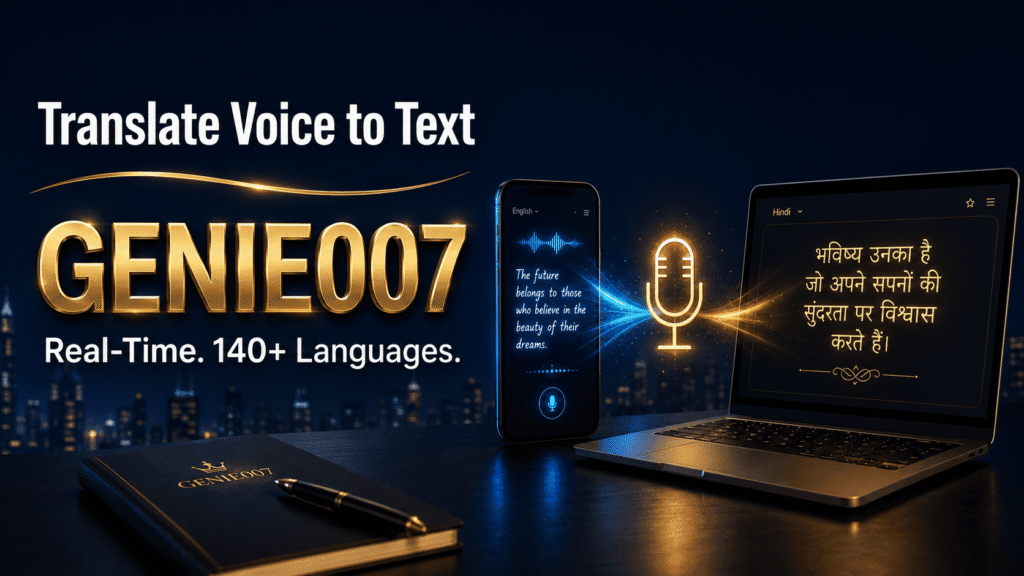
Genie 007 is an AI voice assistant built for exactly this gap. Instead of living in its own app, it works inside whatever you already have open — Gmail, Outlook, Slack, LinkedIn, WhatsApp, Notion, Salesforce and most other tools — on Windows, Mac, mobile and as a browser extension. It will translate voice to text across 140+ languages, and the polished output appears directly in the field you are writing in — your chosen language, no app-switching, no clipboard.
It does this in two modes. Voice Typing is dictation with live translation: speak Spanish, watch clean English appear in your email draft, with punctuation and formatting handled automatically. Genie Mode goes further — it is built on think-to-text, which means you describe what you want to say and it writes the finished message, matching the tone of the platform you are on.
Concrete language-pair examples from real workflows:
- Spanish → English, supplier follow-up. An ops manager finishes a call with a Madrid supplier, opens the email thread and speaks a 30-second debrief in Spanish. Genie 007 produces a structured English recap email — delay, revised dates, agreed next steps — ready to send to the UK team.
- Hindi → English, LinkedIn post. A founder who thinks in Hindi speaks the rough idea; Genie Mode returns a native-sounding English post in LinkedIn’s own text box. This is the same reason the tool works so well for non-native English speakers who voice type — you supply the thinking, it supplies the English.
- English → German, client reply. An account manager reads a German client’s message, speaks the answer in English, and sends a courteous, correctly formal German reply without touching Google Translate.
- Mixed-language team, Slack. Teammates in Warsaw, Lisbon and Leeds each speak their own language and post in the team’s working language — one of the quieter wins when you manage a global team across time zones and languages.
Privacy is the other differentiator, and for work content it is not optional. Genie 007 processes in-browser and on-device, with AES-256 encryption, no audio storage and zero data retention — your boss can’t see it, and neither can Genie 007. It is GDPR compliant and HIPAA ready. Pricing starts at £5/month for Mini, £10 for Ultra, and £8 per user for Teams — full details on the pricing page, with a free trial and no credit card required. For a deeper look at the category, see our guide to multilingual voice typing software.
How Accurate Is Real-Time Voice Translation?
Modern speech translation is impressively good under fair conditions: a quiet room, clear speech, and a well-resourced language pair like Spanish–English or French–German. Where every system still wobbles is idiom, dialect and specialist vocabulary. “It fell through” translated literally becomes nonsense in most languages, regional accents raise error rates, and product names or legal terms get mangled without context.
There is also a real trade-off between privacy and capability. On-device systems like Apple’s keep your words private but support fewer languages; cloud systems cover more ground but your speech leaves the device — worth checking any app’s retention policy before using it for client work. Genie 007’s zero-retention processing removes that dilemma for professional content.
Practical habits help more than switching apps: speak in complete sentences, skip idioms when precision matters, and always read the output before sending. And an honest boundary — for contracts, medical documents or anything legally binding, use a qualified human translator. Real-time tools are for communication speed, not certified accuracy.
FAQ: Translating Voice to Text in Real Time
Is there a free app that translates voice to text?
Yes — Google Translate and Microsoft Translator both translate voice to text free on Android and iOS, and Apple’s Live Translation is built into iOS 26 at no cost. Free apps suit travel and casual conversation; paid tools like Genie 007 add work features such as typing translated text directly into email and Slack.
Can Google Translate translate voice in real time?
Yes. Google Translate’s live translate feature listens continuously, detects which language is being spoken, and shows a scrolling two-language transcript in real time, with spoken translation available through your headphones. It supports around 70 languages for live speech, though the translated text stays inside the app rather than where you are writing.
What is the most accurate speech translation app?
There is no single winner — accuracy depends on the language pair, audio quality and subject matter. Google Translate leads on breadth after its Gemini upgrades, Apple’s on-device models are strong within their ten supported languages, and context-aware tools like Genie 007 produce more natural output for written work because they polish phrasing rather than translating literally.
Can I speak in one language and have it typed in another?
Yes — this is exactly what Genie 007’s live translation does. You dictate in any of 140+ languages and finished text appears in your chosen language, directly inside Gmail, Slack, LinkedIn or whatever app you are using. Traditional translator apps can produce the same words, but only inside their own window, leaving you to copy and paste.
Try Genie 007 Free
If you spend your days translating yourself between the language you think in and the language you work in, stop doing it by clipboard. Speak once, in your language, and send polished text in theirs.
Download Genie 007 free — available for Windows, Mac, mobile and as a browser extension. No credit card required.
Written by Bill Kiani, founder of Genie 007.