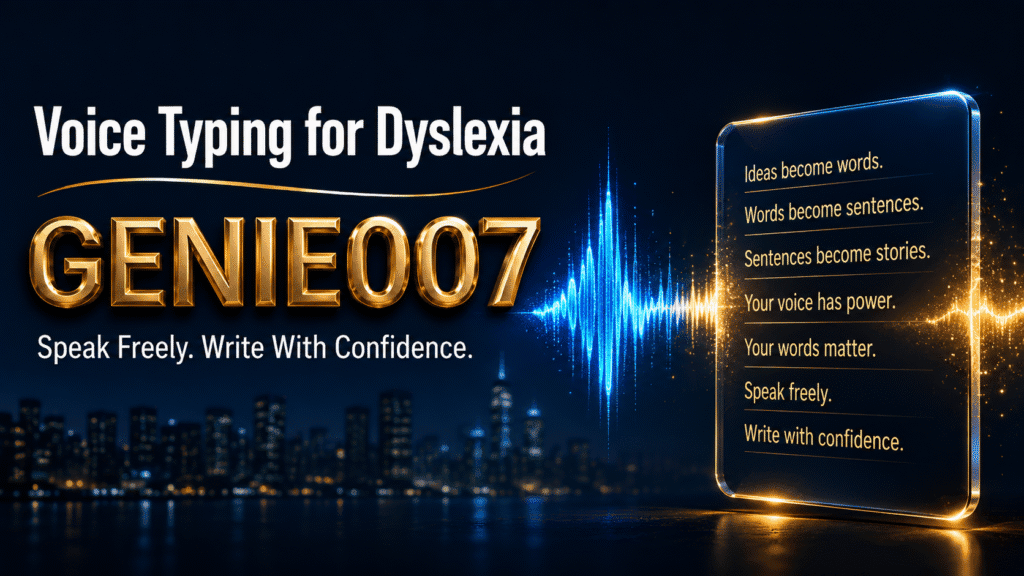
Voice typing for dyslexia addresses something fundamental: the gap between what you can say and what you can write. You have the ideas. You have always had the ideas. For many people with dyslexia, the written word feels like a wall between their thoughts and the world. You can hold an entire argument in your head and explain it out loud without hesitation — but the moment you sit down to type, spelling trips you up, words scatter, and what arrives on screen is a pale, frustrating shadow of the confident voice inside your head. This is not a failure of intelligence or imagination. It is a mismatch between how your mind works and the format the world asks you to use.
This guide covers how voice typing works, how to set it up practically, the workflow that actually sticks, and — critically — why Genie Mode goes further than basic transcription by automatically handling structure and grammar. That last part is what most guides skip over, and it is the piece that makes the difference between a tool you abandon after a week and one that genuinely changes how you write.
What Dyslexia Actually Does to Writing
Around 10% of the UK population has dyslexia — approximately 6 million people, according to Dyslexia UK. About 4% experience it severely. Dyslexia is a neurological difference in how the brain processes language, particularly the relationship between sounds and their written representations. It has no bearing on intelligence, verbal fluency, or the quality of a person’s thinking.
What it does affect, significantly, is written output. Research published in the journal Reading and Writing found that people with dyslexia write fewer words per minute not because the physical act of writing is slower, but because they pause more often — spending cognitive effort on spelling decisions rather than on ideas. That mental energy drain does not disappear in adulthood. It just becomes a professional problem instead of an academic one.
There is another effect that rarely gets discussed plainly: dyslexia restricts vocabulary in writing even when that vocabulary is fully available in speech. A person who speaks with fluency and confidence may write far more simply, because they choose words they can spell rather than words that best express their meaning. As AbilityNet notes in its guidance on dyslexia and technology, written work produced by dyslexic individuals often fails to reflect their actual knowledge and capability. The spelling barrier filters out competence before a sentence is even finished.
Voice typing for dyslexia removes that filter. The ideas get through.
How Voice Typing Removes the Writing Barrier
When you speak, you do not stop to consider spelling. Words arrive at the pace of thought — around 130 to 150 words per minute — compared to the laboured 20 to 30 that many dyslexic writers manage when the cognitive load of typing takes over. Dictation closes that gap immediately.
The results go beyond speed. When the spelling barrier is lifted, vocabulary opens up and sentences become longer, more varied. Ideas build on one another naturally because nothing interrupts the flow of thought. Research consistently shows that people with dyslexia produce more sophisticated written work when they dictate rather than type — and report significantly lower anxiety about writing. These are the defining effects of voice-based dyslexia writing tools: better output and less distress.
Getting Started with Voice Typing on Windows
On Windows, the built-in voice typing tool launches with the Windows + H keyboard shortcut. It handles basic dictation and can recognise punctuation commands, though its accuracy with British English and less common vocabulary varies. For a thorough comparison of all the free speech-to-text options on Windows 11 — including the built-in tool, browser-based options, and AI-powered alternatives — that guide walks through each with honest assessments of where they fall short.
On Mac, Dictation is available under System Settings → Keyboard → Dictation. Mobile platforms offer voice input directly from the on-screen keyboard on both iOS and Android.
Whatever tool you start with, a few simple adjustments make a noticeable difference from day one. A headset microphone outperforms a laptop’s built-in mic by a significant margin — accuracy improves, and you do not have to project your voice to be heard clearly. Speak at your natural pace; deliberately slowing down tends to reduce accuracy rather than improve it. And choose a quiet environment for the first week or two until the workflow starts to feel automatic rather than effortful.
Building a Dictation Workflow That Actually Sticks
The single most important habit for dyslexic writers using voice tools is to separate speaking from editing entirely. Do not stop mid-sentence to correct a mishear. Do not loop back and fix a word the moment you notice it. Speak your full draft first, then return to review. Stopping to correct mid-flow returns you to the same interrupted, error-focused state that typing produces — you have relocated the problem rather than removed it.
Start each session with a short warm-up — two or three spoken sentences just to confirm the microphone is working and your voice is settled. This removes the small technical uncertainties that can kill momentum before it starts.
Why Basic Transcription Is Not Enough for Most Dyslexic Writers
Here is the part that most guides on voice typing for dyslexia do not address honestly: plain dictation captures what you say, not what you mean to write.
When you speak a first draft, you naturally loop back on yourself, insert filler words, start sentences that trail off, and revisit ideas mid-thought. A basic transcription tool faithfully records all of it. What comes back is a messy, unedited version of your spoken stream — which then requires exactly the kind of careful re-reading, sentence-level editing, and structural revision that many dyslexic people find just as difficult as typing from scratch.
You bypass one barrier — spelling — only to meet another: turning a rough spoken draft into clean, coherent prose. This is where voice typing as assistive technology writing support breaks down for many people in practice. The workflow stalls at the editing stage, and the tool gets abandoned within a few weeks.
This is the specific gap that think-to-text addresses — and where Genie Mode, specifically, changes what is possible for dyslexic writers.
Genie Mode: Think-to-Text for Dyslexic Writers
Genie 007’s Genie Mode is built on a different premise to standard dictation. You share your thoughts — roughly, naturally, with all the self-correction and repetition of normal speech — and the tool delivers what you mean, not a transcript of what you said. Structure, grammar, punctuation, and clarity are handled automatically. What you get back is clean, polished text from a single spoken pass, without the editing stage that plain transcription demands.
For a dyslexic writer, this changes the practical economics of the whole process. You speak once, and the output is already shaped for the context you are writing in — professional when you are in email, conversational when you are in Slack or Teams, structured when you are in a document. Genie Mode works inside Gmail, Outlook, Google Docs, LinkedIn, Slack, Teams, and more, directly within each application, with no tab-switching or copy-pasting between tools.
In practice: you dictate a reply to a difficult email and receive back a polished, tonally appropriate paragraph. You speak rough notes for a report and get a coherent first section with proper structure. You describe what you want to say to a colleague and receive a clear Slack message that says it well. At every step, the editing burden — the precise stage where plain dictation collapses for many dyslexic writers — is handled by the tool rather than the writer.
You can explore Genie 007’s plans and pricing to find the right option — plans start from £5 per month, and there is a free trial with no credit card required.
Practical Tips for Dyslexic Writers Using Voice Tools
A few things make a consistent difference once the basic workflow is in place:
- Use voice in every context, not just formal writing. Dictating emails, instant messages, and social posts builds the habit faster than reserving voice tools for high-stakes documents. Confidence comes from repetition in low-pressure situations first.
- Pair dictation with text-to-speech for reviewing. Hearing your writing read back often catches issues that visual re-reading misses entirely. Many dyslexic writers find this combination — speak to create, listen to review — far more effective than any visual editing workflow.
- Do not evaluate the tool after three sessions. The adjustment period is real. By session seven or eight, most people find it feels completely natural and have no desire to go back to the keyboard.
- Keep a quiet space for the first fortnight. A noisy cafe session early in the process creates frustration that can put people off a tool that would otherwise serve them well. Reliable conditions first, flexibility later.
If you are on Windows, the Genie 007 for Windows app works across every application on your machine — documents, email, messaging, browser tabs — with no browser dependency required.
Frequently Asked Questions
Is voice typing good for dyslexia?
Yes — voice typing is one of the most consistently recommended assistive technologies for dyslexic writers. It removes the spelling and typing barrier entirely, allowing ideas to flow at speaking pace (around 130–150 words per minute) rather than the error-prone rate the keyboard imposes. Research shows that dyslexic writers produce longer, more sophisticated written work when they dictate, and report significantly less writing anxiety as a result.
Does speech-to-text help adults with dyslexia, or is it mainly a student tool?
It helps both, but adults in the workplace often find the impact more significant — because the professional stakes are higher. Responding to client emails, writing reports, and communicating clearly with colleagues are all areas where dyslexia’s effect on writing creates real daily friction. Voice tools remove that friction at source. Tools like Genie 007 work inside Outlook, Gmail, Google Docs, Slack, and Teams — where adult professionals write most of their day — rather than only in dedicated word processors.
What is the difference between voice typing and think-to-text for dyslexia?
Standard voice typing transcribes your words verbatim, including filler words, incomplete sentences, and spoken hesitations, and returns the editing work to you. Think-to-text interprets your spoken intent and produces structured, grammatically clean written output directly, without a raw transcript in between. For dyslexic writers who speak fluently but struggle with the editing stage of a rough draft, think-to-text closes the remaining gap between spoken thought and finished writing. You can read more about how think-to-text works on the Genie 007 site.
This article is for general information only and is not medical advice. If you are experiencing difficulties that affect your daily life, please consult a qualified healthcare or educational professional.
Ready to Write at Full Capacity?
If your ideas are stronger than your written output, the problem is the format — not you. Genie 007 lets you speak naturally and handles the rest: structure, grammar, punctuation, and polish, delivered directly inside every app you already use.
Written by Bill Kiani, founder of Genie 007.