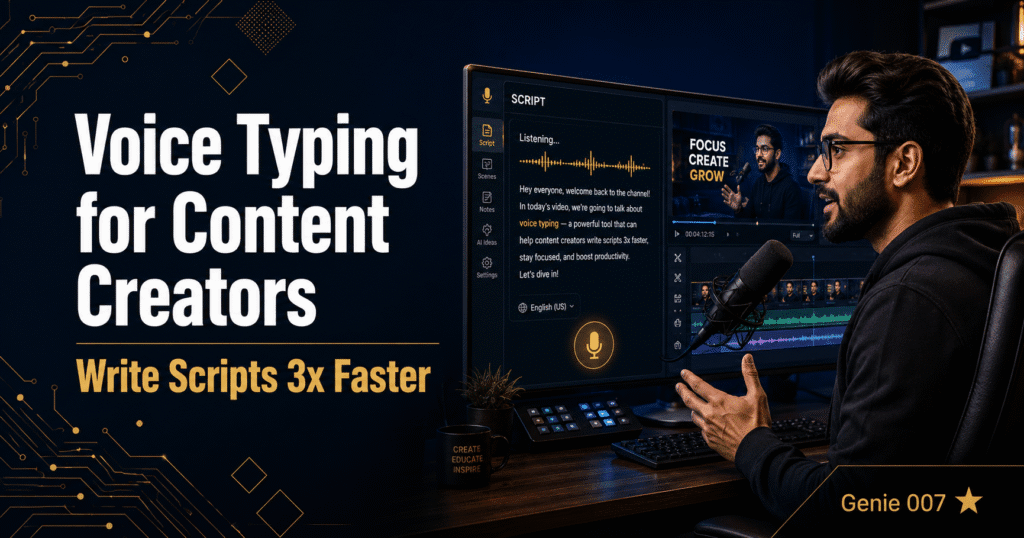
Voice typing for content creators is one of the most underused productivity shifts available in 2026. The average YouTuber, podcaster, blogger, or social media creator spends 40% of their working day writing â scripts, descriptions, captions, email newsletters, DM replies, pitch emails, and content briefs. Most of that writing happens by typing, slowly, one word at a time. Voice typing for content creators replaces that bottleneck entirely.
Speaking at 130 to 150 words per minute versus typing at 40 words per minute, a creator who switches to voice dictation gets back roughly six hours of writing time every week. But Genie 007 goes further than basic dictation. With Genie Mode â context-aware AI that understands your current screen and executes intent â you do not even need to speak the full content. You say “write a YouTube description for this video” and Genie 007 reads the title, script, and context, then writes a complete, optimised description. That is voice-to-action, not voice-to-text. Our full guide to voice to action explains how this differs from standard dictation.
Why Voice Typing for Content Creators Is Different from Regular Dictation
Most professionals use voice typing to produce structured documents â legal briefs, medical notes, business emails. Content creators have a different challenge: they produce high volumes of varied content across multiple platforms, in different tones, with different format requirements for each channel.
A YouTube description has different conventions from a LinkedIn post. An email newsletter sounds different from a Twitter thread. Basic dictation gives you a transcript â you still have to adapt it to each platform manually. Genie 007 knows the platform. It reads the context of where you are working and adapts the output accordingly. On LinkedIn, it writes in LinkedIn’s professional tone. On YouTube, it structures a description with SEO-friendly formatting. Say one short command and get channel-appropriate content without rewriting.
This context-awareness makes voice typing for content creators genuinely different from what dictation tools offered before 2025. You can read more about how this works in our guide to AI voice commands.
Voice Typing for Content Creators: Workflows for Every Content Type
Here is how voice typing with Genie 007 covers the main content types creators produce every day:
YouTube scripts and descriptions. Speak your video outline freely â Genie 007 formats it into a proper script structure. Then say “write a YouTube description for this video” and get a description with natural keyword placement, chapter markers, and a call to action. What used to take 45 minutes takes ten.
Social media captions. Open Instagram or TikTok creator tools, activate Genie 007, and say “write a caption for this post about [topic] in a casual tone.” Genie 007 reads the context and writes a platform-appropriate caption with suggested hashtags. You review and post. Similar to how voice typing for writers eliminates the blank page problem, this removes caption writing from your mental load entirely.
Email newsletter drafts. Speak your main ideas and key points â do not worry about structure. Genie 007 converts naturally spoken thoughts into a properly formatted email newsletter section, removing filler words, adjusting flow, and making it sound like something you would actually send. Then use voice typing for Gmail to handle the individual email replies that pile up.
Video titles and thumbnails briefs. Say “generate five title options for a video about [topic] for a tech YouTube channel” â Genie 007 produces five options with different hooks and emotional angles. Faster than a spreadsheet of ideas you brainstorm alone.
Podcast show notes. After recording, paste your transcript or key points into a document, then say “write podcast show notes for this episode including a summary, key takeaways, and timestamps” â Genie 007 writes the complete show notes page.
Setting Up Voice Typing for Content Creators: Step-by-Step
Getting Genie 007 working across your content creation stack takes under five minutes:
Step 1: Install the Genie 007 Chrome extension from the Chrome Web Store. For use outside the browser â in video editing software, note apps, or desktop tools â download the Mac or Windows desktop app.
Step 2: Set up your content creator vocabulary. Add your channel name, brand terms, common phrases, and any technical language you use regularly. This ensures Genie 007 transcribes them accurately every time.
Step 3: Set your tone preferences. Genie 007 lets you choose default tone (casual, professional, persuasive) so output matches your brand voice without specifying it every time.
Step 4: Try Genie Mode on your first piece of content. Open YouTube Studio or your content management tool, activate Genie 007, and give a natural spoken command rather than dictating word for word. The first time Genie Mode writes a full description from a five-word prompt is usually when creators commit to voice typing permanently.
Advanced Voice Typing for Content Creators: Tips and Shortcuts
A few practices that make voice typing significantly more effective for high-volume content work:
Batch your voice typing sessions. Just as you might batch record videos, batch your writing. Dedicate one 60-minute voice session to writing all your descriptions, captions, and email content for the week. Speaking in focused bursts is more efficient than switching back to voice repeatedly throughout the day.
Use voice for first drafts, keyboard for final polish. Voice typing excels at getting content out of your head quickly. Final light editing â tightening a sentence, adjusting a hook â is still often faster by keyboard. The combination of voice for drafting and keyboard for polishing cuts total writing time by 60 to 70% for most creators.
Record ideas on mobile when inspiration strikes. Genie 007 works on mobile too. When an idea hits at the gym or in the car, speak it into your phone. The transcript is structured and ready to build on when you sit back at your desk.
Give context before giving commands. Genie Mode produces better output when you frame the context before the instruction. Instead of “write a caption,” say “this is a fitness video targeting beginners showing how to do a proper squat â write a caption for Instagram.” The more context, the better the output.
Privacy: Your Content and Ideas Stay Private
Content creators often work on ideas before they are ready to share publicly. Genie 007 processes voice locally on your device â nothing is uploaded to external servers, no audio is recorded or stored. Your scripts, ideas, and brand concepts remain entirely private. This is covered in detail on our security and privacy page.
Frequently Asked Questions
Does voice typing for content creators actually save time?
Yes â significantly. The average person types at 40 words per minute and speaks at 130 to 150 words per minute. For content creators who write 2,000 to 5,000 words of content per day across platforms, that speed difference translates to 4 to 6 hours of recovered time per week. With Genie Mode adding AI generation on top of dictation, the savings are higher still.
Can Genie 007 write in my personal brand voice?
Genie 007 adapts its tone based on platform context and your tone preferences. For bighly personalised brand voice â a specific way of writing that readers recognise as distinctly yours â using Genie Mode with context commands produces output that is faster to edit than to write from scratch. You can set tone preferences (casual, direct, persuasive) in Genie 007 settings.
Will voice typing make my content sound unnatural?
Genie 007 removes filler words, cleans grammar, and structures output automatically. The result reads like written content, not a transcript. Most readers cannot tell the difference between content written by hand and content produced by Genie 007 with light editing.
What platforms does Genie 007 work with for content creators?
Genie 007 works in any text field in any app or website â YouTube Studio, TikTok Creator Tools, WordPress, Substack, ConvertKit, Notion, Google Docs, Canva, LinkedIn, Twitter, Instagram, Facebook, and any browser-based tool. As a Chrome extension and desktop app, it covers the full content creation stack without switching tools.
Is there a free plan for woice typing as a content creator?
Yes. Genie 007 has a free tier that includes core voice typing and Genie Mode. No credit card required. Install the Chrome extension and start within two minutes.
Voice typing for content creators is not a minor workflow tweak â it is a complete rethink of how you produce written content. Speak your ideas, let Genie 007 shape them into platform-ready text, and spend the time you recover on the creative work that actually moves the needle.
Install Genie 007 Free â Start voice typing for content creation today. No credit card required.
Written by Bill Kiani, founder of Genie 007.