Voice typing translation sounds straightforward: speak in English, get polished Spanish on the screen. But anyone who has tried this with standard tools knows the reality. You dictate into Google Docs, receive an English transcript, open Google Translate in a separate tab, paste the text, copy the result back, clean up the robotic phrasing, and paste it into the field you actually wanted. Twenty minutes for a two-paragraph message.
This copy-paste loop is the hidden cost of cross-language communication. It affects customer support teams writing in English for Spanish-speaking markets, freelancers taking international briefs, and non-native speakers who think in their first language but need to write in a second. The workflow is broken by design: you work in one application, translate in another, and the two never communicate directly.
What most people need is a way to speak and translate to text in a single step — dictating naturally and having polished Spanish (or French, or Japanese) appear in the field where they are already working, without leaving the app. This article explains why current tools fall short and shows exactly how Genie 007’s live translation feature closes the gap.
Why Existing Translation Tools Create More Work
Google Translate and DeepL are genuinely capable translation engines, but neither is built for continuous, in-flow writing. Both require you to leave whatever platform you are working in, paste your draft, review the output, copy it back, and return to your original tab. Every round trip breaks concentration and introduces the kind of flat, literal phrasing that a professional translator would spend hours removing.
Voice input makes the problem worse before it solves it. Google Cloud’s Speech-to-Text supports over 85 languages and transcribes with strong accuracy — but it captures what you say in the language you spoke, nothing more. To speak English and write Spanish, you still need to pass the transcript through a separate translation layer after dictating. That is another tab, another copy-paste, three extra steps added to every paragraph you produce.
Built-in voice tools are more limited still. Windows Voice Access, Apple Dictation, and Gboard voice typing are designed to capture your spoken words verbatim. They have no translation capability at all. If you have ever tried dictating into Gboard and received a phonetic mess of half-transcribed English and misspelled Spanish, you already know the frustration.
What Voice Typing Translation Should Actually Do
The right solution collapses the whole chain into a single action. You speak; polished text appears in your chosen language, directly in the field where you are working. No tab switching, no intermediate transcript to clean up, no copy-paste loop.
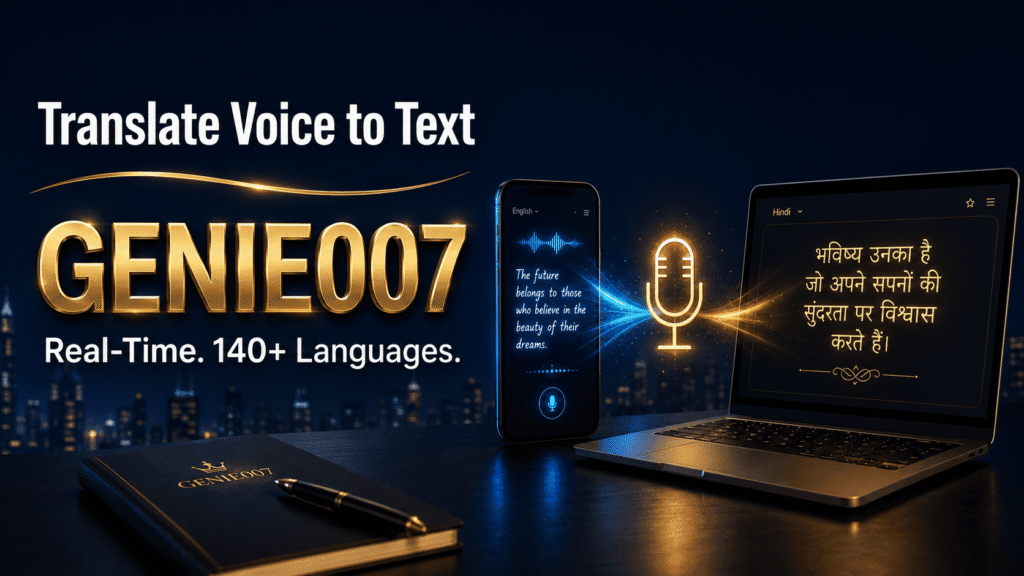
This is what a true speak-and-translate-to-text tool delivers: one voice input, one polished output, zero window-switching. Genie 007’s live translation feature works exactly this way. Activate it inside Gmail, LinkedIn, WhatsApp Web, Notion, or any other platform, set your output language, speak your message in English — or whichever language comes most naturally — and the Spanish (or other language) version appears in the active text field, ready to send or publish.
Accuracy goes beyond word-for-word rendering. Genie 007 understands that a customer service email in Spanish needs a different register from a WhatsApp reply, and different phrasing again from a LinkedIn post directed at Spanish-speaking professionals. You are not just getting a literal translation; you are getting output calibrated to context, platform, and tone — the kind of nuance that makes text read as though written by a person, not produced by a machine.
Because Genie 007 processes everything on-device, your words never touch its servers. You can dictate client names, pricing details, and confidential contract terms without privacy risk. AES-256 encryption, zero audio storage, and zero-knowledge processing mean the content stays entirely private. Your employer cannot see it. Genie 007 cannot see it.
Step-by-Step: English to Spanish in Gmail
Here is how this works in a real customer-support workflow. Say you manage support for an e-commerce brand serving Spanish-speaking buyers, but your natural language is English:
- Open the customer’s email in Gmail.
- Click into the reply field.
- Activate Genie 007 (browser extension or desktop app).
- Set the output language to Spanish.
- Say: “Hi Ana, your order shipped yesterday by DHL Express. Your tracking number is in the email below. Expect delivery in two to three business days.”
- Genie 007 transcribes, translates, and outputs polished Spanish directly into the reply field.
The customer reads fluent Spanish. The support agent spent about fifteen seconds. The quality is also consistent regardless of which team member is on shift — no need to route every message through the one Spanish-speaker before sending. For a support team handling hundreds of cross-language messages a day, that time saving is significant.
Dictate in Spanish: Writing a LinkedIn Post from an English Prompt
The same approach works when you want Spanish output from an English prompt. Switch Genie Mode on, set Spanish as the output language, and speak your LinkedIn post idea in natural English. Genie 007 produces a complete, platform-aware post in Spanish: the right register, appropriate phrasing, no word-for-word literal translation that a native speaker would immediately recognise as machine-generated.
You can then refine by voice — say “make it sound warmer” or “shorten the opening” and the post updates without starting again. This is Genie 007’s think-to-text approach: rather than transcribing your exact words, it captures your intent and delivers it in the language and register you chose. The think-to-text overview explains the underlying concept in full.
140+ Languages — Including Both Spanish Variants
Spanish alone has meaningful regional variation. Vocabulary, formality conventions, and idiomatic phrasing differ between Castilian Spanish and Latin American varieties, and between Mexican, Argentine, and Colombian Spanish within that group. Genie 007 handles these distinctions, along with more than 140 other languages: French, German, Portuguese, Mandarin, Arabic, Japanese, Hindi, and many more.
This matters in the reverse direction too. If Spanish is your first language and you think and speak in Spanish naturally, Genie 007 can output polished English. A Spanish-speaking founder targeting UK investors, or a Latin American marketing manager writing copy for a British audience, can dictate naturally and see professional British English on the screen. The guide to voice typing for non-native English speakers covers that workflow in detail.
The privacy advantage extends across every language pair. Whether you are dictating a Spanish-language legal brief, a French sales proposal, or a Japanese client update, the content is processed on-device. Nothing reaches Genie 007’s servers. For more on how the live translation engine works in practice, see the live voice translation overview.
Getting Started: Your First Translated Message in Minutes
Install the Genie 007 browser extension or download the desktop app, create a free account — no credit card required — and set your default output language in preferences. From that point, Genie 007 is active inside every site you open: Gmail, Outlook, LinkedIn, WhatsApp Web, Salesforce, HubSpot, Notion, and 60-plus more. There is no mode to switch between platforms; the translation follows you across your entire workflow.
Plans start from £5 per month — see the full pricing page for current tiers and the free trial. If you work primarily on mobile, the Genie 007 mobile app delivers the same live translation on iOS and Android, so the workflow holds whether you are at your desk or replying on the go.
FAQ: Voice Typing Translation
Can you voice type in one language and automatically get output in another?
Yes. Dedicated voice typing translation tools like Genie 007 handle transcription and translation in a single step — you speak in English and receive polished Spanish (or any of 140-plus supported languages) directly in your active text field. Standard voice tools such as Google Docs voice typing or Apple Dictation transcribe in the language you spoke and do not include a translation layer.
How do I dictate in Spanish without switching between apps?
The most efficient method is an AI voice assistant that works inside your existing platforms. Genie 007 sits inside Gmail, LinkedIn, WhatsApp Web, Notion, and dozens of other tools. Set the output language to Spanish, speak in English, and the translated text appears wherever your cursor is — no tab switching, no separate translation step, no copy-paste required.
Is voice typing translation accurate enough for professional emails and client messages?
Modern AI translation engines reach 94–97% accuracy on clean audio, and context-aware tools like Genie 007 go further by adapting output to the platform — more formal for email, more conversational for messaging — and supporting voice-refinement commands so you can adjust tone without retyping a word.
Try Genie 007 Free
If cross-language writing is costing you time and focus, live voice typing translation removes the friction entirely — speak in English, write in Spanish, and move on. No translate tabs, no copy-paste loops, no robotic phrasing to clean up.
Download Genie 007 free — available for Windows, Mac, mobile and as a browser extension. No credit card required.
Written by Bill Kiani, founder of Genie 007.