When a small business reaches the point of evaluating dictation software, the decision looks simpler than it is. You want voice to text that actually works — but the right tool needs to do considerably more than convert speech to words. It needs to handle client emails, proposals, CRM updates and internal notes with equal reliability, set up in minutes rather than days, and work for three people or thirty without requiring a separate enterprise agreement. This guide is for owners, office managers and team leads evaluating dictation software for small business use in 2026: what to look for, what matters most for a team, and how Genie 007 fits the brief.
Why Voice Typing Is the Fastest Productivity Win for Small Businesses
Most people type around 40 words per minute and speak at 125 to 150 words per minute. In a small business, where the same person may be writing client proposals, responding to supplier emails and updating a CRM between meetings, that gap matters considerably. Voice typing closes roughly two thirds of it without adding headcount or rearranging how the working day is structured.
The business case for small business speech to text has strengthened substantially in 2026. AI-powered speech recognition now reaches 95 to 99 per cent accuracy on general business vocabulary, and the category has moved well beyond simple transcription. The strongest tools available today can clean up your wording, match the tone the context requires and deliver finished text rather than a rough transcript that still needs editing. For small teams where time spent on administration is time not spent on clients, that shift from raw dictation to intelligent output changes the maths entirely.
What to Look for in Dictation Software for Small Business
Accuracy on Real Business Language
A dictation tool that transcribes casual conversation reliably but stumbles over industry terms, client names or product-specific vocabulary has limited value in a business context. Accuracy on real business language — not just standard vocabulary — is non-negotiable. Modern AI dictation tools handle most business contexts well, but it is worth testing with the actual words and phrases your team uses before committing to a subscription. Also ask whether the product adapts to your vocabulary over time or starts from a fixed model with no personalisation.
Multi-App Compatibility
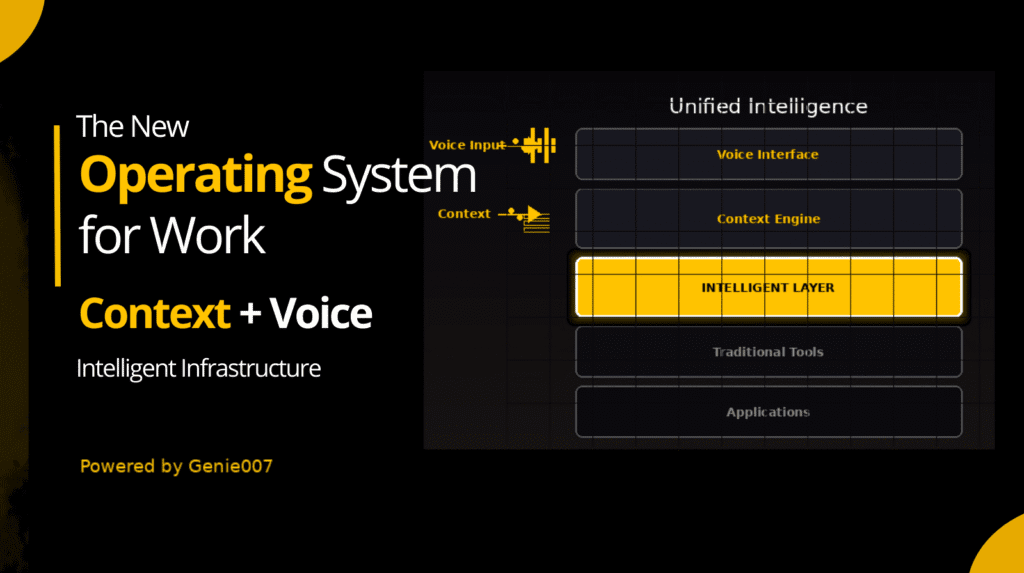
Small business teams work across many surfaces simultaneously — email, document editors, CRMs, project management tools, messaging platforms and industry-specific applications. Dictation software that only works inside one application forces you to context-switch every time you want to use voice somewhere else. The strongest products in this space operate at system level: they follow your cursor into any app or website and produce text wherever it is needed, with no per-app plugin required.
Team Management and Admin Controls
One-person dictation tools and business tools are fundamentally different products. Once you have three or more people on a shared subscription, you need visibility: who is using the tool, how many credits remain, and how to add or remove a member when someone joins or leaves. Billing simplicity matters too — one monthly invoice for the whole team saves a disproportionate amount of admin time. Look for a product that includes an admin portal, per-member usage analytics and self-serve seat management, rather than requiring a support call for every personnel change.
Privacy and GDPR Compliance
Business dictation means speaking confidential information aloud: client details, contract terms, financial figures. Where that audio goes after you speak it matters. Dictation tools that route voice data through external cloud servers add data-handling risk and, for UK businesses, GDPR compliance obligations requiring proper documentation. Healthcare-adjacent businesses will also need HIPAA readiness. Before putting business voice data through any tool, ask the vendor whether audio is stored, whether it trains AI models, and whether they can provide a data processing agreement.
Pricing That Scales With Your Team
Individual subscriptions charged per person with no team structure become expensive and difficult to manage once you reach four or five users. Look for per-seat pricing with a shared pool of credits, so a heavy user draws on a team allocation rather than everyone paying for their own peak usage. Self-serve billing — add seats, change your plan or cancel without contacting sales — is a reliable signal that a product is genuinely designed for business self-management. A full breakdown of tiers and team options is on the Genie 007 pricing page.
How Genie 007 Fits the Small Business Brief
System-Level Voice Typing Across Every App
Genie 007 operates as a system-level voice layer, working in any application and on any website — Outlook, Gmail, LinkedIn, Slack, CRMs, project management platforms, Google Docs and any browser-based tool your business uses. There is no need to switch applications to dictate, and there is no per-app plugin required. The Windows desktop app covers the full native environment; for teams that work primarily in the browser, the Chrome extension covers every site. For teams on Windows devices, the Genie 007 for Windows page outlines the complete installation. Organisations with more complex deployment requirements can consult the enterprise voice typing page for volume pricing and data processing options.
Genie Mode: Finished Text, Not Raw Transcription
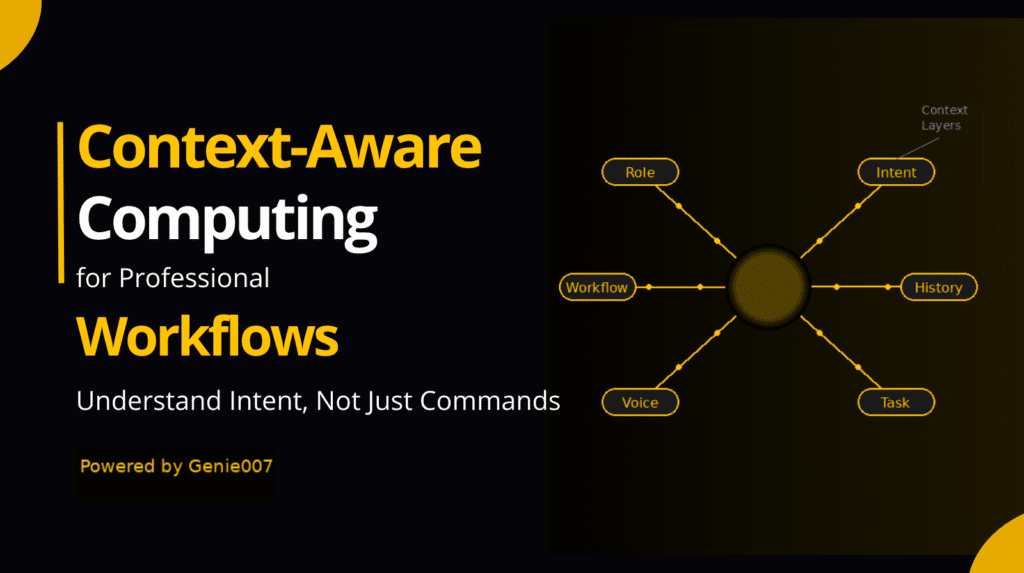
Most dictation software transcribes exactly what you say, word for word, and leaves editing to you. Genie 007 includes Genie Mode — built on the idea of think-to-text — which works differently. You speak naturally, the way you would explain something to a colleague, and Genie Mode turns that into finished, properly punctuated text matched to the tone the situation requires. For a small business team writing client emails, proposals or internal documentation, the difference between raw transcription and polished output matters more than raw speed alone. The companion piece on AI voice assistant for small business covers the broader productivity picture if you are weighing voice AI across more of your workflow.
Genie 007 Teams: Built for Small Business
The Genie 007 for Teams portal is designed specifically for the small business use case. Set-up begins at a minimum of three seats, and from the admin portal you can invite and remove team members in seconds, monitor per-member usage, and adjust your seat count as the team changes — all without raising a support ticket. Credits are pooled at 2,000 per user per month, so a team member with a heavy writing week draws on the shared allocation rather than exhausting their own limit. One invoice covers the entire team each month.
Pricing is £8 per user per month — £24 per month for the three-seat minimum. Free trials are available with no credit card required, making it straightforward to put the tool in front of your team before any commitment. Genie 007 is GDPR compliant and HIPAA ready, and the product’s privacy-first architecture means audio is never stored or used to train AI models.
Frequently Asked Questions
What is the best dictation software for a small business?
The best dictation software for a small business combines accurate speech recognition across real business vocabulary, system-wide compatibility, team management controls and solid data privacy. A tool that works across every app and website your team uses — with no per-app integration — delivers far more value than one tied to a single application. Genie 007 covers all of these, with a Teams portal purpose-built for small teams and pooled credits that keep billing simple.
How much does business dictation software cost per month?
Costs vary by product and team size. Individual subscriptions typically run from £5 to £15 per month. Per-seat team pricing that includes a shared credit pool and admin controls generally starts at around £8 per user per month. Genie 007 Teams is £8 per user per month with a three-seat minimum — £24 per month for the whole team, with no setup fees and no minimum contract.
Is dictation software GDPR compliant?
Not all dictation software is GDPR compliant by design. Products that route audio through external cloud servers create data-handling obligations requiring a signed data processing agreement with the vendor. Genie 007 is built privacy-first: audio is not stored externally and does not leave your device to be processed elsewhere. The Teams plan is explicitly GDPR compliant and HIPAA ready, with a data processing agreement available on request.
Can my team share a dictation software subscription?
Yes, provided the tool supports a proper team plan with pooled credits. Genie 007 Teams pools 2,000 credits per seat per month across all members, so heavier and lighter users balance each other out rather than individuals exhausting their own allocation mid-month. The admin portal lets you manage the whole team from a single dashboard, with seats added or removed at any time without contacting support.
Does voice typing for teams work without an internet connection?
This depends on the product. Many cloud-based speech recognition tools require a live connection to process audio on remote servers. Genie 007’s Windows desktop app is designed to minimise external processing wherever possible, which matters for businesses with unreliable connectivity or strict data-residency requirements. For an overview of where free built-in Windows options stand on offline use, see the guide to free speech to text on Windows 11.
Try Genie 007 for Teams Free
If your small business team is evaluating dictation software, the quickest way to reach a decision is to try it. Genie 007 Teams starts at three seats for £24 per month, with pooled credits, a full admin portal, GDPR compliance and no minimum contract. Free trial available — no credit card required.
Set up your team at Genie 007 for Teams — invite your first members and have the whole team speaking instead of typing in under ten minutes.
Written by Bill Kiani, founder of Genie 007.
For team members with dyslexia, voice-first workflows are not just a preference but a genuine productivity equaliser — our guide to voice typing for dyslexia covers the practical setup and the tools that go furthest.
Small businesses in healthcare, therapy, or legal health services should read our guide to HIPAA compliant dictation software before choosing any voice typing tool for client-facing documentation.